EasyManua.ls Logo

Teledyne G3-GM10-M0641 - User Manual

Teledyne G3-GM10-M0641
279 pages
Print Icon
To Next Page IconTo Next Page
Loading...
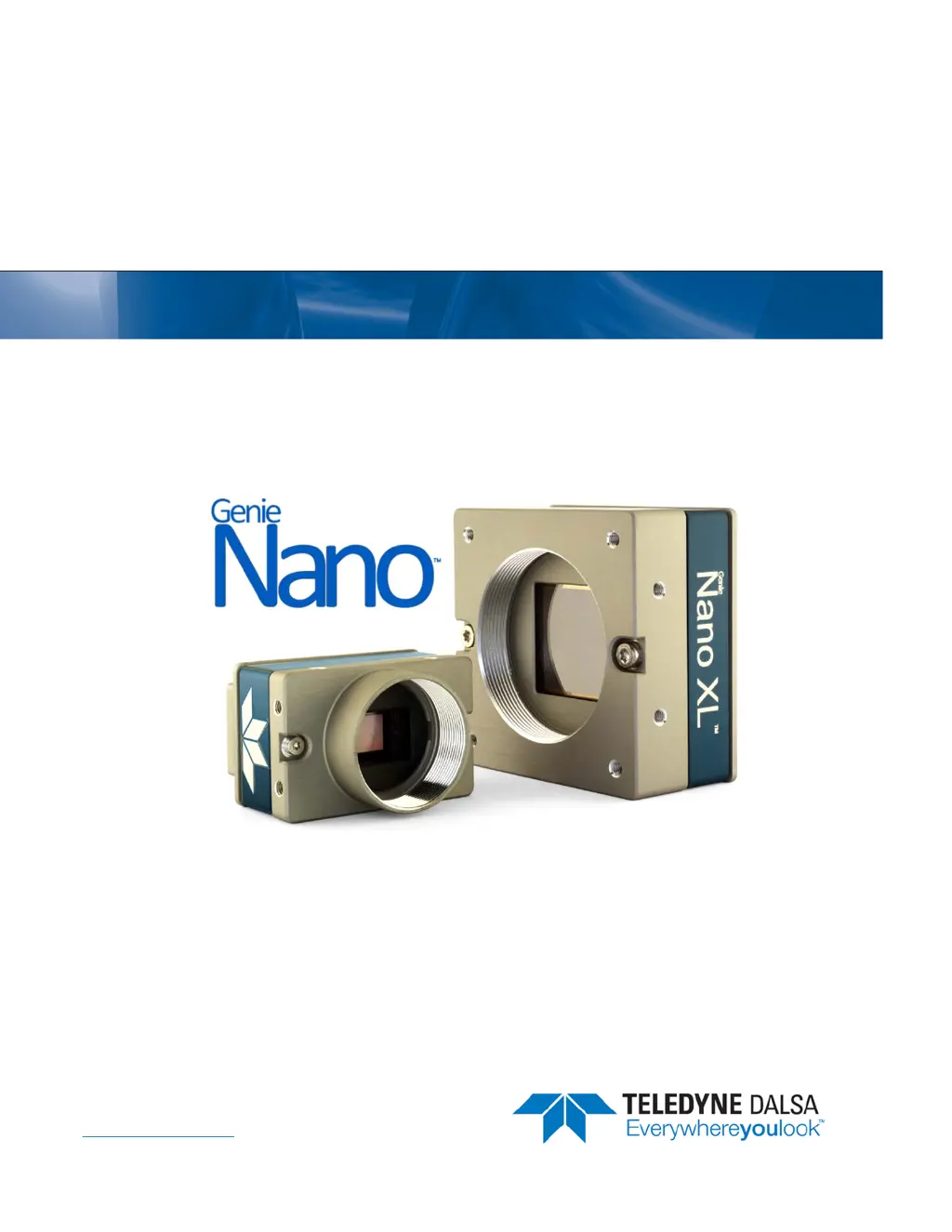
Genie Nano Series
Camera User’s Manual
1 Gb GigE Vision Monochrome & Color Area Scan
November 7, 2017
Rev: 0018
P/N: G3-G00M-USR00
www.teledynedalsa.com
sensors | cameras | frame grabbers | processors | software | vision solutions

Table of Contents

Questions and Answers

  • M
    Melissa GuzmanAug 9, 2025
    Why is the frame rate lower than expected on my Teledyne G3-GM10-M0641 Digital Camera?
    • J
      Joshua GalvanAug 9, 2025
      If your Teledyne Digital Camera's frame rate is lower than expected, first, verify the Ethernet link speed. If the LAN connection is limited to 100 Mbps, the camera's frame rate maximum will be limited once the internal buffers are filled. Also, if using an external trigger, verify the trigger source rate and camera parameters, such as trigger to exposure delay.
  • U
    ubellAug 14, 2025
    How to troubleshoot cabling and communication issues with Teledyne Digital Camera?
    • S
      Samuel GonzalezAug 14, 2025
      If you are experiencing cabling and communication issues with your Teledyne Digital Camera, verify the power supply voltage if the DC supply power is not connected or faulty. Ensure the Ethernet cable is securely connected to both the camera and the NIC or switch. Verify the Ethernet cabling; poor cables can cause connections to auto-configure at lower speeds. Also, check the Ethernet status LEDs on the NIC used with the camera and confirm that the Ethernet cable is CAT5e or CAT6.
  • A
    Angela SmithAug 19, 2025
    What to do if my Teledyne G3-GM10-M0641 image is black?
    • D
      douglas07Sep 12, 2025
      What to do if my Teledyne Digital Camera is functional, the frame rate is as expected, but the image is black? First, verify that the lens iris is open. Aim the camera at a bright light source. Check that the programmed exposure duration is not too short, or set it to maximum. You can also use CamExpert to set the camera to output its Internal Pattern Generator.
  • A
    Allison MooreAug 25, 2025
    How to solve multiple camera issues with Teledyne G3-GM10-M0641 Digital Camera?
    • E
      evanslindsayAug 25, 2025
      To resolve multiple camera issues with your Teledyne Digital Camera, confirm each camera has been assigned an IP address by checking the GigE server when using multiple cameras with a computer with multiple NIC ports. To reduce network traffic, use the Network Configuration tool to stop camera discovery broadcasts in configured problem-free systems. If using multiple cameras connected to a VLAN Ethernet switch, confirm that all cameras are on the same subnet setup on that switch. If third-party filter drivers modify the NIC properties, uninstall the third-party driver and install the Nano package again. Also, verify that your NIC is running the latest driver available from the manufacturer.
  • S
    Sarah CombsAug 29, 2025
    What to do if Teledyne G3-GM10-M0641 is not available?
    • T
      Thomas GomezAug 29, 2025
      If your Teledyne Digital Camera is not available, it may be due to a major camera fault or condition such as disconnected power, or a network issue where there is no communication. Review the section Using Nano to verify required installation steps. In multiple NIC systems where the NIC for the Nano is using LLA mode, ensure that no other NIC is in or switches to LLA mode. Verify that your NIC is running the latest driver available from the manufacturer.
  • S
    Sarah LeonardSep 3, 2025
    Why does my Teledyne G3-GM10-M0641 Digital Camera grab have random bad data or noise?
    • A
      Anthony JohnsonSep 3, 2025
      If your Teledyne Digital Camera has random bad data or noise, test for a good acquisition by reducing the camera packet size used. This issue can be caused by network adapters that do not support jumbo frames but still report a false maximum packet frame size. Other marginal NIC boards or ports can also cause problems with packet transfers.

Teledyne G3-GM10-M0641 Specifications

General IconGeneral
BrandTeledyne
ModelG3-GM10-M0641
CategoryDigital Camera
LanguageEnglish

Related product manuals