181-122018_THCD-101 Instruction Manual Page 15 of 26
▲ Move edit field selection up
▼ Move edit field selection down
Zero Go to edit mode for currently selected field
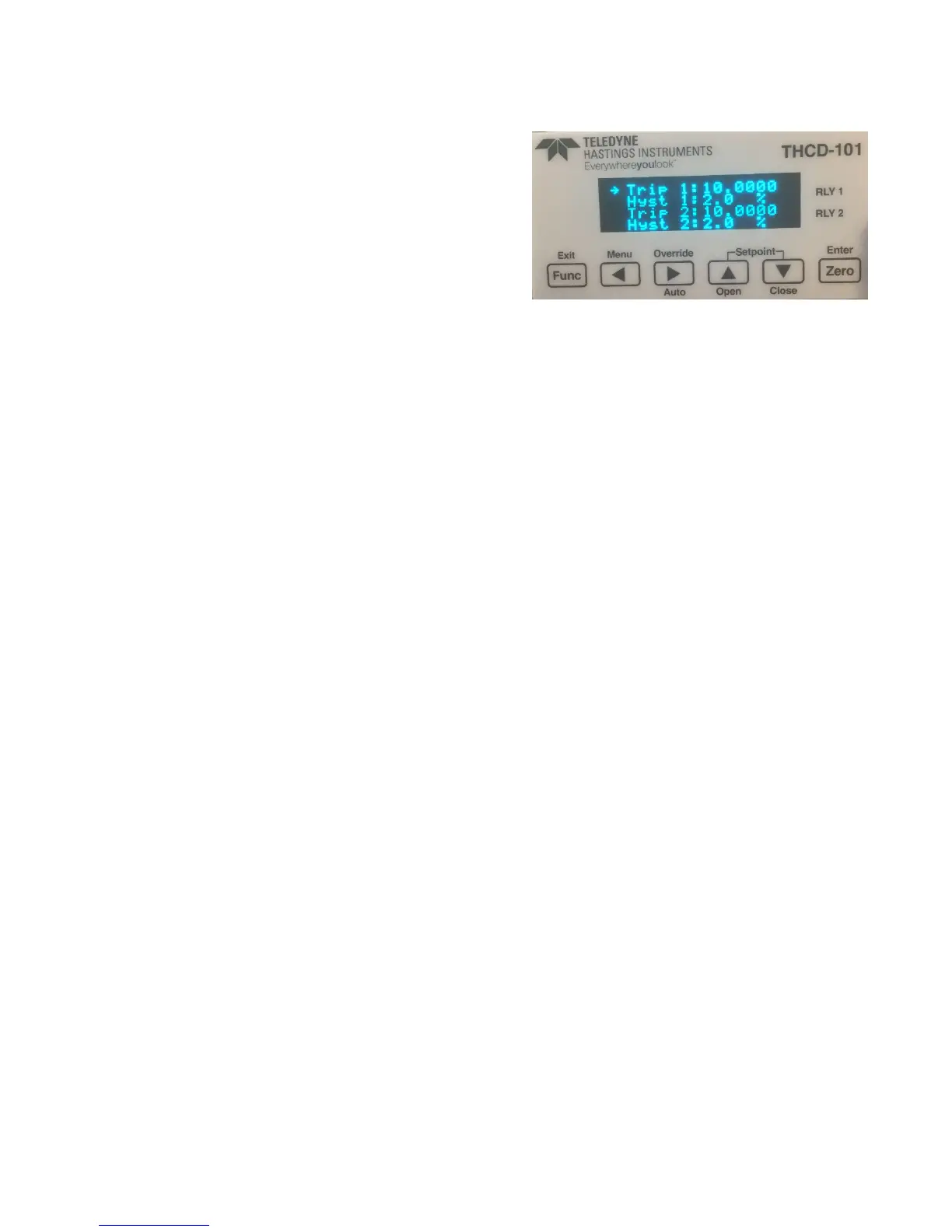
(i) Relay Screen
This screen allows you to set the trip point for when the
relays switch. The relays also contains some hysteresis to
stop them ‘chattering’. This is configurable from this
screen as well and is represented as a percentage of full
scale of the input channel, with limits of 0.0% (i.e. no
hysteresis) to 10.0%.
Switch Functions:
Func Go back to Main Menu screen
◄ Select previous character when in edit mode
► Select next character when in edit mode
▲ Move edit field selection up
▼ Move edit field selection down
Zero Go to edit mode for currently selected field
(j) Factory Defaults Confirmation Screen
If Factory Defaults is selected from the Main Menu, this screen appears to ask for confirmation of the requested
function. If confirmed then the screen changes to show a percentage of completion of the factory defaults and
once completed the THCD-101 will restart.
Switch Functions:
Func Go back to Main Menu screen
◄ If held, starts factory default when Zero is pressed
► No function
▲ No function
▼ No function
Zero Starts factory default if ◄ is held as well.



 To Next Page