23
Using sound recorder
Tip: Sound recorder allows you to record audio in WAV format.
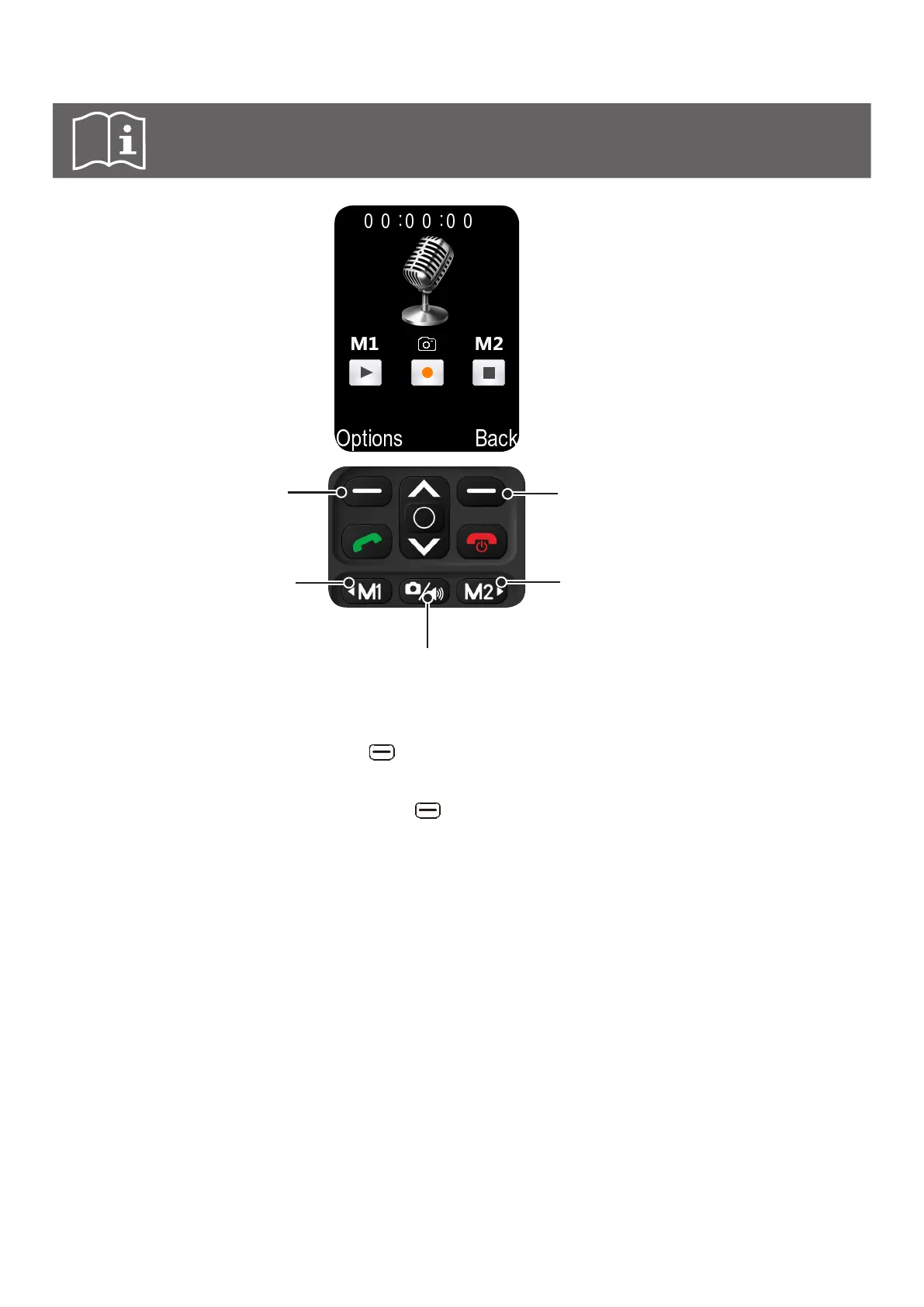
f Press to pause or
continue recording
when listening
f Press to start or pause
recording
f Press to stop recording
f Press to stop recording
f Press to pause
or continue
recording
h Before starting a recording, the left key and select Storage to save the audio le in phone
or memory card, and select File format to set the le format as AMR or WAV.
h After stopping a recording, press the left key to browse available Options:
Start recording Start recording audio.
Audition Play the recorded audio.
Record again Re-record the current recording.
Delete Delete the current recorded audio.
Send Share the current recorded audio via MMS or Bluetooth
®
.
Record file list List of all recorded audio files.
Storage Select default storage location of recorded audio files in phone or
memory card.
File format Select file format of recorded audio files: AMR/WAV.



 To Next Page