12
Telesat Lightspeed Emulator Installation Guide
Appendix B:
System Performance
Users should refer to the Platform dashboard or the Network View Desktop when
assessing the Emulator performance.
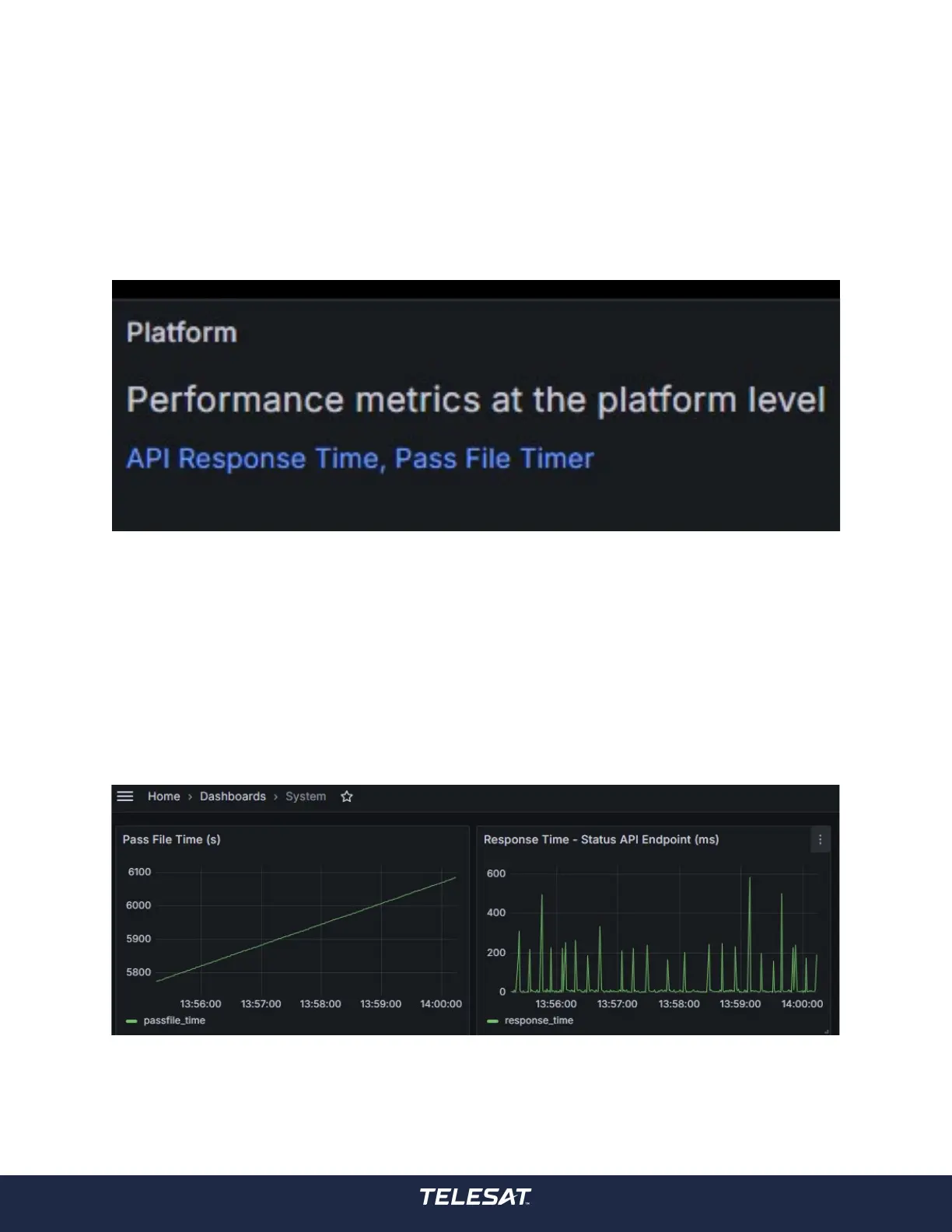
The Platform dashboard can be accessed in Grafana via the ‘Home > Platform > API
Response Time, Pass File Timer’.
Figure 5: Accessing Performance Metrics at the Platform Level
Pass File Time in Seconds, the trended value should be linear representing second
by second time steps. If the linearity of this line deviates it could indicate a system
loading issue.
Response Time – Status API Endpoint (ms), is a real time measurement of the
Emulator endpoints, show in the gure below (right) is expected behaviour. If API
response times meet or exceed 1 second consistently it could indicate a system
loading issue.
Figure 6: System Dashboard
Report system performance related issues to your Telesat account representative
including a snapshot of this Dashboard.



 To Next Page