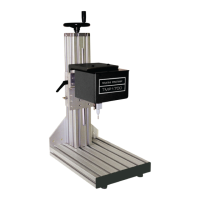
TMP1700/470 Marking System
8 of 10 28575G
Host Communications
The marking system software allows you to configure
communication parameters to transmit and receive data to and
from a host computer. To provide maximum integration
flexibility, the system software supports RS-232 and RS-485 serial
interfaces and Ethernet TCP/IP interfaces. The system software
also provides two protocol choices: Programmable Protocol and
Extended Protocol.
RS-232 Interface. The serial (RS-232) communications interface
is most often used with remote devices such as host computers,
terminals, or bar code scanners. The Comm 1 RS-232 interface
supports both Telesis Extended Protocol and Telesis
Programmable Protocol. The Comm 2 RS-232 interface supports
only Telesis Programmable Protocol.
RS-485 Interface. The RS-485 interface is normally used for
long transmission distances or multi-drop networks of up to 31
TMC470 controllers. You must use Telesis Extended Protocol
with the RS-485 interface.
The following describes the serial data character format on all
transmissions to and from the TMC470 Controller.
• Asynchronous
• 1200, 2400, 4800, 9600, 19200, 38400, or 115200 Baud
• 1 or 2 Stop Bits
• 7 or 8 Data Bits
• None, Even or Odd Parity
TCP/IP Interface. The Ethernet (TCP/IP) interface is most often
used with host computers communicating over a local area
network (LAN). You must use Telesis Extended Protocol with the
TCP/IP interface.
The Port parameter identifies the host computer socket that is
assigned to the marking system. If more than one marking system
is installed in a network configuration, each system must use a
separate and unique port number. The Address parameter
identifies the IP address of the host computer. The marking system
software supports both fixed addressing and dynamic addressing.
Optionally, the Ethernet Port may be connected to a PC running
the Merlin III Visual Design Software. Any computer that runs the
Merlin III software must
satisfy the following requirements:
• Windows
®
2000, XP,
Vista
®
(Business Edition), or
Windows
®
7 (32-bit Professional Edition) operating system
• Pentium
®
4 Processor
• Sufficient RAM as per operating system requirements
• Video board
• 2GB hard drive
• CD-ROM disk drive
• One available Ethernet port
• SVGA color monitor, mouse, and keyboard
Host Communications
(continued)
Programmable Protocol. Use this protocol where very simple
one-way communications are required (such as with bar code
scanners). Programmable Protocol provides no error checking or
acknowledgment of the transmitted data. Note that XON/XOFF
Protocol applies even when Programmable Protocol is selected.
Starting Character specifies where the software begins to
count character positions. This number must be entered in
decimal format (e.g., "2" for ASCII Start of Text "STX").
Terminating Character identifies the end of transmitted string
(usually "13" for ASCII carriage return character).
Character Position counted from the starting character
ignoring all characters preceding it.
Character Length accepts variable length messages (if set
to 0) or messages of a pre-specified, fixed number of characters.
Ignore Character identifies the character to ignore when sent
from the host (usually "10" for ASCII line feed character)).
Message Type allows message-type recognition which defines
how the marking system will use data it receives from the host.
1 Message type 1 overwrites the first line of the first text
field with data extracted from the host
P Message type P loads a specific pattern identified by
data extracted from host
Q Message type Q updates the text in the first query
buffer with data extracted from the host
V Message type V updates the first variable text flag
found in the pattern with data extracted from the host
0 Message type 0 (zero) indicates that host will provide
message type, field number (if applicable), line number
(if applicable), and data; delegates message type
selection to the host on message-by-message basis.
The host message must use the format:
Tnn<string>
where:
T = 1, P, Q, or V to indicate message type
nn = two-digit field number or query text buffer
where data will be placed.
Note: Not used with Message Type P.
<string> = For Message Type P, indicates the pattern
name to be loaded.
For Message Types 1, Q, or V, indicates
the data to be
inserted into the field or the
query text buffer, as applicable.


 To Next Page