EasyManua.ls Logo

Televes Avant - User Manual

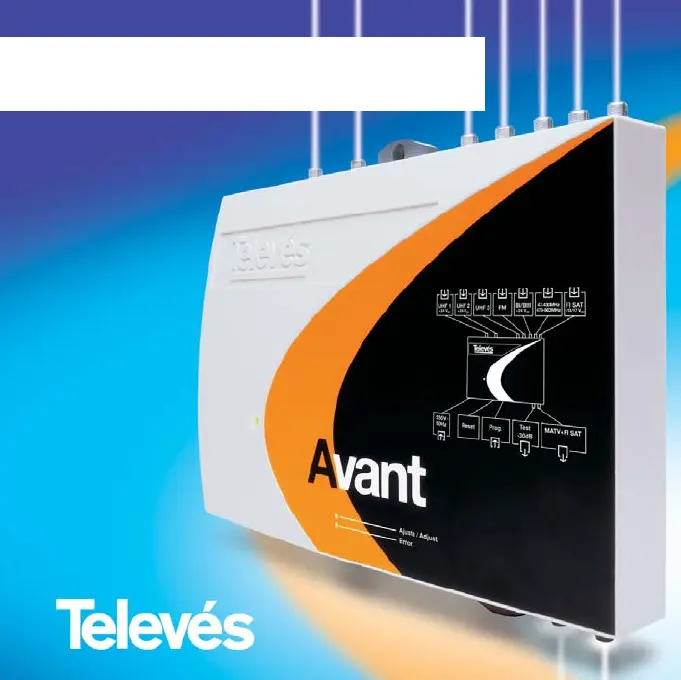
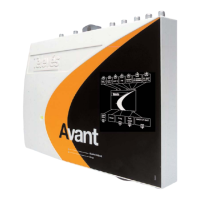
Televes Avant
40 pages
Go to English
Print Icon
To Next Page IconTo Next Page
Loading...
Inserte el CD en su unidad de CD-ROM,
ejecute el fichero Setup.exe y seleccione el idioma.
Coloque o CD na sua unidade de CD-ROM,
execute o ficheiro Setup.exe e seleccione o idioma.
Insert the CD into your CD-ROM drive,
type Setup.exe and select the languaje.
© Televés S.A. Todos los derechos reservados
Rúa B. de Conxo 17.
15706 Santiago de Compostela
Telf. 981 52 22 00 - Fax. 981 52 22 62
103156/2 - 01/07
Estación de Programación de Unidades Avant
Estação de Programação de Unidades Avant
Avant PC Programming Interface
Manual del Usuario
Manual do Utilizador
User’s Manual
Ref. 2166

Other manuals for Televes Avant

Questions and Answers

  • J
    Joshua WarnerJul 28, 2025
    Why are the channels in the broadband input of my Televes Avant Amplifier not equalised?
    • S
      Sara WilliamsJul 28, 2025
      If the channels in the broadband input of your Televes Amplifier are not equalized with the programmable single-channels, make sure the input level is between 65 and 70 dBµV for UHF channels. Applying a level below this range will result in these channels having a lower level than the rest. A higher level may cause disturbances due to channel intermodulation.
  • C
    christopherkimAug 1, 2025
    What to do if the channels on my Televes Avant Amplifier are not adjusted to the programmed output level?
    • W
      William CharlesAug 2, 2025
      If the channels on your Televes Amplifier aren't adjusting to the programmed output level, ensure the programmed single-channel in the highest output channel has an adequate signal and level. This is used as a reference for adjusting the selected output level.
  • K
    Kim BrownAug 7, 2025
    Why are the channels selected by BI/BIII on my Televes Amplifier not regulated correctly?
    • B
      Bruce QuinnAug 7, 2025
      If the channels selected by BI/BIII on your Televes Amplifier are not regulated correctly, remember that the BI/BIII input is designed to amplify a broadcasted terrestrial channel. If you need to amplify signals in this band coming from satellite receivers, use the 'Wideband' input port.
  • E
    Emily JacksonAug 12, 2025
    What to do if my Televes Avant displays an error about programming two single-channels in the same RF output channel?
    • S
      Sonya VincentAug 12, 2025
      If your Televes Amplifier shows the error message: 'The unit does not allow two single-channels to be programmed in the same RF output channel' when you press the adjustment button, press the button to exit this state. The remote control's display will indicate the first incorrect channel so you can modify it.
  • J
    jtrevinoAug 17, 2025
    What happens if I apply a collection of equalised channels from satellite receivers to my Televes Amplifier?
    • J
      Joshua EnglishAug 17, 2025
      If you apply a collection of equalized channels coming from satellite receivers with the same level to your Televes Amplifier, the unit will treat them as a sole channel with a greater level, reducing the adjusted level of the collection compared to what you would have with one channel.
  • J
    Jessica LarsonAug 22, 2025
    What happens if I apply a sole channel in the BI/BIII input of my Televes Amplifier?
    • R
      Rebecca VelazquezAug 22, 2025
      If you apply a single channel in the BI/BIII input of your Televes Amplifier, its level will be adjusted 5 dB below the level of the UHF channels.

Summary

Avant Installation Guide

System Requirements and Installation Procedure

Details minimum system requirements and the process for installing the Avant PC programming interface software.

Avant PC Programming Interface Usage

Main Screen and Configuration Options

Explains the main screen, single-channel configuration, output level, gain slope, IF attenuation, and LNB powering settings.

Favourite Configurations Management

Guides on accessing, saving, loading, deleting, and managing personalized configurations in the database.

Automatic Adjustment Process and Results

Details the automatic adjustment process for the Avant unit and how to interpret the displayed results.

Televes Avant Specifications

General IconGeneral
BrandTeleves
ModelAvant
CategoryAmplifier
LanguageEnglish

Related product manuals