12. Channel selection: press the channel name to change it, see "Channel selection interface" on
page28
MANAGE AGENDA
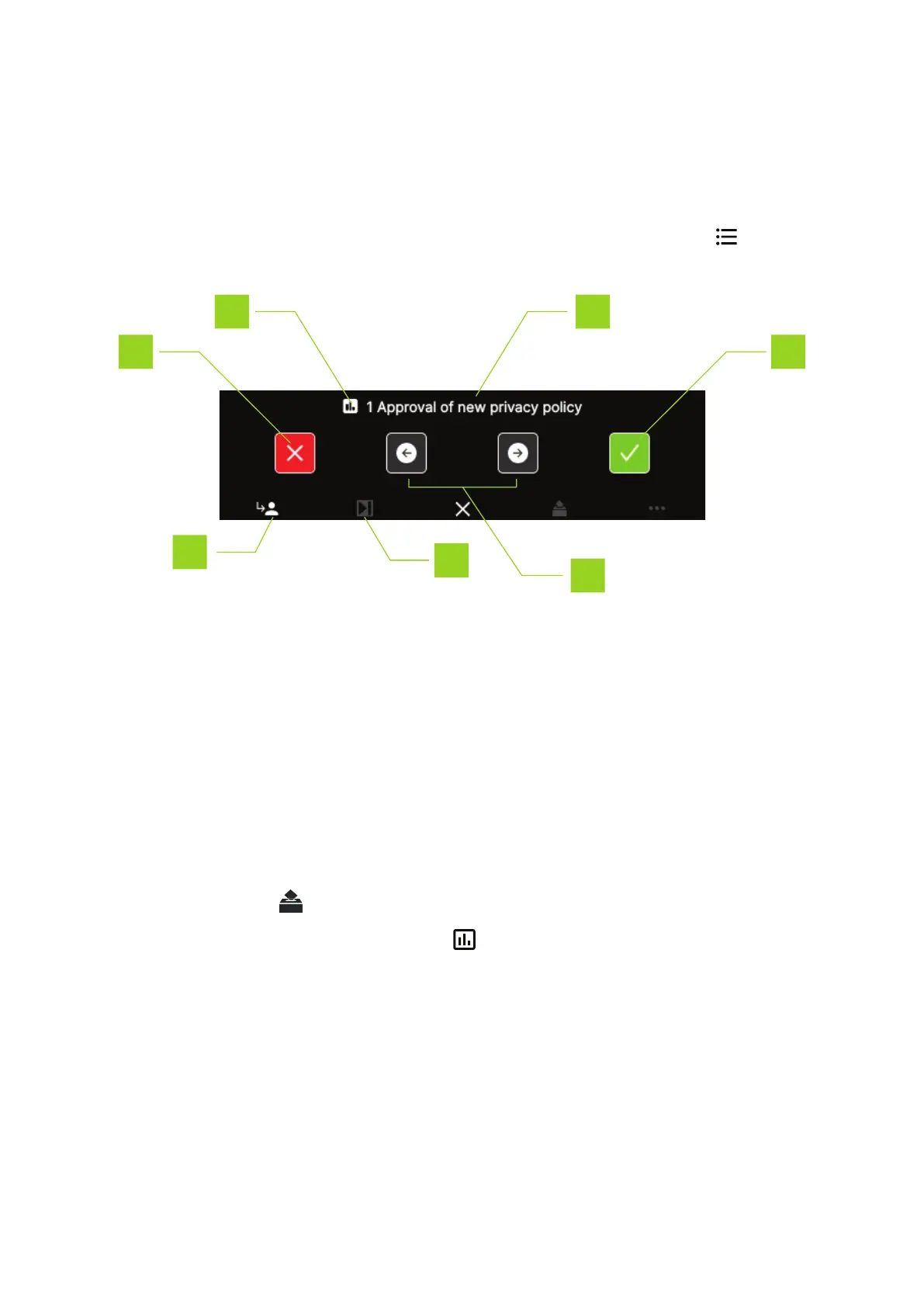
As chairperson you can change the active agenda item from your unit, press the agenda icon to acces
the agenda. The following functions are available:
1. The agenda item name
2. Use buttons to navigate through the agenda
3. Press button to activate the selected agenda item
4. Press to exit the agenda screen
5. NEXT button: grants the floor to the next delegate in the request list
VOTING CONTROL
As chairperson you have additional controls to manage the voting. In the menu on the bottom of the screen
the voting control button becomes active when you activate a voting agenda topic and start the voting.
You can recognize voting agenda topics by the icon proceeding the topic name. When you activate
the voting, the Confidea FLEX shows the following message:
HO W TO USE THE CONF IDEA FL EX INTER F ACE 24



 To Next Page