LT910-WW User Manual - Telic AG
Pg 7
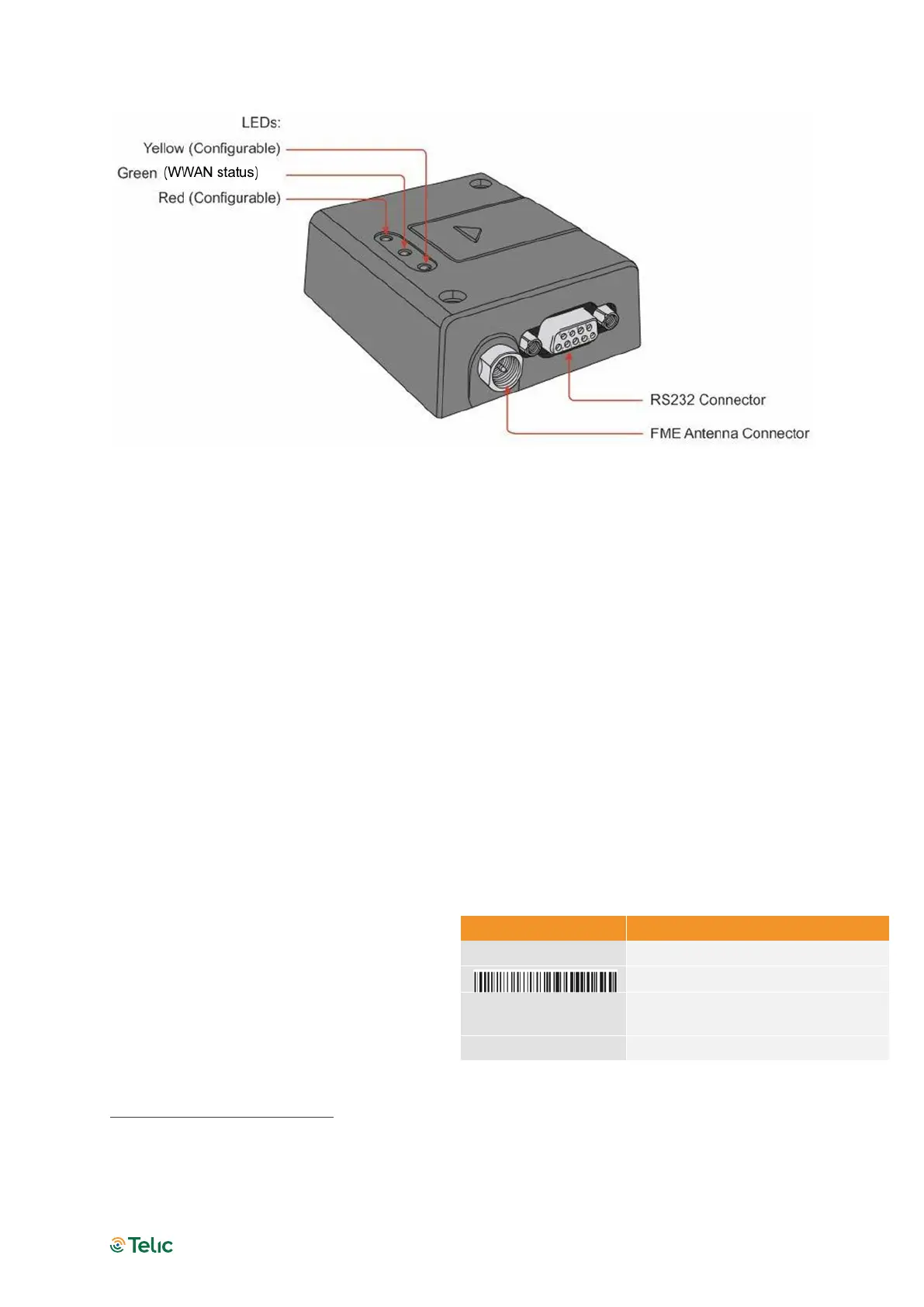
Figure 2: Connectors on front side of the Terminal
PLEASE NOTE THE FOLLOWING:
The terminal can be securely fitted into your application by using the mounting holes
positioned at the two corners of the device.
The SIM card can be inserted without the need for additional tools.
Section “4 Electrical Description” describes the pins and electrical characteristics of the
terminal’s various connectors.
Section “4.2 Antenna Connector” provides information about the antenna connector.
Special DIN rail mounting brackets (Art#. 12304 or Art# 12305) is available as an
accessory item which allows installation of the modem in industrial environments using
DIN rails. For more details of our accessories please check chapter 2.5 Telic Certified
Accessories.
1
Note that the serial number consists of a 5-digit product ID followed by the device’s IMEI.
Label
S/N
Serial number barcode
IMEI
international mobile equipment
identity
CE



 To Next Page