Page 18
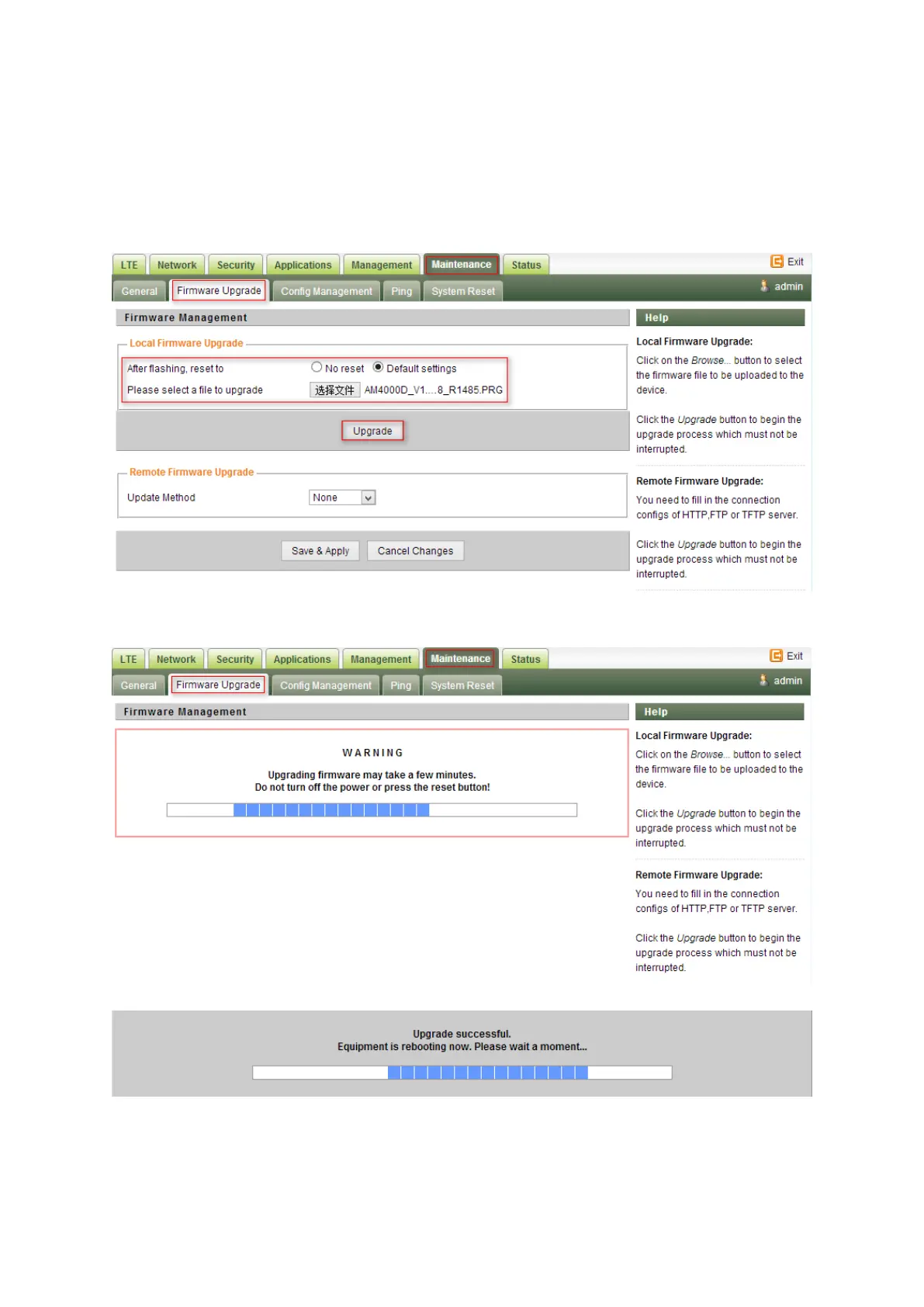
Firmware Upgrade over HTTP
Select the
to reset the CPE after upgrade
Click on the Browser button to select the firmware file to be uploaded to the device.
Click the”
” button to begin the upgrade process.
Please do not interrupt the upgrade process and continue to wait for the following pop window to
appear. The CPE will reboot after upgrade successful.


 To Next Page