VPN CONFIGURATION GUIDE PREMIUM BUSINESS GATEWAY - DEVG2020 11
VERSION 2.03
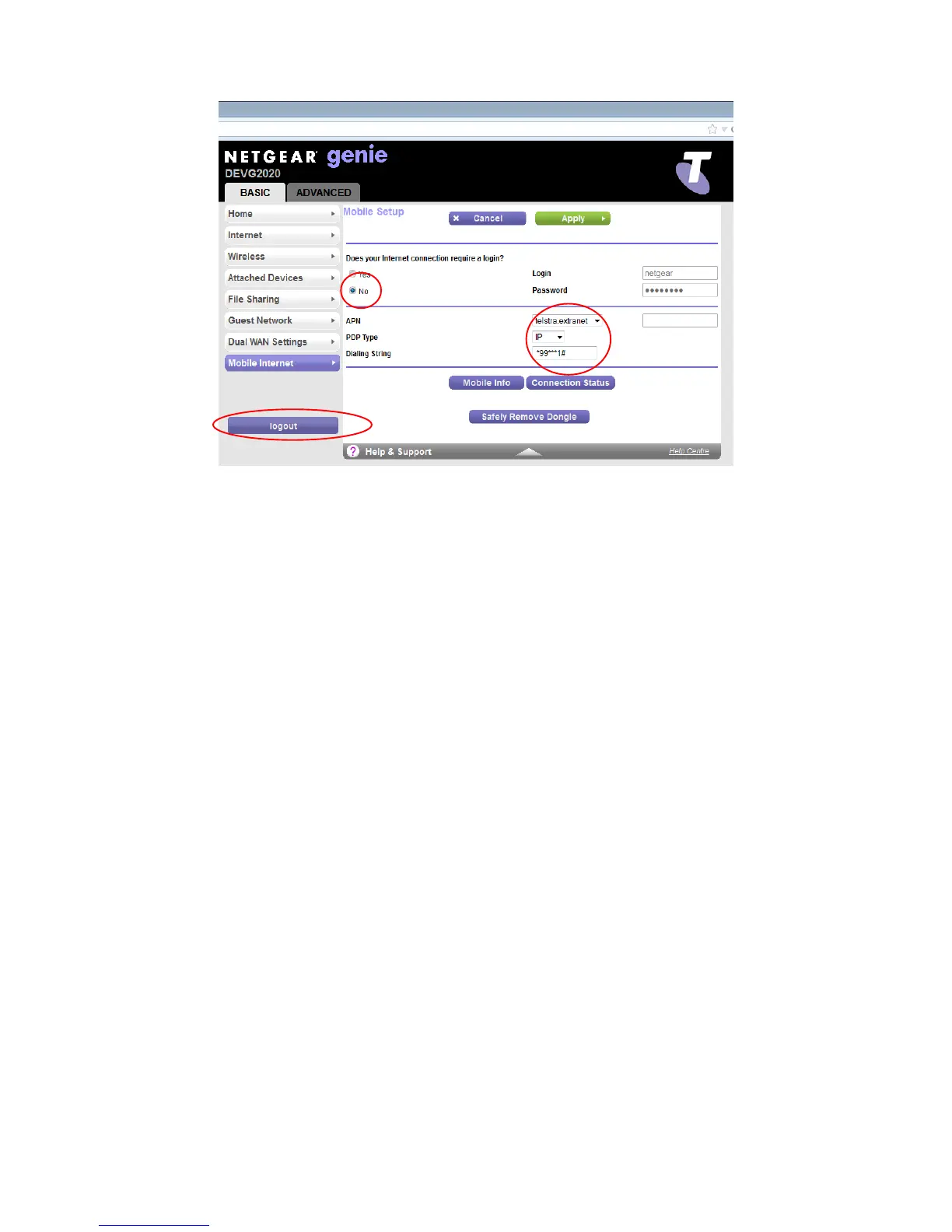
Figure 10: Mobile Set-up
Set “Does your Internet connection require a login?” to No
Select “telstra.extranet” for the APN.
Type in “*99***1#” in the Dial String.
Click Apply to save the changes and press Logout .
Connect the Mobile broadband USB modem to the either USB ports on the gateway.
Reboot the Gateway by turning Off the power and waiting 1 minute before turning it On.



 To Next Page