VPN CONFIGURATION GUIDE PREMIUM BUSINESS GATEWAY - DEVG2020 10
VERSION 2.03
3. ACTIVATE DIGITAL BUSINESS BROADBAND BACK-UP
Figure 9: Digital Business Broadband Back-up.
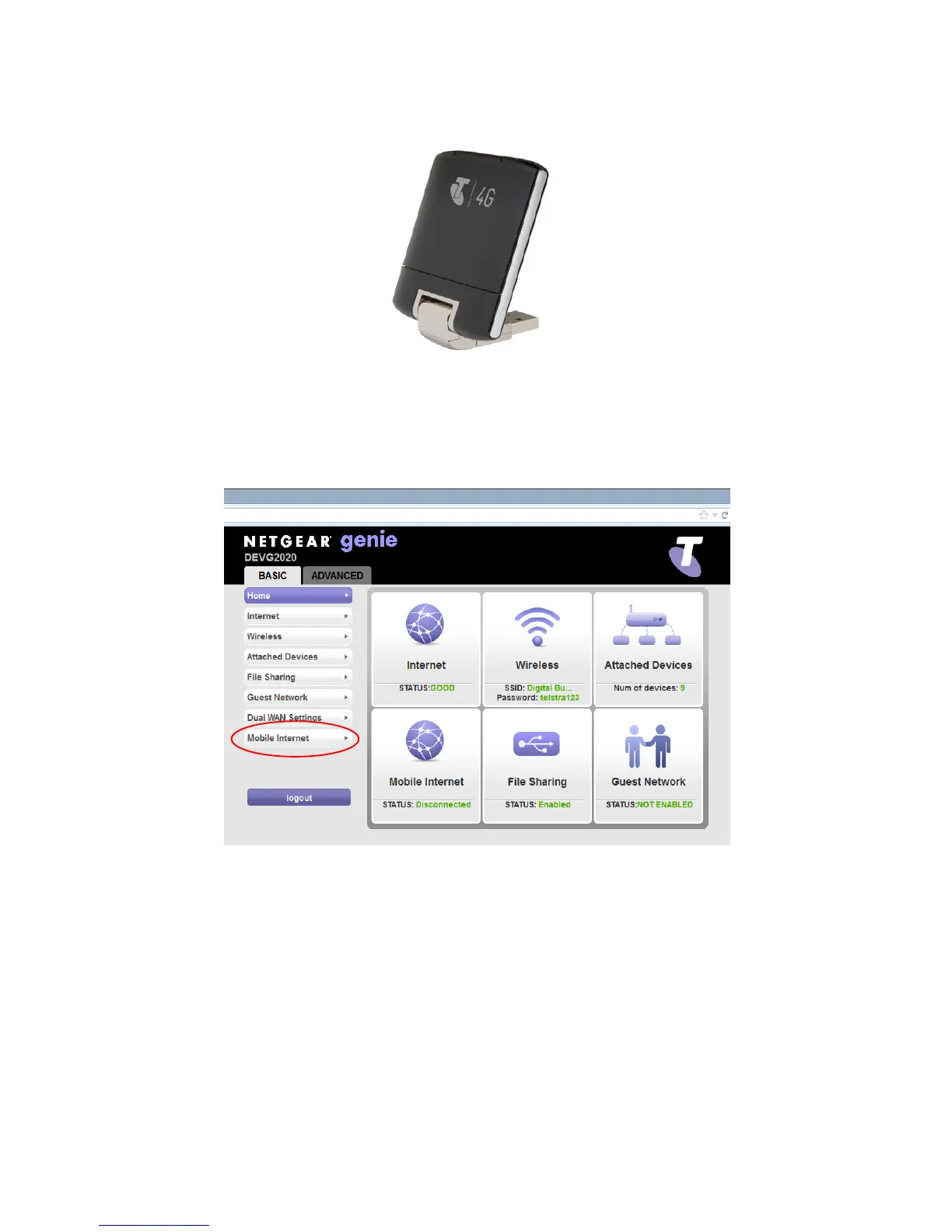
Enter the IP address 192.168.15.1 into internet browser and press Enter to access the Genie’s Login page (Figure
4). Type the user name “admin”, password “telstra” and press Enter to reach the Genie’s Welcome Page (Figure
9).
Figure 9: Genie Welcome Page
Click on “Mobile Internet” in the left hand menu (Figure 9) to reach the Mobile Set-up page (Figure 10).



 To Next Page