Quick set-up guide
If you need some help, call us on 13 2200 or go to https://go.telstra.com.au/helpandsupport/home-phone/
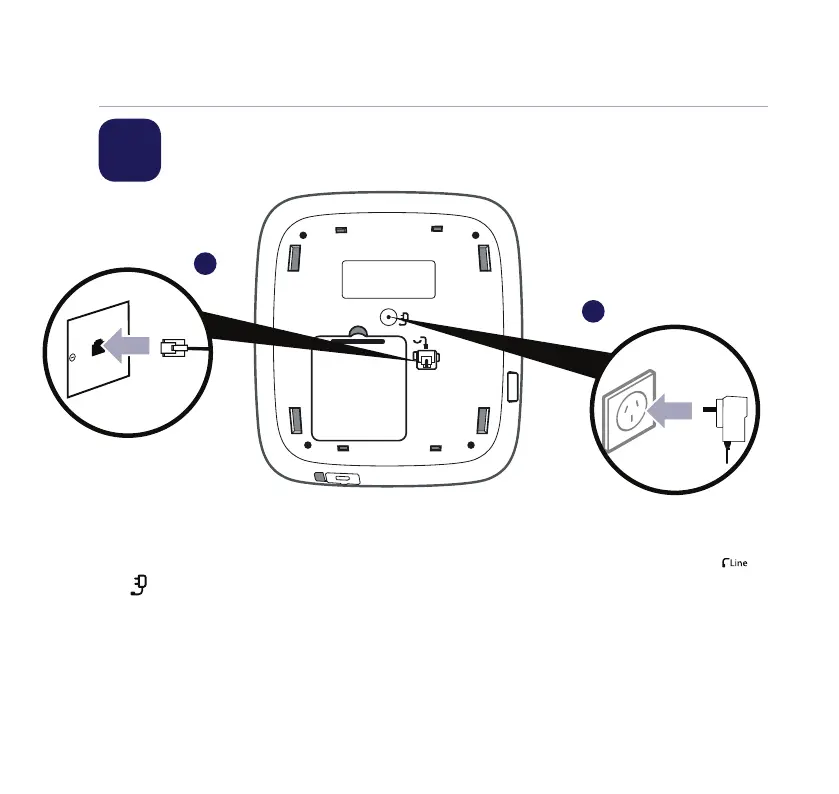
1. First, plug the mains power adaptor
into the base in the socket marked
.
2. Plug the other end of the power
adaptor into the wall power socket
and switch socket on.
3. Plug the telephone line cord into
the base in the socket marked
.
Plug the other end of the cable into
the phone wall socket.
4. LCD display will light up.
Quick set-up guide5
1 Plug in
1
2



 To Next Page