If you are experiencing these issues, please follow these troubleshooting steps:
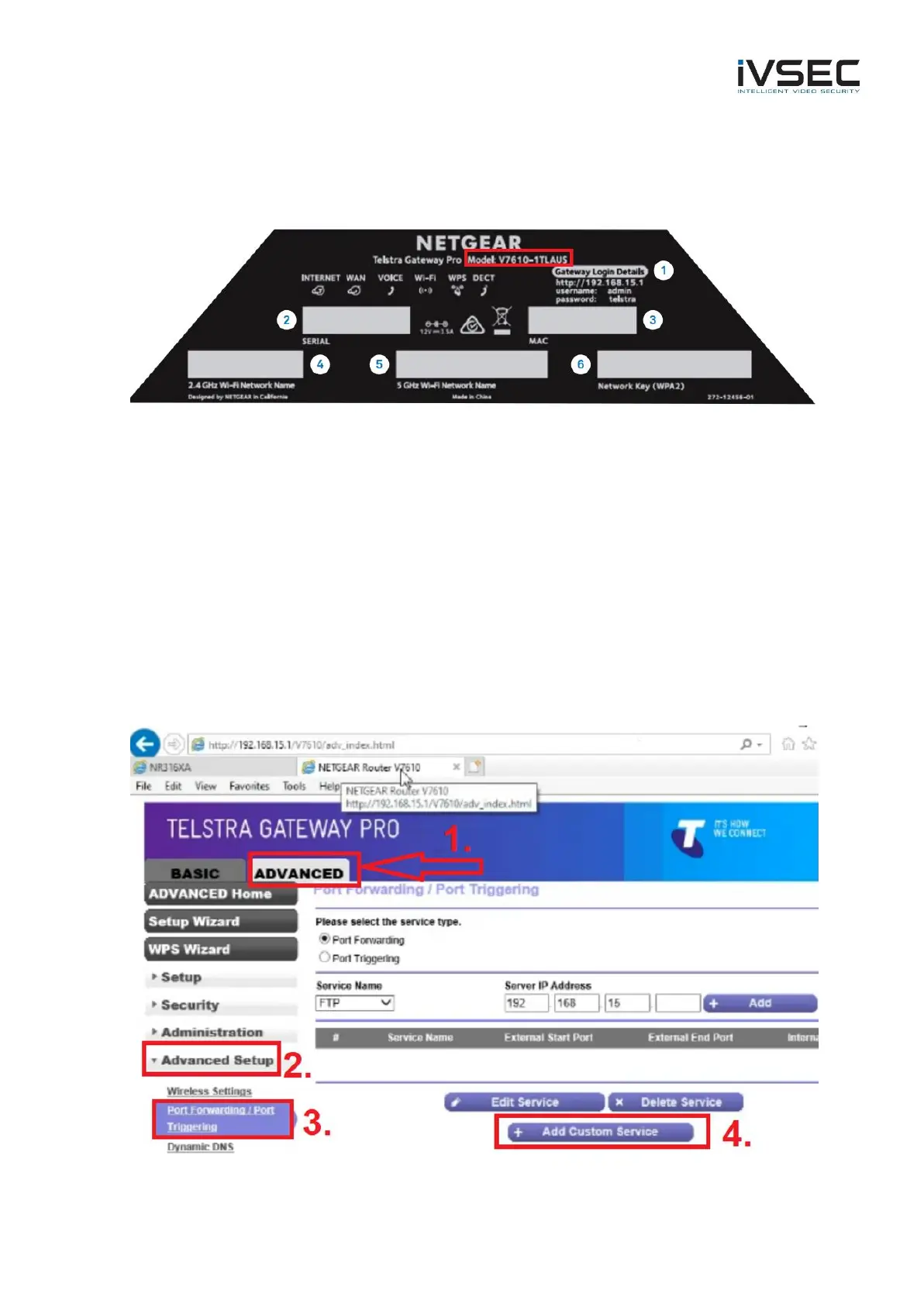
• Confirm your Product model number by checking the label on the bottom of the Gateway
(V7610)
• Power off the V7610 for 30 seconds and turn back on. Waiting for approx. 5 minutes while
the internet re-connects and test your app again.
• If cameras are still showing “offline” when using 4G mobile data then login to the gateway
using a web browser and setup port forwarding
Default IP address of V7610: 192.168.15.1
Username: admin
Password: telstra
1. Click “Advanced”
2. Click “Advanced Setup”
3. Click “Port Forwarding / Port Triggering”
4. Click “Add custom service”



 To Next Page