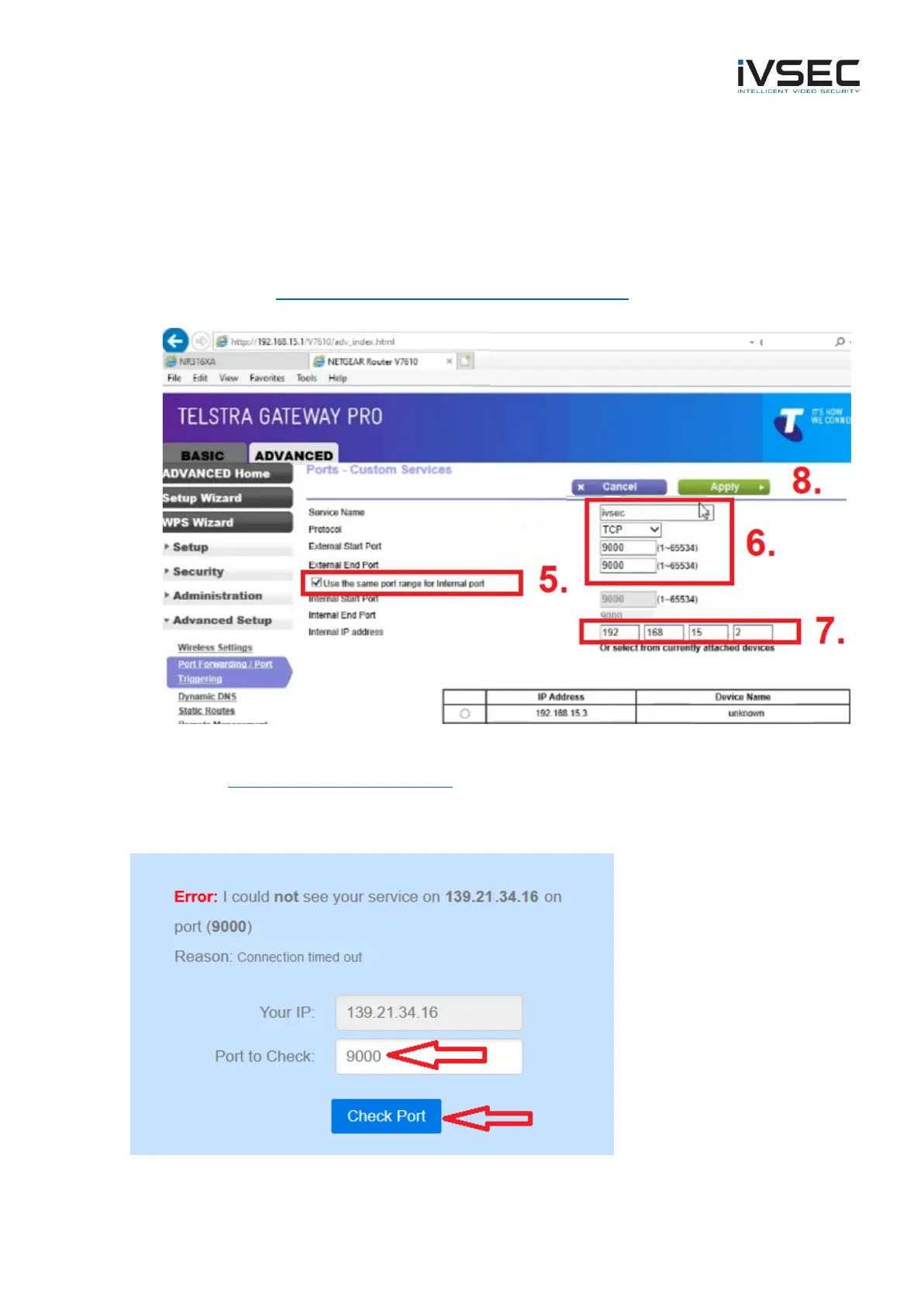
5. Tick “use the same port range for internal port”
6. Service name: ivsec
Protocol: TCP
External start point: 9000
External end point: 9000
7. Enter the IP address of your IVSEC Recorder (video demonstrating how to determine your
recorder IP - https://www.youtube.com/watch?v=sRS-koV2GJw
8. Click “Apply”
• Go to https://www.canyouseeme.org/
• Port to Check: type in 9000
• Click “Check Port”



 To Next Page