Please note that Telstra Residential NBN services are supplied with dynamic IP address. This means
that the public IP address will randomly change resulting in the loss of your camera connection.
Please review the options below:
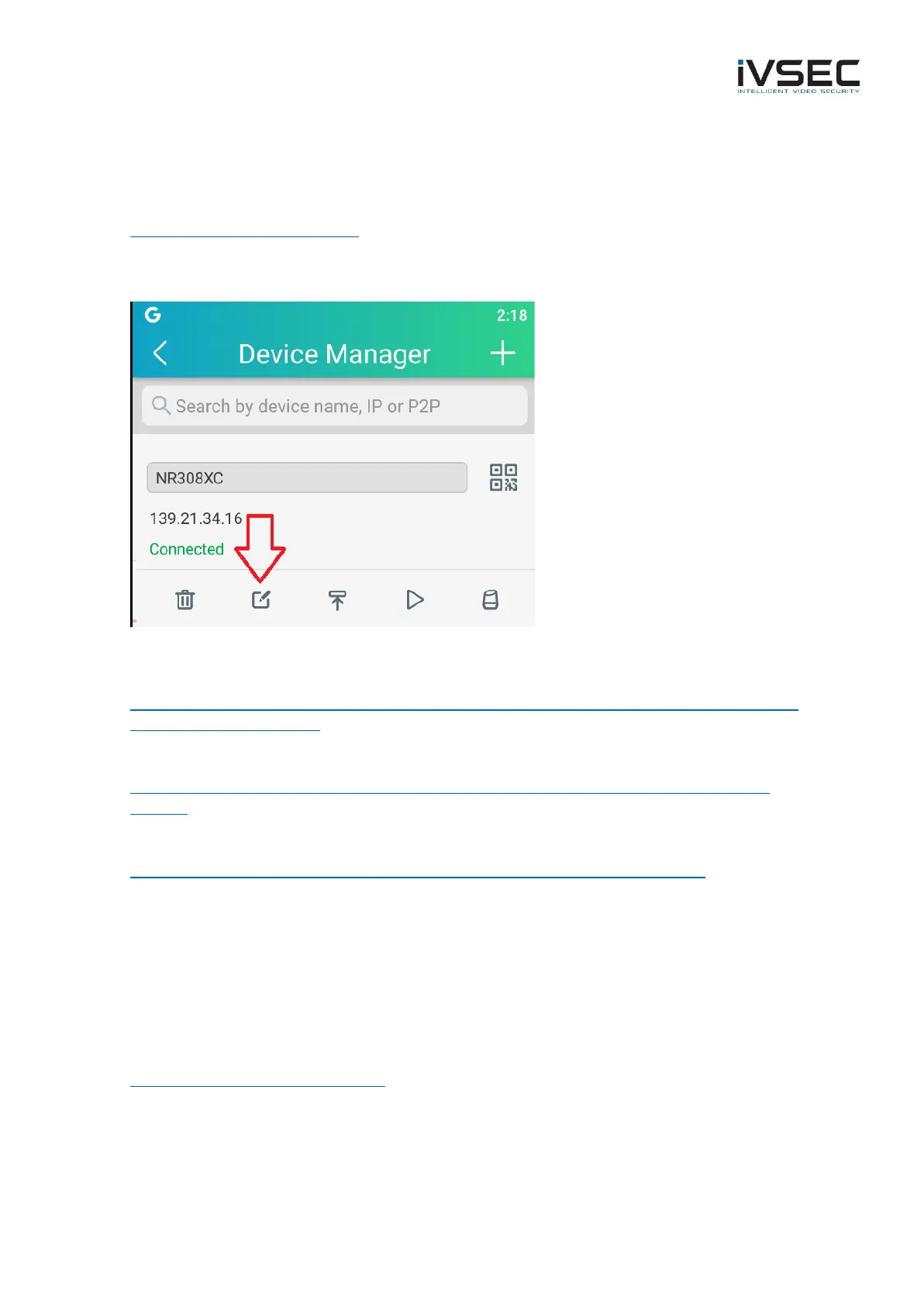
Option 1: If you lose connection to your cameras when connected to 4G /5G mobile data go to
https://whatismyipaddress.com/ to determine your current IPv4 public IP address. Then, open the
IVSEC X app and press the edit icon as per image below to modify the IP address to the current
address. Press “Save“. The status should show as Connected.
Option 2 – Contact Telstra to request that they provide a static IP address for your NBN service. A
static address is an address that does not change. This may be a chargeable service from Telstra
https://www.telstra.com.au/support/category/broadband/manage/more-information-about-ip-
addresses-and-dns-settings
Option 3 – Setup a free DDNS account and configure DDNS in your modem / router.
https://www.noip.com/support/knowledgebase/free-dynamic-dns-getting-started-guide-ip-
version/
For further instructions regarding setting up DDNS in your modem/router refer to link below
https://www.noip.com/support/knowledgebase/how-to-configure-ddns-in-router/
Important:
In most cases you have the option to supply and install your own modem/router rather than using
a Telstra branded modem. This may allow better configuration control options and prevent the
need to setup port forwarding to access your cameras remotely. Please refer to the link below for
further details:
BYO Modem /Router - Telstra Forum
Alternatively, a very secure option is to setup a VPN connection to access your NVR/cameras
remotely. Configuring a BYO modem/router as well as VPN setup will not be detailed in this
document. Please contact your local IT Support for further assistance



 To Previous Page