Telstra MF65 User Manual v1.0 Page 24 of 30
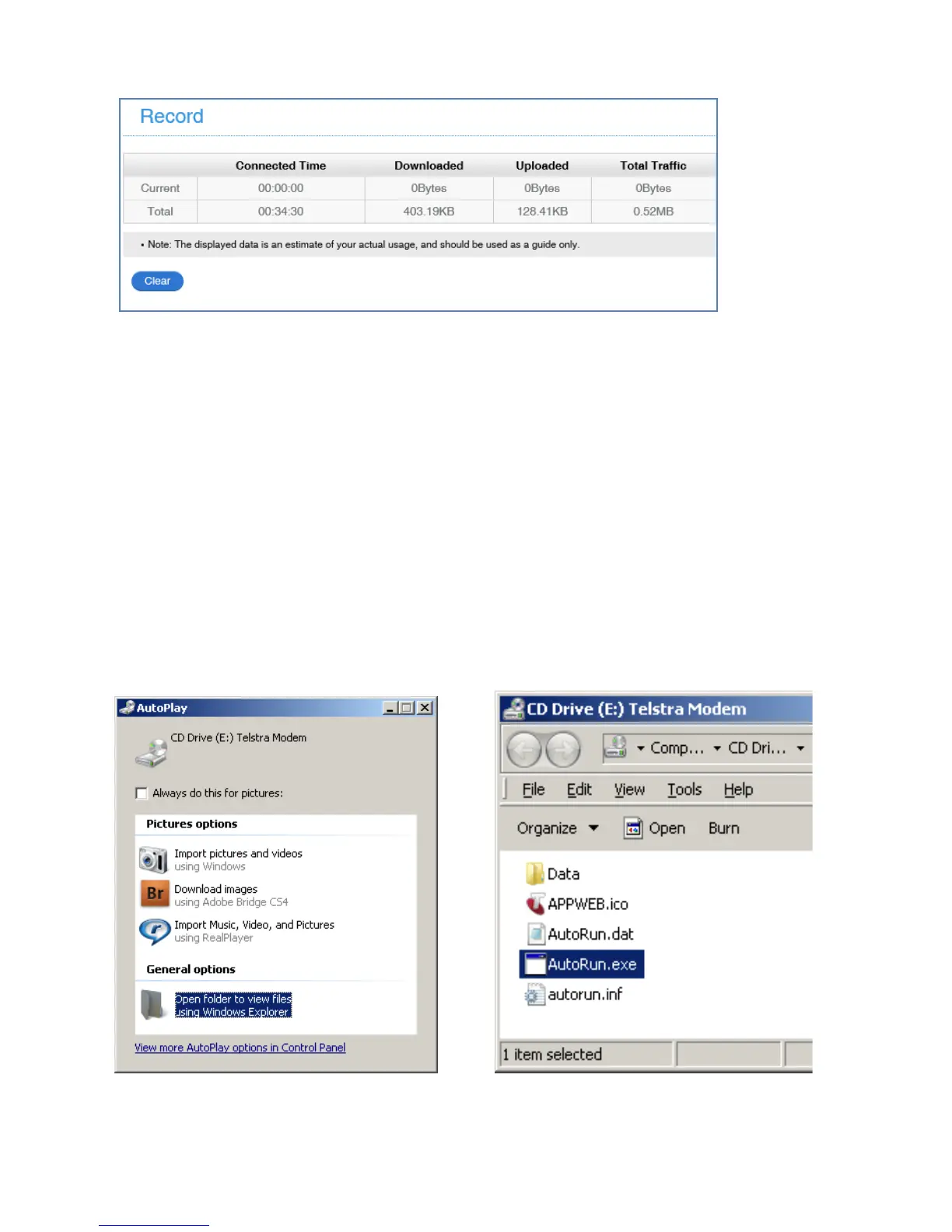
INFORMATION > RECORD
• View your data usage on the Record tab.
• Data usage is approximate and your carrier may charge you different
data block sizes so their records and charges are likely to be different.
• Typical carrier data is charged in 1MB blocks.
• Contact your carrier for more details.
USB INSTALLATION FOR TETHERED CONNECTION
You can also connect your device via the USB lead provided. The
installation software is pre-loaded onto your USB device. Simply insert the
device into your computer and follow the instructions on-screen.
Example shown for Windows operating system.
1. Click on ‘Open folder…’ 2. Double click Autorun.exe
3. The installation will create a short-cut on your desktop and open your
browser at the device homepage.



 To Next Page