Telstra MF65 User Manual v1.0 Page 6 of 30
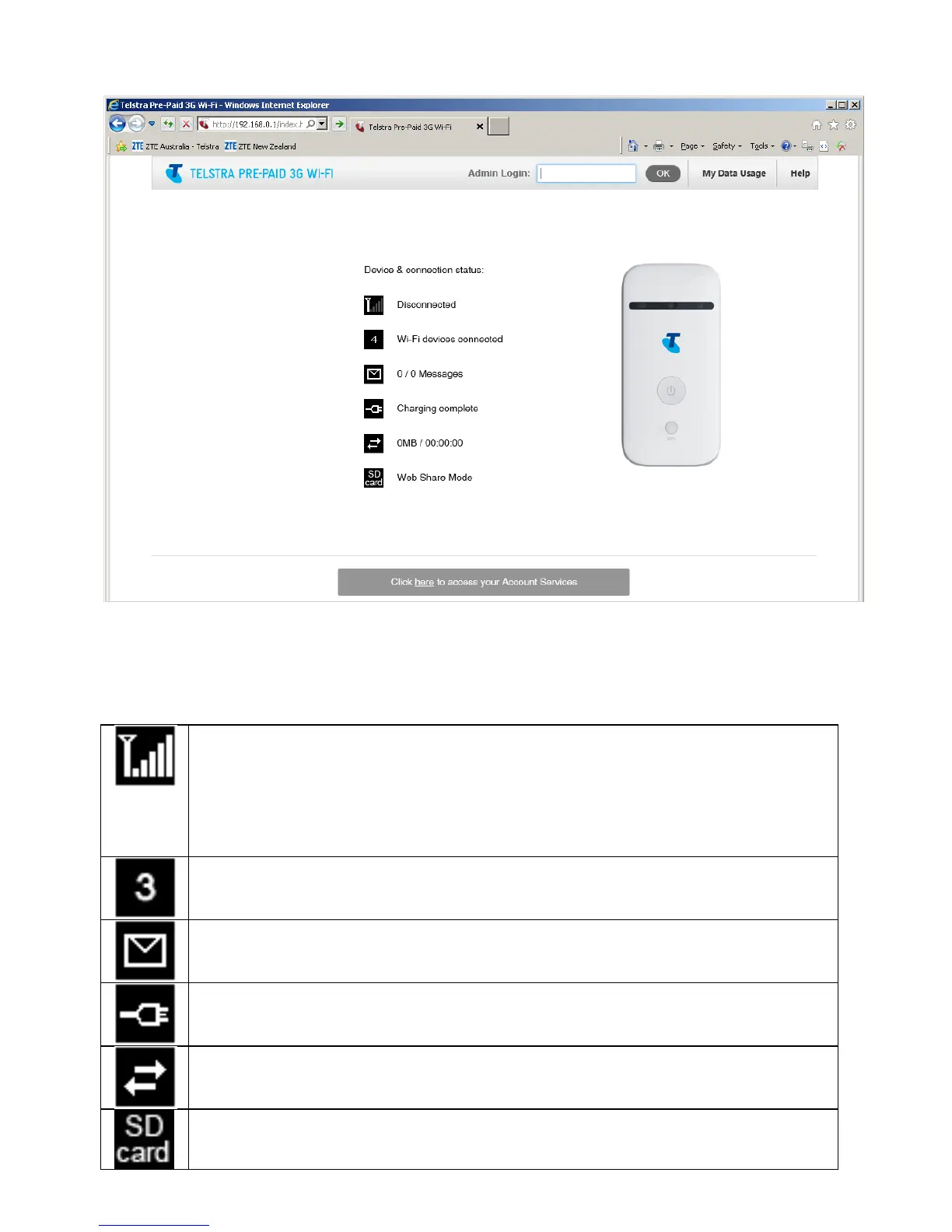
DEVICE HOMEPAGE
Open a browser and go to 192.168.0.1 to access the device homepage.
The default administrator login password is ‘password’
HOMEPAGE ICONS
Network signal strength. 2G or 3G technology is also
displayed. No USIM or invalid SIM card (PIN, PUK, or Network
locked) will result in Disconnected status.
Check your SIM card is active, valid and inserted correctly.
Number of devices connected via Wi-Fi
Number of new SMS messages
Charging and Battery status
Data usage and connection time.
microSD memory card status (if fitted)



 To Next Page