8 9
Installing the Visual Message Waiting Indication Feature
When you purchase the T1000C Power Pack, follow the instructions provided and plug
the unit into the special socket labelled “POWER” located at the rear of the telephone.
Note: Telstra Home Messages 101® and MessageBank® can interfere with the operation of some personal alarm
devices used to contact emergency services. If you use a personal alarm please consult the provider of your
service before activating Home Messages 101 on your telephone.
On-hook features without power adaptor
The following functions can be performed without lifting the handset:
• You can pre-dial a number on the display, and then dial it by simply lifting the handset.
• Adjust the phone settings (except the earpiece volume).
• View the Callers List.
• View the Memory List.
• View the text message list.
• Compose and send a text message.
• Delete an entry in the Callers List or Memory List.
• Add numbers and names to Memory.
Note: Press [Cancel]
to clear the display.
Additional features when the Power Pack is connected
• ∑Light flashes with ring and when there are unviewed text messages.
• A key tone sounds for each valid key pressed.
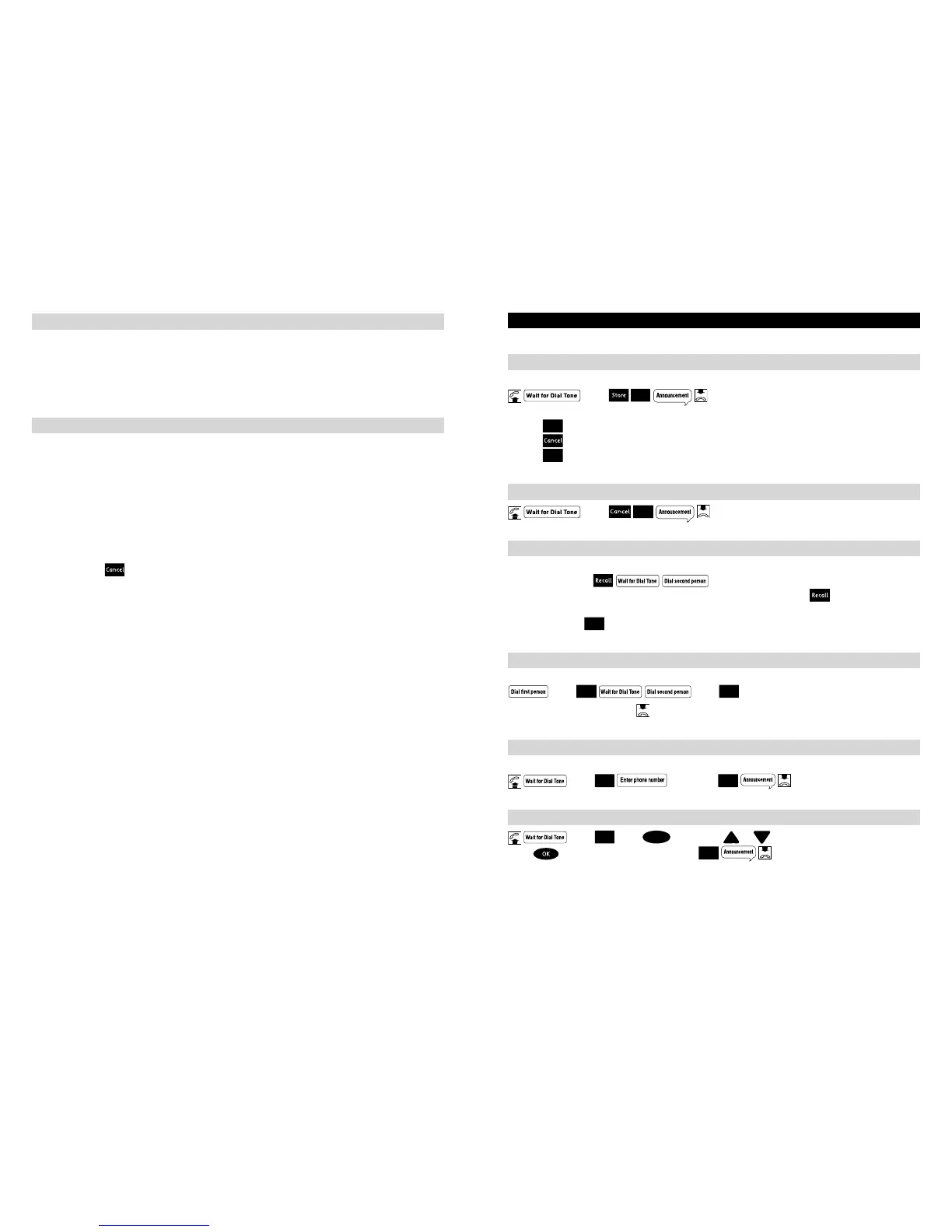
HOW TO USE YOUR TELSTRA T1000C TELEPHONE FEATURES (available in most areas)
To turn on Call Waiting
This feature enables you to answer a second call while you are on the phone.
press
To make an enquiry call while you are on a call
This feature enables you to call someone while you are on a call.
During a call press
To return to the first caller after the second person hangs up, press
If you wish to set up a 3-way conversation after the second person answers,
simply press the
4. Applicable call costs and usage charges apply
5. Call costs and usage charges apply. Available most areas.
6. Applicable call costs apply for forwarded calls. Calls can be forwarded to most numbers in Australia.



 To Next Page