143
9.17.4 Landing Page
9.17.4.1 General Landing Page Settings
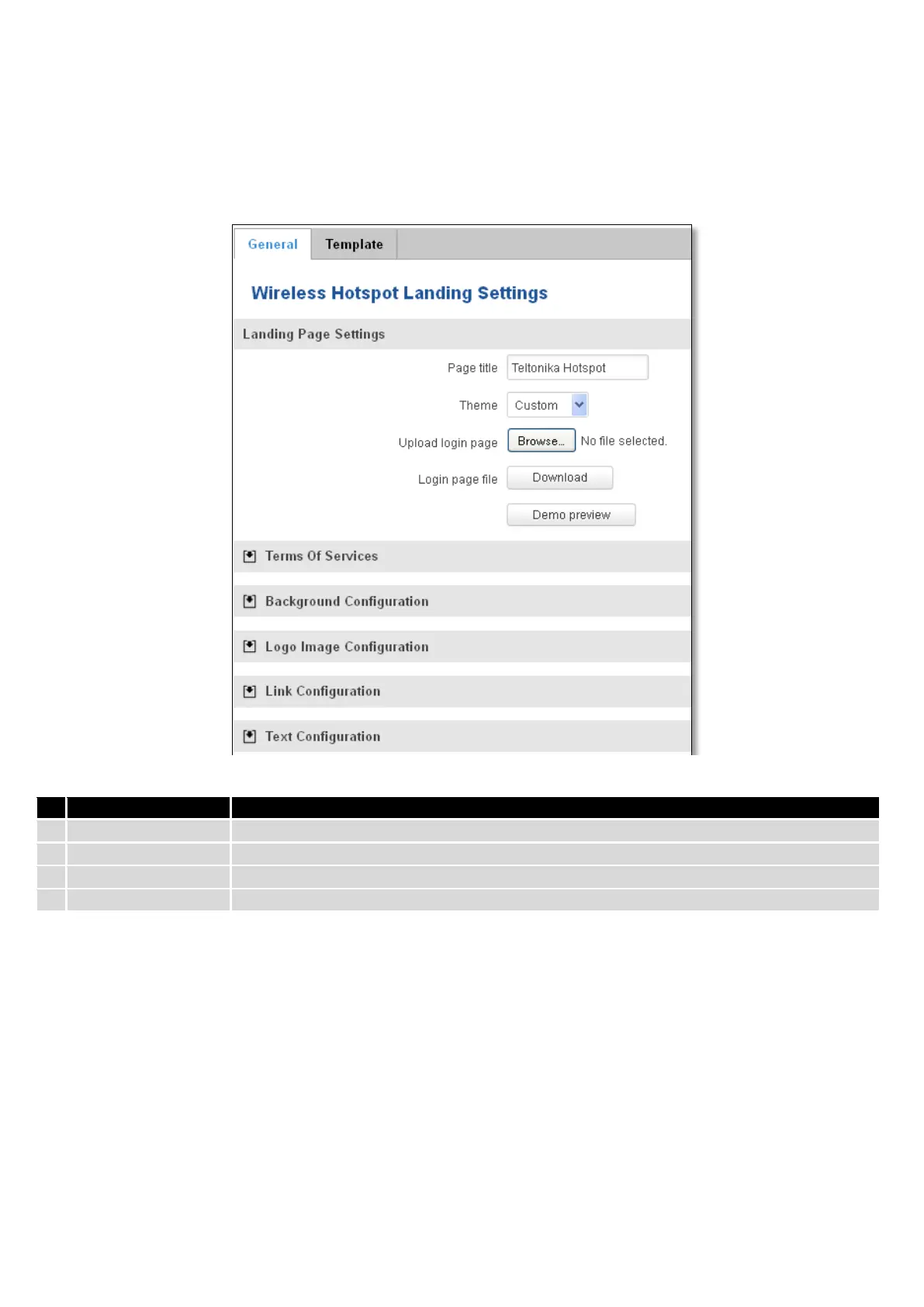
With this functionality you can customize your Hotspot Landing page.
Will be seen as landing page title
Landing page theme selection
Allows to upload custom landing page theme
Allows to download and save your landing page file
In the sections – “Terms Of Services”, “Background Configuration”, “Logo Image Configuration”, “Link
Configuration”, “Text Configuration” you can customize various parameters of landing page components.







 To Next Page