EasyManua.ls Logo

Teltonika QSG RUT241 - User Manual

Teltonika QSG RUT241
11 pages
Print Icon
To Next Page IconTo Next Page
Loading...
https://wiki.teltonika-networks.com/view/QSG_RUT241
QSG RUT241
Main Page > RUT Routers > RUT241 > QSG RUT241
English
日本
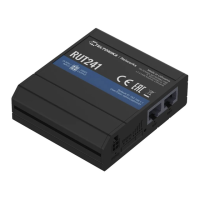
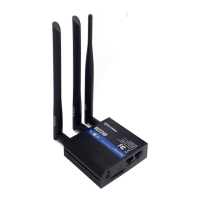
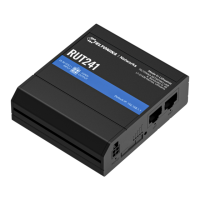
This Wiki page contains the online version of the Quick Start Guide (QSG) for the RUT241 LTE
Router. Here you will find an overview of the various components on the front and back of a
RUT241 device, hardware installation instructions, first login information, device specifications, and
general safety information. It is highly recommended to acquaint yourself with the Quick Start Guide
before using the device. You can also locate a printed version of the Quick Start Guide in the
packaging box of your device.
Contents
1 Safety information
- 1.1 General
- 1.2 RF exposure
- 1.3 Operating conditions
- 1.4 Faulty and damaged products
- 1.5 Electrical safety
- 1.6 Product handling
2 Front view
3 Front view
4 Connectors
5 Video Quick Start Guide
6 Hardware installation
7 Configure your computer (Windows)
8 Login to device
9 SIM card recommendations
Safety information
Before starting operating the device, please review recommendations and precautions to minimize
the possibility of accidents. Safety precautions presented are supplementary and subject to the local
safety regulations. When various operations are executed on the device, the user must fully follow
the safety instructions and recommendations provided with the device.
General
Radio specifications
RF technologies 2G, 3G, 4G, WiFi
Max RF power 33 dBm@GSM, 24 dBm@WCDMA, 23 dBm@LTE, 20 dBm@WiFi
Bundled accessories specifications*
Power adapter Input: 0.45A@100-240 VAC, Output: 9 VDC, 1A, 4-pin plug
Question and Answer IconNeed help?

Do you have a question about the Teltonika QSG RUT241 and is the answer not in the manual?

Summary

Safety Information

General

Overview of general device information and specifications, including RF technologies and power adapter details.

RF Exposure

Information regarding compliance with radio wave exposure limits and required separation distances.

Operating Conditions

Details on optimal operating temperature, humidity, and environmental factors for device longevity.

Faulty and Damaged Products

Instructions on handling faulty or damaged devices and accessories, emphasizing professional servicing.

Electrical Safety

Guidelines for safe electrical connections, use of approved accessories, and grounding recommendations.

Product Handling

Recommendations for careful use, cleaning, environmental exposure, and safe disposal of the device.

FCC and ISED Canada Compliance

FCC Compliance

Device compliance with Part 15 of the FCC Rules and conditions for operation, including interference acceptance.

ISED Canada Compliance

Device compliance with Innovation, Science and Economic Development Canada's license-exempt RSS.

Front View and Connectors

Front View

Visual overview of the device's front panel components and indicators.

Connectors

Description of available ports and the power socket pinout for connectivity.

Setup and Configuration

Video Quick Start Guide

Guidance on setting up the router using a step-by-step video tutorial.

Hardware Installation

Instructions and procedures for physically installing the router hardware.

Configure Computer (Windows)

Steps to configure a Windows computer for wireless network connection to the router.

Login to Device

Instructions on accessing the router's WebUI, including default credentials and password change.

SIM Card Recommendations

Teltonika QSG RUT241 Specifications

General IconGeneral
ModelRUT241
CategoryNetwork Router
SIM Slots1
Power Supply9-30 VDC
GPSNo
LTE CategoryLTE Cat 4
WiFi802.11 b/g/n
Ethernet Ports2
Operating Temperature-40 °C to +75 °C
Product TypeCellular Router
Cellular Connectivity4G LTE
CertificationsCE, RoHS
Firmware UpdateVia WebUI, CLI, SMS, RMS

Related product manuals