EasyManua.ls Logo

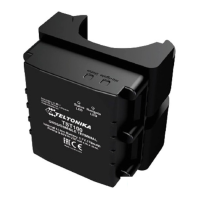
Teltonika TST100 - User Manual

Teltonika TST100
14 pages
Print Icon
To Next Page IconTo Next Page
Loading...
Quick Manual
E-scooter tracker
TST100
Question and Answer IconNeed help?

Do you have a question about the Teltonika TST100 and is the answer not in the manual?

Summary

Know Your Device

Pinout

Set Up Your Device

SIM Card and Battery Connection

Guide for inserting SIM card and connecting the battery to the TST100 device.

PC Connection and Configuration

Steps for connecting the TST100 to a PC, installing drivers, and performing initial configuration.

Install USB Drivers (Windows)

Configuration (Windows)

Steps for configuring the TST100 device using the Teltonika Configurator software.

Quick SMS Configuration

Default Configuration Settings

Explanation of default settings for movement detection, ignition, and data recording.

Installation Instructions

LED Indications

Navigation LED Indications

Table detailing the behavior and meaning of the navigation LEDs on the TST100.

Status LED Indications

Table detailing the behavior and meaning of the status LEDs on the TST100.

Characteristics

Basic Characteristics

Key specifications including module, GNSS, and cellular details like bands and data transfer.

Electrical and Physical Specifications

Details on power, interface, physical dimensions, weight, environment, and features.

Safety Information

General Safety Guidelines

Instructions for safe operation, handling, and power source usage for the TST100 device.

Device Handling and Disposal Precautions

Safety measures for damaged devices, battery disposal, and interference.

Certification and Approvals

User Manual and Waste Disposal Sign

Explanation of signs indicating manual reading and proper electronic waste disposal.

EU Conformity Statement

Teltonika's declaration of product conformity with European Directive 2014/53/EU (RED).
Summary

Know Your Device

Pinout

Set Up Your Device

SIM Card and Battery Connection

Guide for inserting SIM card and connecting the battery to the TST100 device.

PC Connection and Configuration

Steps for connecting the TST100 to a PC, installing drivers, and performing initial configuration.

Install USB Drivers (Windows)

Configuration (Windows)

Steps for configuring the TST100 device using the Teltonika Configurator software.

Quick SMS Configuration

Default Configuration Settings

Explanation of default settings for movement detection, ignition, and data recording.

Installation Instructions

LED Indications

Navigation LED Indications

Table detailing the behavior and meaning of the navigation LEDs on the TST100.

Status LED Indications

Table detailing the behavior and meaning of the status LEDs on the TST100.

Characteristics

Basic Characteristics

Key specifications including module, GNSS, and cellular details like bands and data transfer.

Electrical and Physical Specifications

Details on power, interface, physical dimensions, weight, environment, and features.

Safety Information

General Safety Guidelines

Instructions for safe operation, handling, and power source usage for the TST100 device.

Device Handling and Disposal Precautions

Safety measures for damaged devices, battery disposal, and interference.

Certification and Approvals

User Manual and Waste Disposal Sign

Explanation of signs indicating manual reading and proper electronic waste disposal.

EU Conformity Statement

Teltonika's declaration of product conformity with European Directive 2014/53/EU (RED).
Teltonika TST100 Specifications

General IconGeneral
BrandTeltonika
ModelTST100
CategoryGPS
LanguageEnglish

Related product manuals