SMITH HOME
ARM ED AWAY
Owner’s Guide
|
5
How to use your alarm panel
Disarming
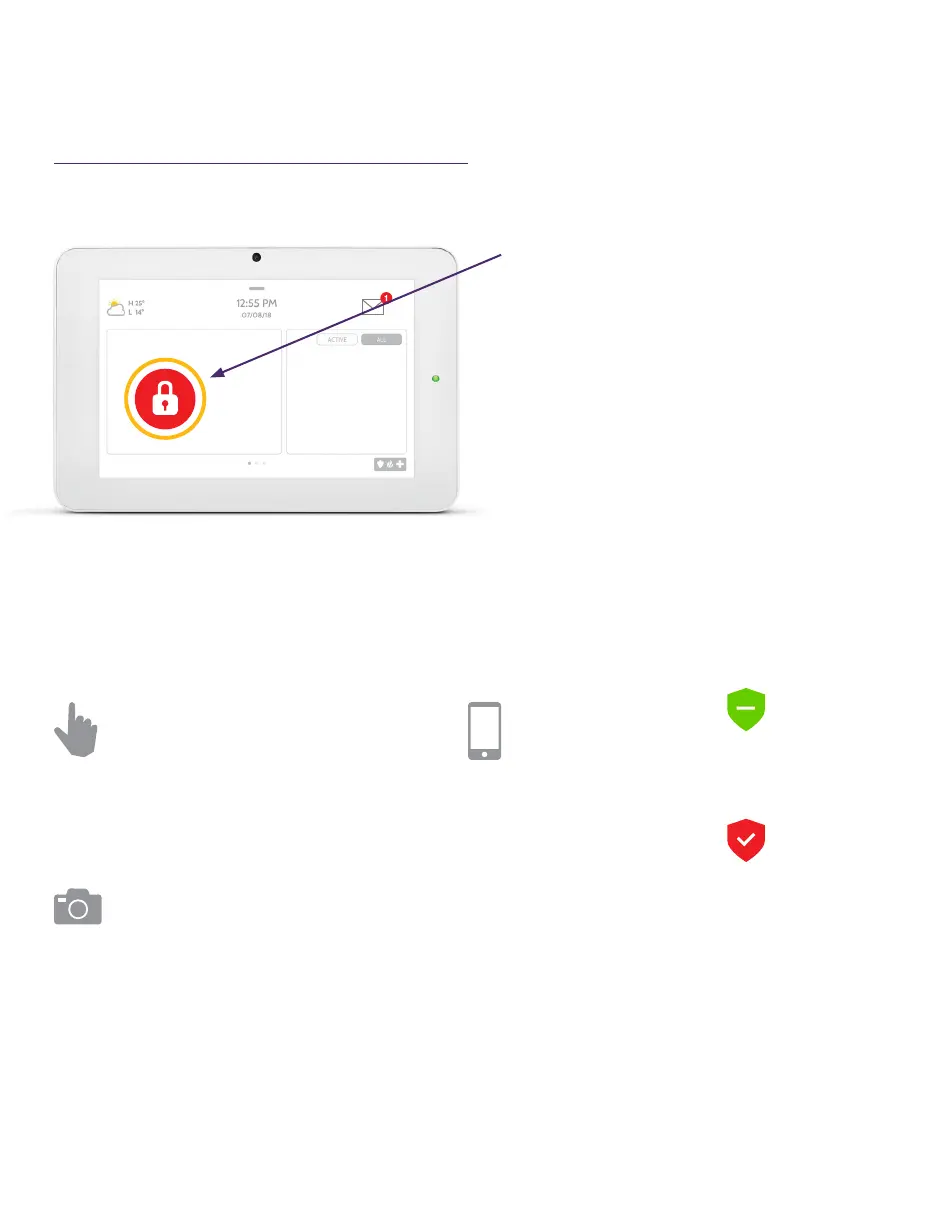
Touch to disarm panel manually.
Disarming your system
When your system is armed, there are
multiple ways to disarm:
Disarming Manually
To manually disarm your panel, touch
the icon in the center of the screen. You
will be prompted to enter a valid code.
Failure to enter a valid code within the
time required will trigger the alarm.
When someone manually disarms the
panel the built in camera will take a
photo and save it on the camera page
along with the date, time and name of
the user.
Disarming Remotely
To remotely disarm your panel, login
to your mobile app and touch the
“disarm” icon.
Arming Remotely
To remotely arm your panel, log into your
mobile app and touch the “arm” icon.



 To Next Page