EasyManua.ls Logo

TemperZone SAT-1 - User Manual

TemperZone SAT-1
13 pages
Print Icon
To Next Page IconTo Next Page
Loading...
SAT
SATSAT
SAT-
--
-1 Thermostat
1 Thermostat1 Thermostat
1 Thermostat
USER'S OPERATING
INSTRUCTIONS
AUTO
HEATER
SUN MON
TUE
WED
THU
FRI
SAT
OFF
ON
ERR
UNIT
HEAT
COOL
FAN DRY
SLEEP
AUTO
SWING
ZONE

Questions and Answers

Summary

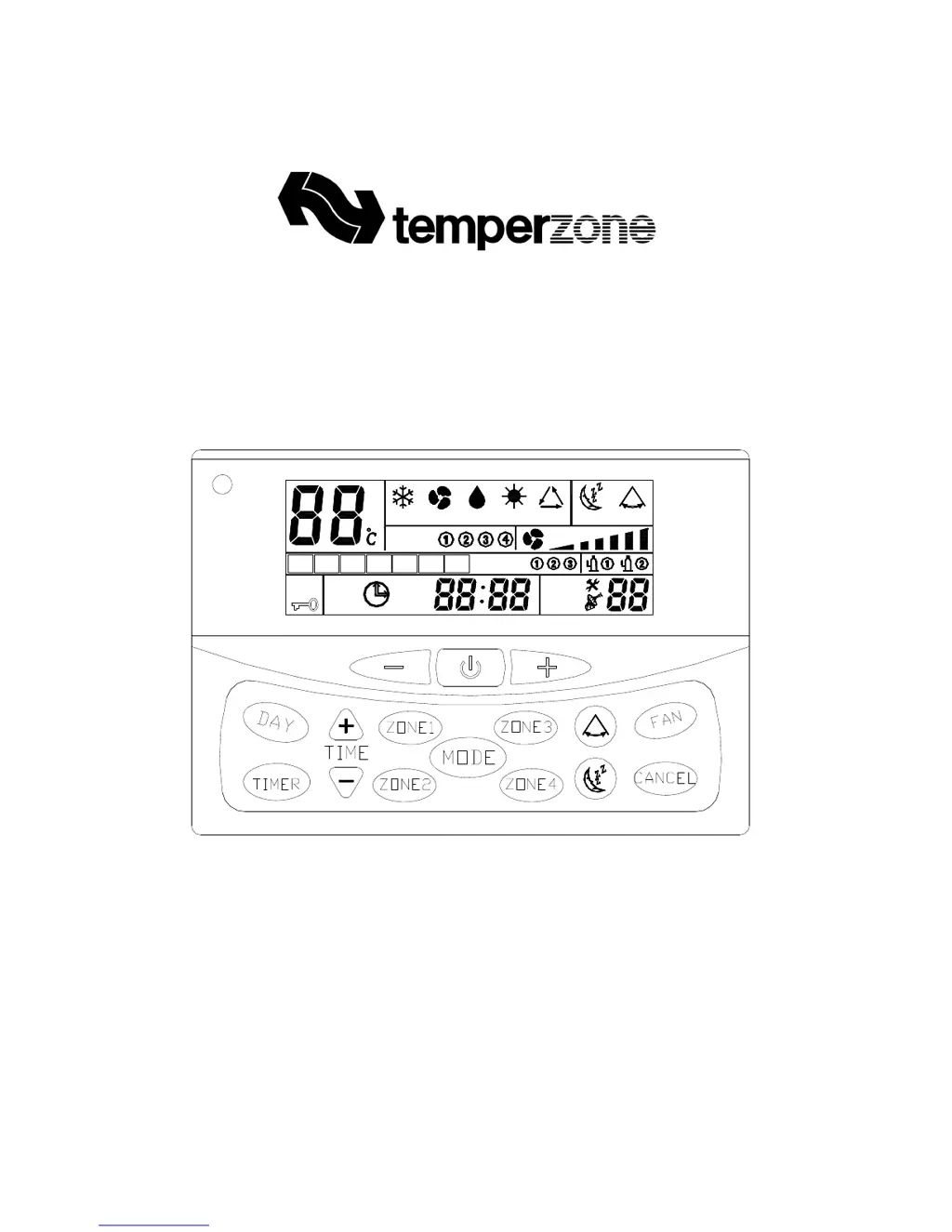
Display and Controls Overview

Control Buttons

Details the function of On/Off, Temperature, Day, Mode, Fan Speed, Timer, Sleep, Time Setting, Swing, and Cancel buttons.

Operation Modes and Functions

On;Off Operation

Explains how to start and stop the air conditioner unit using the power button.

Room Temperature Adjustment

How to set the desired room temperature using up/down buttons.

Mode Selection

Describes how to select operation modes like Cool, Dry, Fan, Heat, and Auto.

Fan Speed Selection

Details how to choose fan speeds: Auto, High, Medium, or Low.

Time and Advanced Functions

Setting Clock

Procedure to enter clock set mode and adjust time/day.

Setting 7 Day Timer

How to program on/off timer sessions for each day of the week.

On or Off Timer Setting

Step-by-step guide to setting timer sessions (P1, P2) for specific days.

Bypass, Buzzer, and Backlight

Initiating Bypass

Starts the air conditioner immediately, overriding programmed times.

Setting Bypass Duration

Sets the bypass timer from 0 to 9 hours.

Remote Control Operation

On;Off Control (Remote)

Using the remote to switch the unit on or off.

Error Code Display

Troubleshooting Common Issues

Keypad and Remote Control Issues

Summary

Display and Controls Overview

Control Buttons

Details the function of On/Off, Temperature, Day, Mode, Fan Speed, Timer, Sleep, Time Setting, Swing, and Cancel buttons.

Operation Modes and Functions

On;Off Operation

Explains how to start and stop the air conditioner unit using the power button.

Room Temperature Adjustment

How to set the desired room temperature using up/down buttons.

Mode Selection

Describes how to select operation modes like Cool, Dry, Fan, Heat, and Auto.

Fan Speed Selection

Details how to choose fan speeds: Auto, High, Medium, or Low.

Time and Advanced Functions

Setting Clock

Procedure to enter clock set mode and adjust time/day.

Setting 7 Day Timer

How to program on/off timer sessions for each day of the week.

On or Off Timer Setting

Step-by-step guide to setting timer sessions (P1, P2) for specific days.

Bypass, Buzzer, and Backlight

Initiating Bypass

Starts the air conditioner immediately, overriding programmed times.

Setting Bypass Duration

Sets the bypass timer from 0 to 9 hours.

Remote Control Operation

On;Off Control (Remote)

Using the remote to switch the unit on or off.

Error Code Display

Troubleshooting Common Issues

Keypad and Remote Control Issues

TemperZone SAT-1 Specifications

General IconGeneral
BrandTemperZone
ModelSAT-1
CategoryThermostat
LanguageEnglish

Related product manuals