EasyManua.ls Logo

TemperZone TZT-701 - User Manual

TemperZone TZT-701
16 pages
Print Icon
To Next Page IconTo Next Page
Loading...
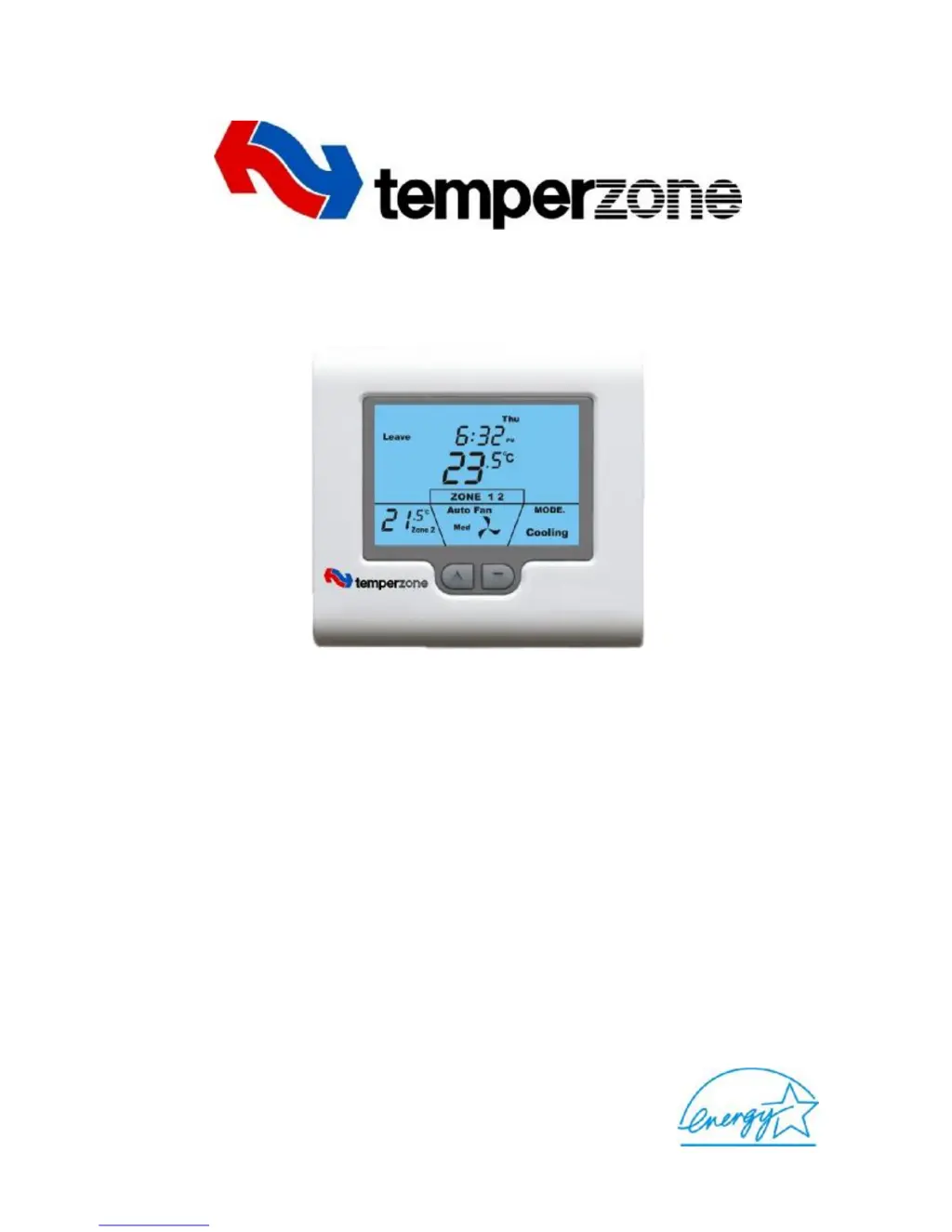
TZT-701 Thermostat
User Manual
Edition 1.2 0608

Other manuals for TemperZone TZT-701

Questions and Answers

Summary

Important - READ THIS FIRST

Common Functions

Selecting Heating, Cooling and Auto Modes

Explains how to cycle through and understand the different operating modes.

Fan Control Logic

Details how the thermostat controls fan operation in various modes.

Auto Fan Mode

Describes the automatic fan operation that syncs with heating/cooling cycles.

Fan On Mode

Explains the continuous fan operation mode.

Fan Speeds

Covers single and three-speed fan control and display indicators.

The LCD Explained

Details all icons, indicators, and segments on the thermostat's LCD screen.

Program Event Indicators

Explains indicators for residential (Wake, Leave) and commercial (Start, Stop) events.

Various LCD Indicators

Describes various indicators like mode, time, temperature, locks, zones, and economy.

Timer Functions

Explains timer functions like Auto Stop and After Hours Run Timer.

Fault Indicators

Details A/C and thermostat fault indicators and troubleshooting.

Residential Programmable Mode

Buttons Explained

Explains the function of each button for controlling the thermostat.

Setting The Clock

Step-by-step guide to setting the thermostat's clock and day.

Programming Your 4 Daily Events

Instructions for setting up 4 daily heating/cooling events (Wake, Leave, Return, Sleep).

Program Copy Function

Options to continue programming or copy settings to other days.

Zone Programming

How to configure zone control for programmed events.

Temporary Temperature Override

How to temporarily adjust set temperatures for a single day.

Commercial Programmable Mode

Buttons Explained

Explains button functions for commercial mode operation.

Setting The Clock

Guide to setting the clock for accurate commercial programming.

Programming Your 2 Daily Events

Instructions for setting 2 daily events (Start, Stop) for commercial use.

After-Hours Run Timer

How to temporarily extend operation beyond programmed times.

Manual Mode

Buttons Explained

Explains button functions for manual operation.

Setting The Clock

Guide to setting the clock for display purposes in manual mode.

Day; Night Set points

How to set and switch between Day and Night temperatures.

Timer Mode

Explains the 'Auto OFF' timer feature for unoccupied rooms.

Advanced Functions

Outdoor Air Temperature Display

Displays outdoor or zone temperatures if sensors are fitted.

Outside Air Economy Function

Uses outside air for cooling to save energy.

Zone Control

Controls temperature in multiple areas (zones) independently.

Key Board Lock; Function Lock

Prevents unauthorized tampering by locking thermostat functions.

Fan Speed Management

How the thermostat intelligently controls fan speed for efficiency.

Optimised Start

Ensures desired temperature is reached at the scheduled program start time.

Troubleshooting

Specifications

Warranty Information

Exclusions

Lists conditions not covered by the product warranty.

Contact details

Provides contact information for temperzone offices worldwide.

Summary

Important - READ THIS FIRST

Common Functions

Selecting Heating, Cooling and Auto Modes

Explains how to cycle through and understand the different operating modes.

Fan Control Logic

Details how the thermostat controls fan operation in various modes.

Auto Fan Mode

Describes the automatic fan operation that syncs with heating/cooling cycles.

Fan On Mode

Explains the continuous fan operation mode.

Fan Speeds

Covers single and three-speed fan control and display indicators.

The LCD Explained

Details all icons, indicators, and segments on the thermostat's LCD screen.

Program Event Indicators

Explains indicators for residential (Wake, Leave) and commercial (Start, Stop) events.

Various LCD Indicators

Describes various indicators like mode, time, temperature, locks, zones, and economy.

Timer Functions

Explains timer functions like Auto Stop and After Hours Run Timer.

Fault Indicators

Details A/C and thermostat fault indicators and troubleshooting.

Residential Programmable Mode

Buttons Explained

Explains the function of each button for controlling the thermostat.

Setting The Clock

Step-by-step guide to setting the thermostat's clock and day.

Programming Your 4 Daily Events

Instructions for setting up 4 daily heating/cooling events (Wake, Leave, Return, Sleep).

Program Copy Function

Options to continue programming or copy settings to other days.

Zone Programming

How to configure zone control for programmed events.

Temporary Temperature Override

How to temporarily adjust set temperatures for a single day.

Commercial Programmable Mode

Buttons Explained

Explains button functions for commercial mode operation.

Setting The Clock

Guide to setting the clock for accurate commercial programming.

Programming Your 2 Daily Events

Instructions for setting 2 daily events (Start, Stop) for commercial use.

After-Hours Run Timer

How to temporarily extend operation beyond programmed times.

Manual Mode

Buttons Explained

Explains button functions for manual operation.

Setting The Clock

Guide to setting the clock for display purposes in manual mode.

Day; Night Set points

How to set and switch between Day and Night temperatures.

Timer Mode

Explains the 'Auto OFF' timer feature for unoccupied rooms.

Advanced Functions

Outdoor Air Temperature Display

Displays outdoor or zone temperatures if sensors are fitted.

Outside Air Economy Function

Uses outside air for cooling to save energy.

Zone Control

Controls temperature in multiple areas (zones) independently.

Key Board Lock; Function Lock

Prevents unauthorized tampering by locking thermostat functions.

Fan Speed Management

How the thermostat intelligently controls fan speed for efficiency.

Optimised Start

Ensures desired temperature is reached at the scheduled program start time.

Troubleshooting

Specifications

Warranty Information

Exclusions

Lists conditions not covered by the product warranty.

Contact details

Provides contact information for temperzone offices worldwide.

TemperZone TZT-701 Specifications

General IconGeneral
TypeProgrammable
Power Source24VAC
DisplayLCD
Programmable Periods4 per day
Filter Change ReminderYes
BacklightYes
Dimensions120mm x 120mm x 28mm

Related product manuals