Edition 1.2 (0608) Page 7 of 16
Auto Stop timer. (Manual Mode only) After Hours Run Timer (Commercial Mode Only)
The word “Timer” will be displayed whenever a TZT-701 thermostat timer function is active. The TZT-701 thermostat has a
number of inbuilt timer functions that use this part of the display depending on which mode or installer function has been set.
Whenever the words “TIMER” or “TIMER OFF” is displayed the TZT-701 thermostat is performing a timing function relevant
to your mode of operation. These functions are described throughout this manual in the various mode-specific sections.
Current Program Overridden.
The TZT-701 thermostat LCD will display this word when the TZT-701 thermostat pre set program has been temporarily
overridden. See page 9 and 12 for more details of this capability.
A/C Fault Indicator.
The TZT-701 thermostat is capable of monitoring the safety of your air conditioning system, or an external device critical to the
safe and correct operation of your air conditioner. If a fault is detected all heating and cooling calls are suspended to further
protect the air conditioning system and the indoor fan may be locked to LOW speed (Installer set function). The TZT-701
thermostat can be turned OFF if required by pressing and holding the On/Off button for 2 seconds. If this symbol frequently
turns on and off regularly or is displayed permanently then you will need to contact your air conditioning installer to check your
system and reset any faults that have been detected.
TZT-701 Thermostat Fault Indicator.
As well as monitoring the status of the air conditioning system, the TZT-701 thermostat also monitors its own health. The
“Spanner” symbol will show on the LCD to inform you that an internal fault has been detected. When a fault is detected all
heating and cooling calls are suspended to protect the system from harm and to prevent run away heating or cooling conditions
occurring. The indoor fan is locked to LOW speed to maintain a minimum level of ventilation during this fault condition.
Depending on the fault you may or may not be able to turn your TZT-701 thermostat OFF with the On/Off Button. If this symbol
is displayed on and off regularly or is displayed permanently you will need to contact your Air Conditioning installer to check
your system and reset any faults that may have developed.
Residential Programmable Mode
Your residential programmable thermostat is able to be programmed by you, to automatically
control the desired home heating and cooling temperatures.
4 times per day, 7 days per week a separate heating and/or cooling temperature can be
programmed into the thermostat. When the programmed time arrives your thermostat will
automatically use the programmed desired heating and cooling temperature to automatically
control your home air conditioning system. These programmed temperatures will remain active
until the next pre-programmed event arrives or until you override these temperatures manually.
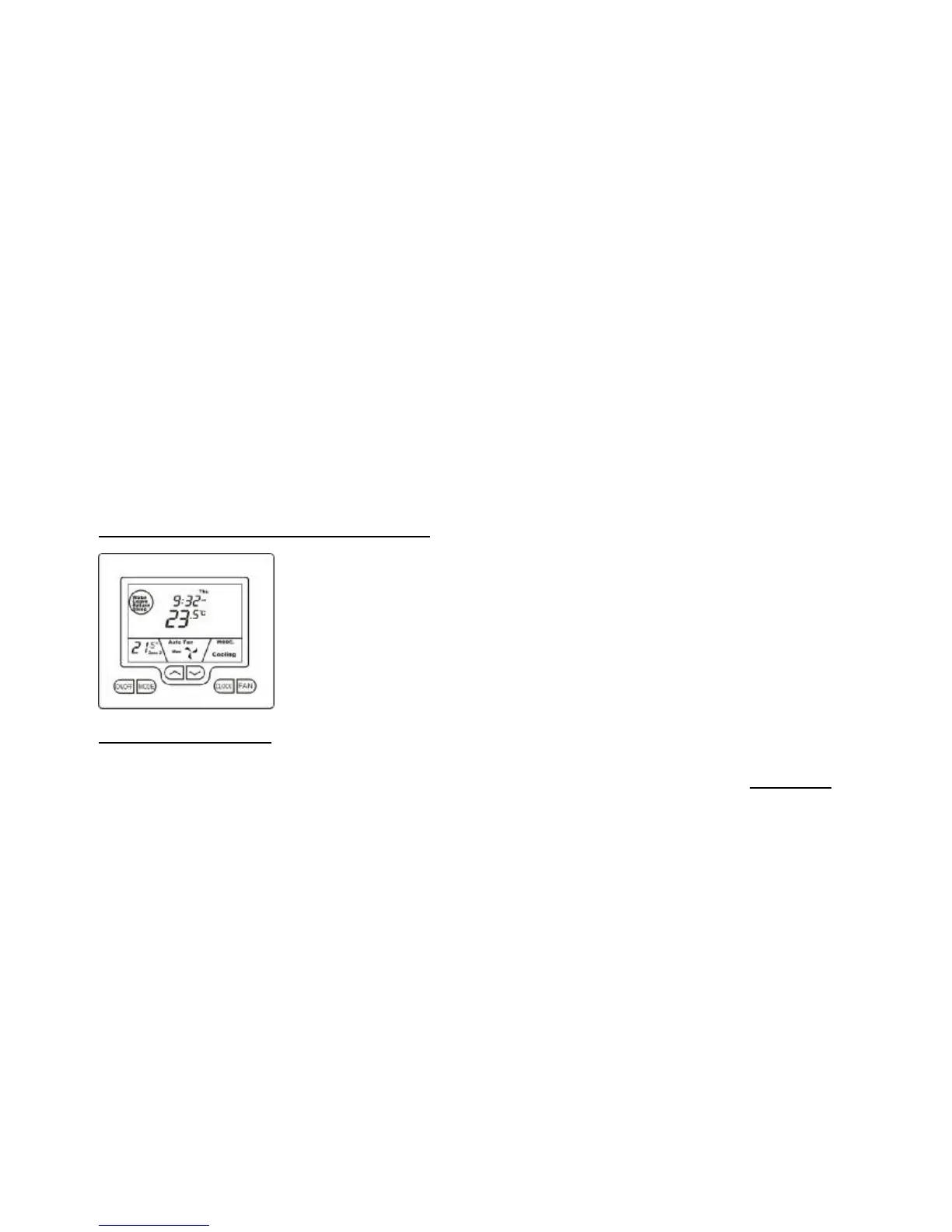
The Buttons Explained
On/Off – (Zone Select if function installed)
Quickly press the On/Off button to turn the TZT-701 thermostat On. To turn the TZT-701 thermostat OFF, press & hold this
button for 2 seconds until the word “OFF” is displayed on the LCD. If the Zoning function is enabled (see Zone Control on page
13 ), tap the On/Off button to cycle between Zone 1 only, Zone 2 only, and then both Zones.
Mode
Tap this button to cycle the TZT-701 thermostat through the available modes, Heat only, Cool only, Fan Only, or Auto season
change over mode. See page 4 for more information on Modes.
Up (p)
Use this button to increase the desired room temperature for the heating or cooling modes, or increase a “value” in programming
modes. Also used to force override of the pre-programmed temperatures and temporarily replace them with a new temperature.
Down (q)
Use this button to decrease the desired room temperature for heating or cooling modes, or decrease a “value” in programming
modes. Also used to force override of the pre-programmed temperatures and temporarily replace them with a new temperature.
Clock
Tap the clock button to begin the setting process. Press and hold for 2 seconds to begin programming your daily events.
Fan
Single Speed Fan -. Tap this button to cycle between Continuous fan (Fan ON) and Auto Fan.
Three Speed Fan – Tap this button to cycle between Low, Medium, High & Auto Fan speeds.
Press and hold this button for 5 seconds to toggle between Continuous fan (Fan ON) and Auto Fan.



 To Next Page