Page 12 of 16 Edition 1.2 (0608)
For an office that is NOT open on a weekend an example of a Saturday and Sunday program is given below.
Day Time Suggested Heat set point Suggested Cool set point
Saturday Start 8:00 am Heat set = 22c Cool Set = 25c
Saturday Stop 8:00 am Heat Set = OFF Cool Set = OFF
Sunday Start 8:00 am Heat set = 22c Cool Set = 25c
Sunday Stop 8:00 am Heat Set = OFF Cool Set = OFF
Temporary Temperature Override
Your TZT-701 thermostat has been provided with a temporary program override function. This permits you to temporarily
change your programmed event temperatures, just for today and only until the next programmed event starts.
Simply press and hold the up (p) or down (q) buttons for 3 seconds. The TZT-701 thermostat display will change to show the
word “SET”, and the active set point for the current mode. (heating, cooling or auto) as you hold the up (p) or down (q)
buttons the current set point will change.
If Auto mode is selected, after adjusting the Heat set point wait without touching a button for 3 seconds for the TZT-701
thermostat display to change to show “Cool” and “SET” and your current set cooling temperature. If desired change this value
with the up (p) or down (q) buttons. Again wait for 3 seconds to exit the temporary overridden programmed mode. The LCD
will now show “Override” and your new temporary setting will be in use until the next programmed event change occurs.
Should you need to cancel a temporary override, simply press and hold the up (p) AND (q) buttons for a few seconds. The
word “Override” will disappear from the LCD and your pre-programmed settings will be restored.
Programming the Zones (if enabled)
Note - If zoning has been enabled, the after hours run timer function is disabled.
Your TZT-701 thermostat can automatically change the Active Zones at pre set times (if enabled by the installer). For example,
this feature permits the TZT-701 thermostat to automatically switch the bedroom zone ON when the “Sleep” event starts, or to
automatically switch the unoccupied upstairs zone OFF during the day. This has the benefit of reducing energy costs while still
maintaining a comfortable living environment in the occupied areas of your home. Naturally, these settings can be overridden at
any time by tapping the on/off button to manually select active zones as described on page 14 of this manual.
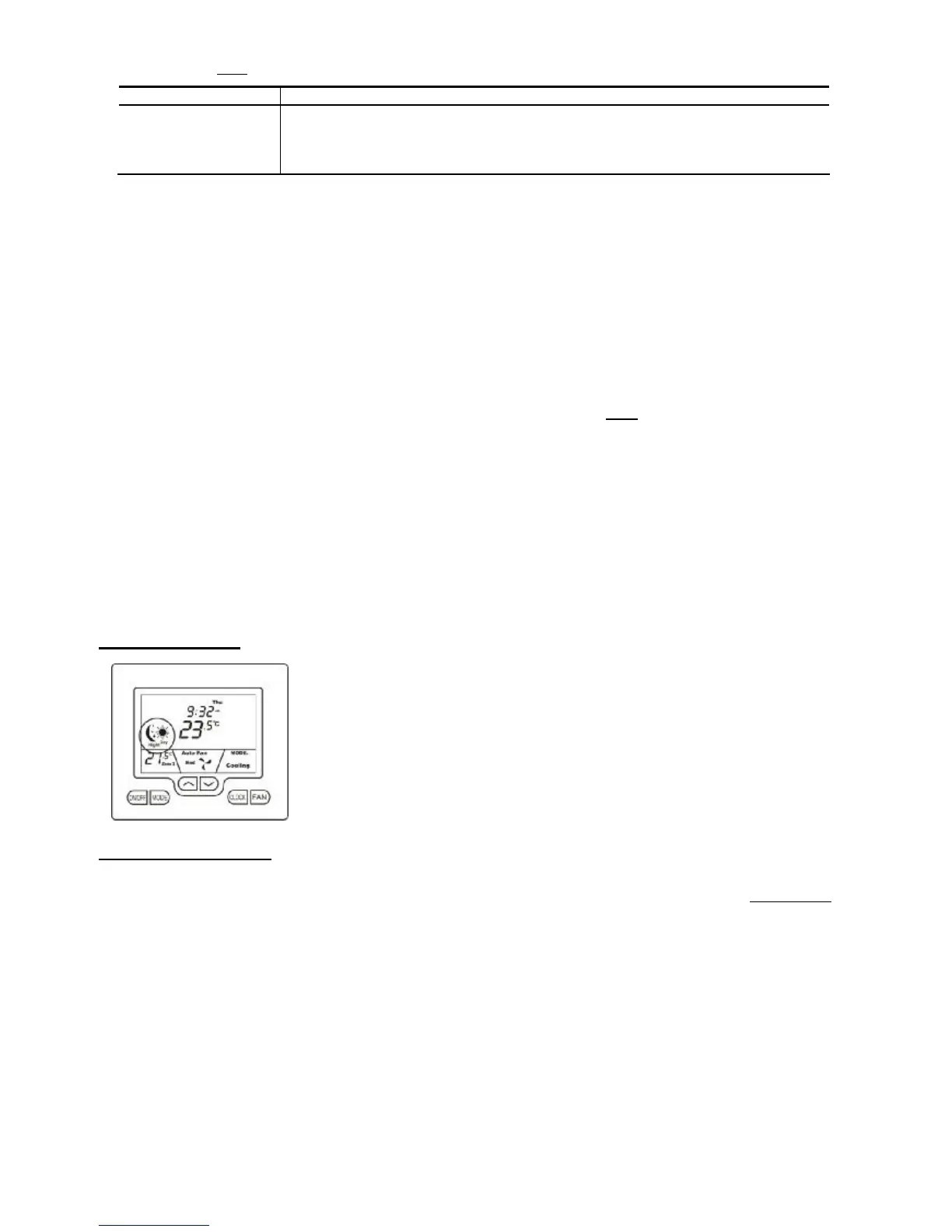
Manual Mode
Quite often automatic time clock control of your air conditioning system is not required. In
these instances your installer will have set your TZT-701 thermostat to manual mode.
Manual mode provides the easiest form of climate control for your home or office. Simply turn
the TZT-701 thermostat on or off as required and set your desired temperatures. These set
temperatures will then remain active until you decide to set a new value.
The Buttons Explained
On/Off (or Zone Select if function is installed)
Quickly press the On/Off button to turn the TZT-701 thermostat On. To turn the TZT-701 thermostat OFF, press & hold this
button for 2 seconds until the word “OFF” is displayed in the LCD. Tap the On/Off button to cycle between Zone 1 only, Zone 2
only, then both zones (if zoning is enabled).
Mode
Tap this button to cycle the TZT-701 thermostat through the available modes, Heat only, Cool only, Fan Only (ventilation mode)
or Auto season change over mode. See page 4 of this manual for more information on Modes.
Up (p)
Use this button to increase the desired room temperature for the heating or cooling modes, or increase a “value” in programming
modes. Also used to force override the pre-programmed temperatures and temporarily replace them with a new set temperature.
Down (q)
Use this button to decrease the desired room temperature for heating or cooling modes, or decrease a “value” in programming
modes. Also used to force override the pre-programmed temperatures and temporarily replace them with a new set temperature.



 To Next Page