empower your supply chain.
V1.0-11/2022-EN · Technical Changes and Errors excepted 7
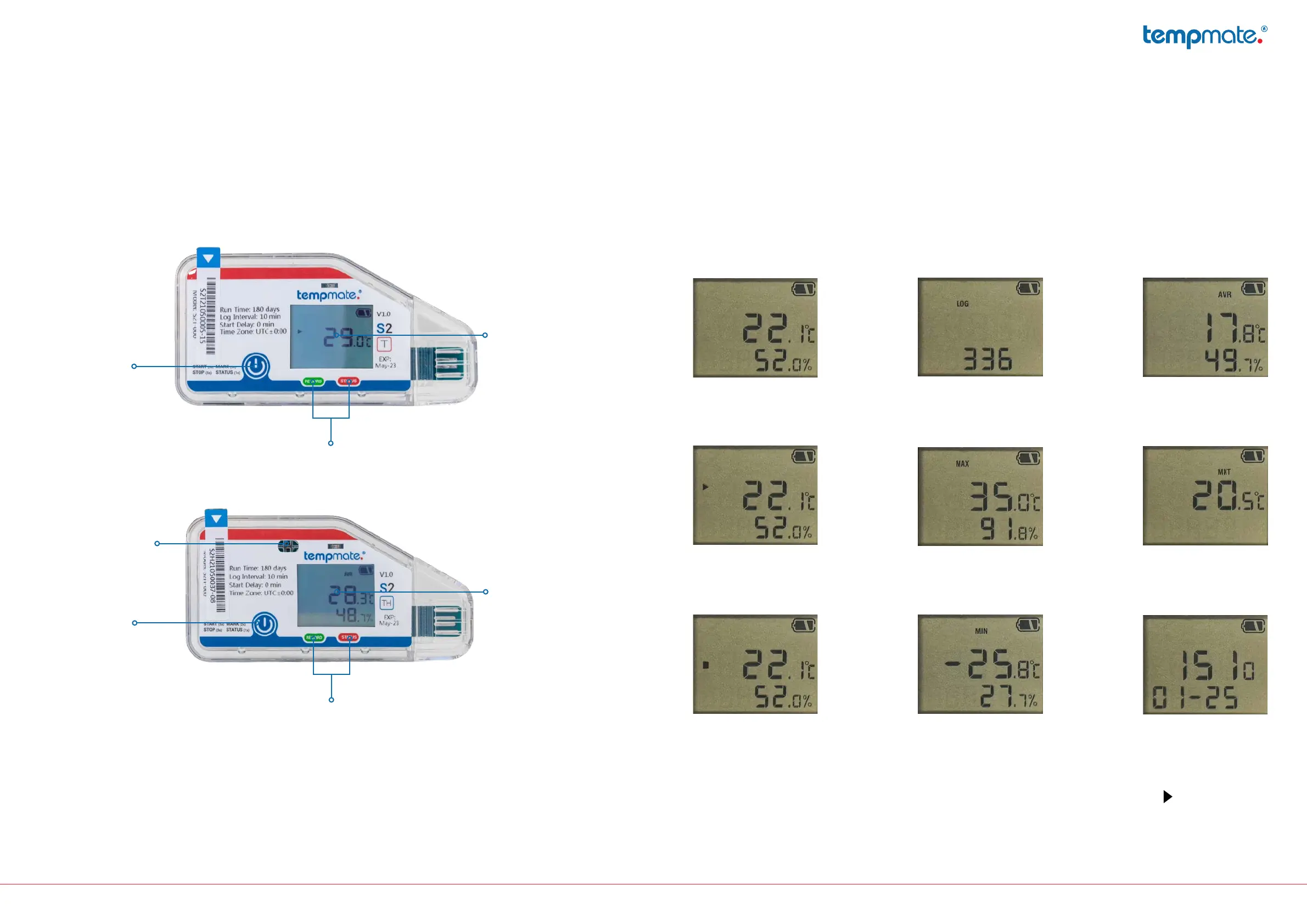
4. Device description 5. Display indicators
LCD
LED Indicator
Start/Stop
Button
Sensor rel.
Humidity
Not started
Started*
Stopped
Number
measured values
Highest
measured value
Lowest
measured value
Averagevalue
MKT
Time & Date
*Ifthestartdelayisset,thissymbolashesaftera
successful start until the time limit has elapsed.
LCD
LED Indicator
Start/Stop
Button
PresstheStartbuttonrepeatedlytocalluptheindividualpagesonthedevicedisplay.



 To Next Page