empower your supply chain.
V1.0-11/2022-EN · Technical Changes and Errors excepted 11
7. Operation and use
STEP 1 Conguration*optional
Thisstepisonlynecessaryifyouwanttoadaptthealreadypre-installedcongurationtoyourapplication.
- Download the free tempbase 2 software. – https://www.tempmate.com/de/download/
- Install the tempbase 2 software on your PC.
- RemovethecapandconnectthenotstartedloggertoyourPC.
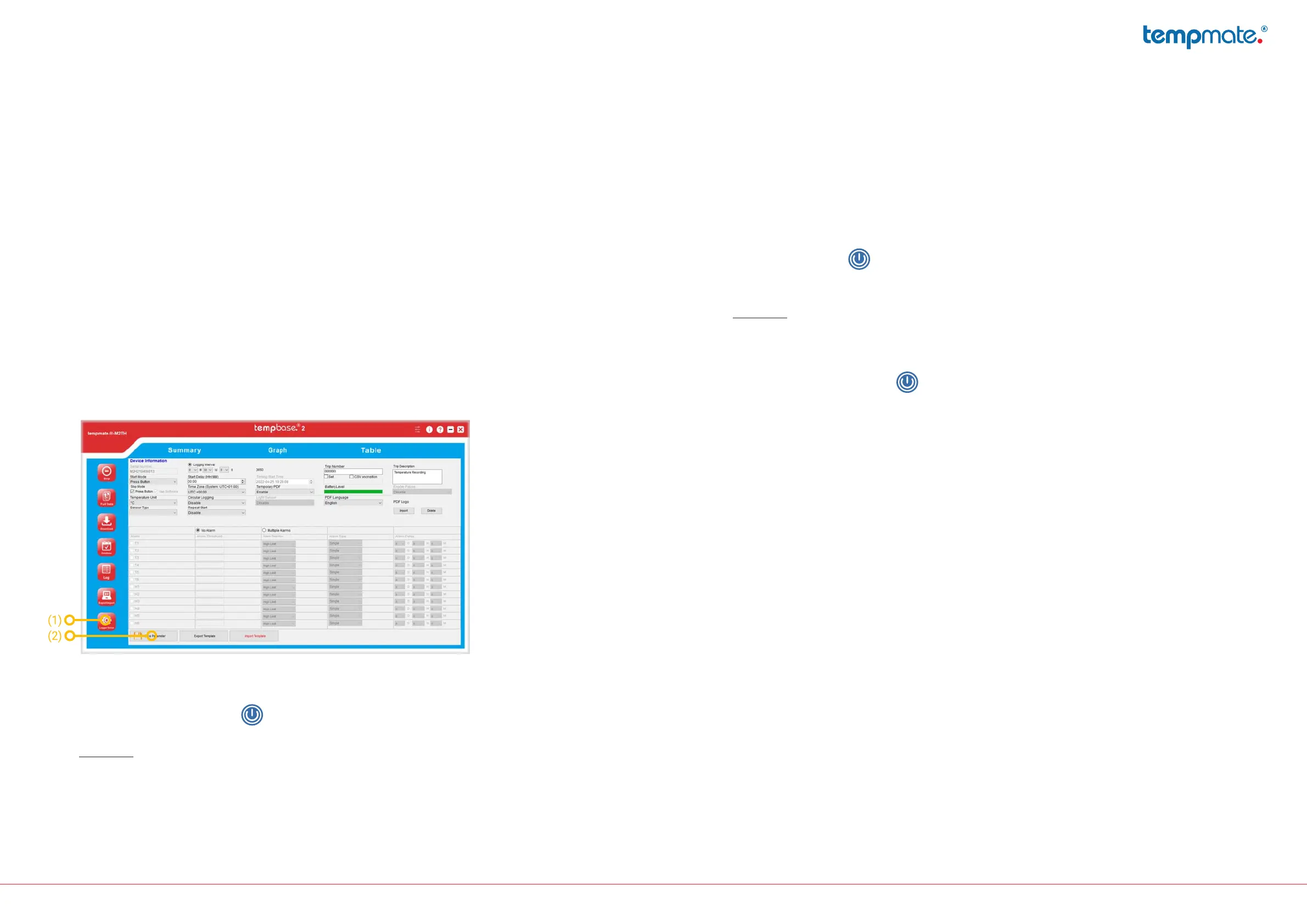
- Openthetempbase2softwareandselectthe„LoggerSetup“button(1).
- Makethedesiredsettingsandsavethemonyourdeviceusingthe„SaveParameter“button(2)
- RemovetheloggerfromyourPCandreplacethecapsecurely.
STEP 2 Startlogger
- Press and hold the blue button for 5 seconds.
- AsuccessfulstartisindicatedbythegreenLEDonyourdeviceashing10times.
- Important:Ifanotherornoashingsignalappears,donotusetheloggerandcontactsupport.
STEP 3 Set mark
- Press the blue button twice in succession to set a mark.
- Asuccessfullysetmarkerisindicatedbytheword„MARK“andthenumberofmarkerssetsofar
in your display.
- Important: Up to 10 marks can be set per operation.
STEP 4 Stoplogger
- Press and hold the blue button for 5 seconds.
- AsuccessfulstopisindicatedbytheredLEDonyourdeviceashing10times.
Alternative stop modes
Automaticstop(defaultsetting)
o Thedevicewillstopautomaticallywhenthemaximumnumberofreadingsinthe
data memory is reached and no manual stop is performed beforehand.
o This stop mode works in addition to the manual stop..
Softwarestop(optional)
o Thissettingcanbemadeinthetempbase2software.(seeSTEP1)
o ThestopistriggeredautomaticallybyconnectingtheloggertothePCand
openingthesoftware.
o Amanualstopisnotpossibleinthisconguration.
STEP 5 Manual readout
- RemovethecapandconnecttheloggertoyourPC.
- AsuccessfulconnectionisindicatedbybothLEDsashing.TheabbreviationsCSVandPDFappear
one after the other in the display.



 To Next Page