empower your supply chain.
V1.0-11/2022-EN · Technical Changes and Errors excepted 13
- TheloggerwillautomaticallyopenasanexternaldriveonyourPC.Thisprocessmaytakeafew
minutesdependingontheamountofdata.
- OpenthedriveandcopythePDFandCSVreportstoredtoalocalfolder.
- Important:AreportisautomaticallygeneratedasPDFand/orCSVwhenthedeviceisstopped.
Thedevicecanstillbereadoutduringarunningmeasurementandanintermediatereportcan
be downloaded.
Readoutwithtempbase2software(optional)
- RemovethecapandconnecttheloggertoyourPC.
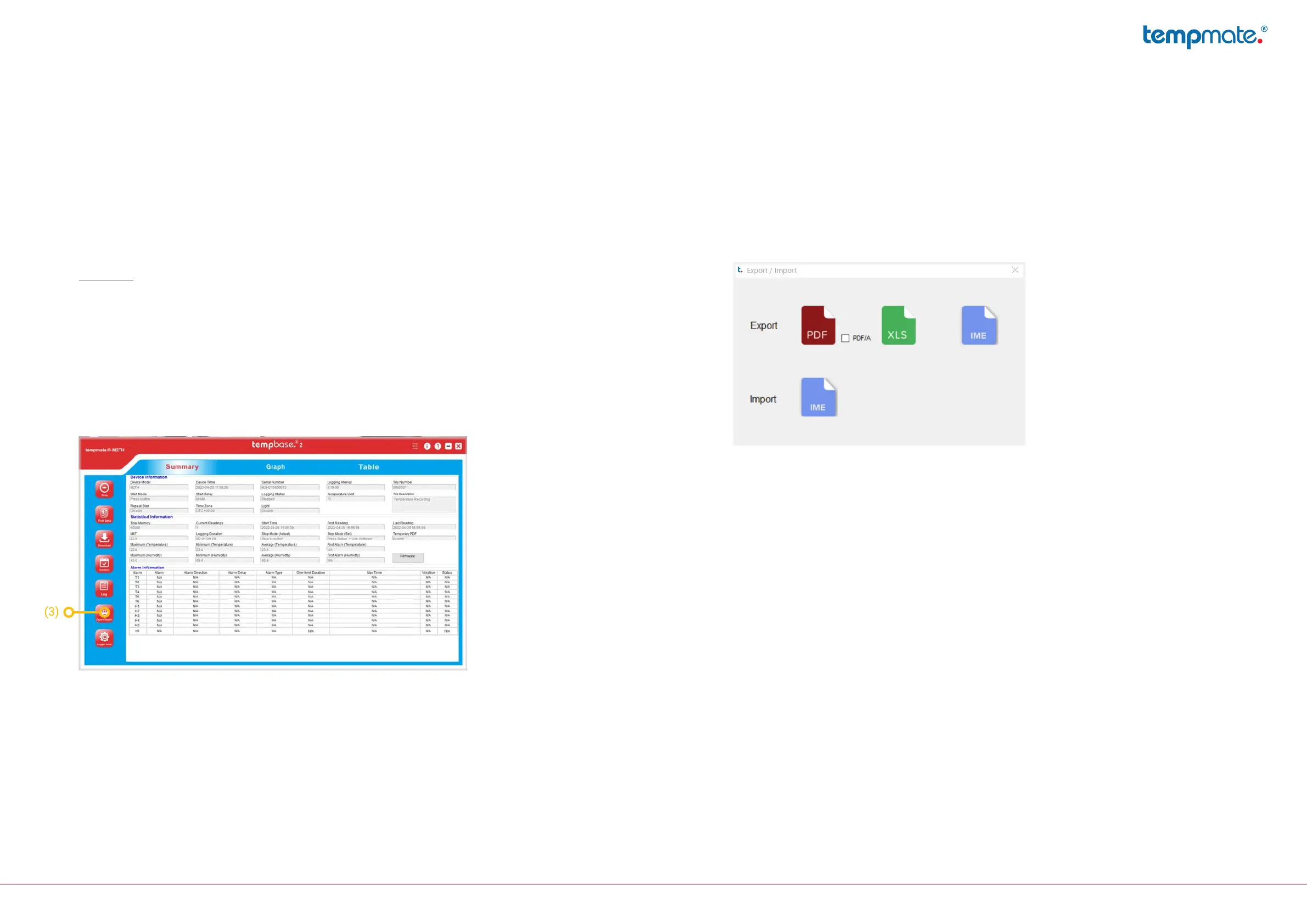
- Openthetempbase2softwareandselectthe„Export/Import“button(3).
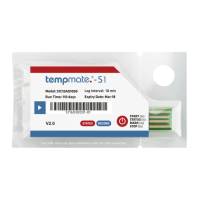
- Selectthedesiredleformat(PDF/XLS/IME)forexportandthelelocationandconrmthedownload.
8. Important notes
- Thecongurationofyourdevicecannotbechangedduringrecording.
- IfyouconnectthedevicetothePCwithoutamanualstop,atemporarystopoftherecordingis
triggered.Youcannowdownloadaninterimreport.AfterdisconnectingthedevicefromyourPC,the
recordingwillcontinueautomatically.
- Alwaysdisposeofdevicesaccordingtoyourcountry‘sregulations.
- Do not place the device in corrosive liquids and do not expose it to direct heat.



 To Next Page