EasyManua.ls Logo

Tempur-Pedic Ergo Extend - User Manual

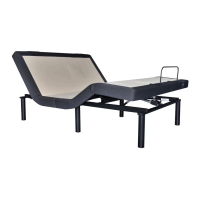
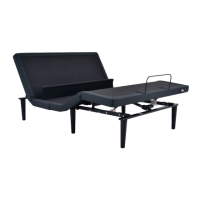
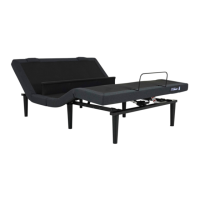
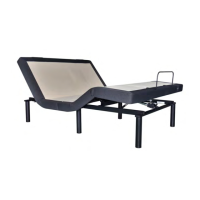
Tempur-Pedic Ergo Extend
66 pages
Print Icon
To Next Page IconTo Next Page
Loading...
OWNER’S MANUAL
MANUEL DU PROPRIÉTAIRE
MANUAL DEL PROPIETARIO
ERGO EXTEND
TM
Tempur-Pedic Customer Service U.S.: 1-800-821-6621 | Canada: 1-800-887-4321 | México: 01-722-273-1810
Service à la clientèle Tempur-Pedic É-U. : 1-800-821-6621 | Canada : 1-800-887-4321 | México: 01-722-273-1810
Servicio al Cliente Tempur-Pedic É-U. : 1-800-821-6621 | Canada : 1-800-887-4321 | México: 01-722-273-1810

Other manuals for Tempur-Pedic Ergo Extend

Question and Answer IconNeed help?

Do you have a question about the Tempur-Pedic Ergo Extend and is the answer not in the manual?

Summary

Safety Precautions and Usage Statements

Important Safety Disclaimers

Read all instructions before using your TEMPUR-PEDIC ERGO EXTEND™ adjustable base.

Operating Limits and Weight Capacity

Specifications for lift motor duty cycle, massage motor times, and weight limits.

Parts List

Component Identification Guide

Lists and identifies all electronic and physical components included with the base.

Critical Installation Safety Note

Crucial safety warning regarding proper installation of electrical components.

Quick Reference Guide

System Connection Diagram

Visual guide showing the electrical connections between components like power supply, control box, and USB charger.

Installation Guide

Step 1-2: Base Box Preparation

Instructions for positioning the base box and removing packing materials.

Step 3: Headboard Brackets & Legs

Instructions for attaching optional headboard brackets and installing the base legs.

Step 4-6: Power & Battery Setup

Steps for installing the battery backup box and connecting the power supply.

Divided Base Installation Guide

Step 1-2: Section Alignment & Securing

Instructions for aligning and securing the head and foot sections of a divided base.

Step 3: Leg Attachment

Procedure for screwing the legs into the threaded leg mounts on the base.

Step 4: Connect System Cables

Instructions for connecting head/foot motors and USB cords to the control box and charger.

Remote Control Operation

Remote Pairing and Battery Check

Explains that the remote is pre-paired and requires AAA batteries.

Remote Control Pairing

Standard Remote Pairing

Steps to re-pair the remote to the adjustable base if it becomes un-paired.

Child Lock Feature Operation

Instructions on how to activate and deactivate the child lock function on the remote.

Emergency Battery Backup Box

Connecting Strap Installation

Step 1-3: Strap Attachment Procedure

Instructions for positioning bases, attaching straps, and re-tightening legs.

Syncing Two Bases

Step 1-5: Sync Cord Connection

Steps for unplugging, disconnecting cables, connecting sync cord, and plugging bases back in.

Headboard Bracket Installation Guide (Optional)

Standard Bracket Installation

Instructions for attaching brackets, spacers, and plates to the base for headboard mounting.

Troubleshooting Guide

Warranty Information

Summary

Safety Precautions and Usage Statements

Important Safety Disclaimers

Read all instructions before using your TEMPUR-PEDIC ERGO EXTEND™ adjustable base.

Operating Limits and Weight Capacity

Specifications for lift motor duty cycle, massage motor times, and weight limits.

Parts List

Component Identification Guide

Lists and identifies all electronic and physical components included with the base.

Critical Installation Safety Note

Crucial safety warning regarding proper installation of electrical components.

Quick Reference Guide

System Connection Diagram

Visual guide showing the electrical connections between components like power supply, control box, and USB charger.

Installation Guide

Step 1-2: Base Box Preparation

Instructions for positioning the base box and removing packing materials.

Step 3: Headboard Brackets & Legs

Instructions for attaching optional headboard brackets and installing the base legs.

Step 4-6: Power & Battery Setup

Steps for installing the battery backup box and connecting the power supply.

Divided Base Installation Guide

Step 1-2: Section Alignment & Securing

Instructions for aligning and securing the head and foot sections of a divided base.

Step 3: Leg Attachment

Procedure for screwing the legs into the threaded leg mounts on the base.

Step 4: Connect System Cables

Instructions for connecting head/foot motors and USB cords to the control box and charger.

Remote Control Operation

Remote Pairing and Battery Check

Explains that the remote is pre-paired and requires AAA batteries.

Remote Control Pairing

Standard Remote Pairing

Steps to re-pair the remote to the adjustable base if it becomes un-paired.

Child Lock Feature Operation

Instructions on how to activate and deactivate the child lock function on the remote.

Emergency Battery Backup Box

Connecting Strap Installation

Step 1-3: Strap Attachment Procedure

Instructions for positioning bases, attaching straps, and re-tightening legs.

Syncing Two Bases

Step 1-5: Sync Cord Connection

Steps for unplugging, disconnecting cables, connecting sync cord, and plugging bases back in.

Headboard Bracket Installation Guide (Optional)

Standard Bracket Installation

Instructions for attaching brackets, spacers, and plates to the base for headboard mounting.

Troubleshooting Guide

Warranty Information

Tempur-Pedic Ergo Extend Specifications

General IconGeneral
TypeAdjustable Bed Base
MassageYes, 4-zone massage
Under-bed LightingYes
Zero Gravity PresetYes
Anti-Snore PresetYes
Weight Capacity850 lbs
Mattress CompatibilityCompatible with most mattresses
Wall-Hugging DesignYes
Warranty25-year limited warranty
USB PortsYes
Remote ControlWireless

Related product manuals