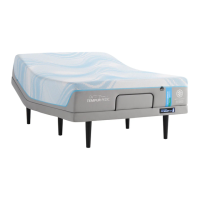
EasyManua.ls Logo

Tempur-Pedic ACTIVEbreeze ERGO EXTEND - User Manual

Tempur-Pedic ACTIVEbreeze ERGO EXTEND
44 pages
Print Icon
To Next Page IconTo Next Page
Loading...
OWNER’S MANUAL
MANUEL DU PROPRIÉTAIRE
Tempur-Pedic Customer Service U.S.: 1-800-821-6621 | Canada: 1-800-887-4321
Service à la clientèle Tempur-Pedic É-U.: 1-800-821-6621 | Canada: 1-800-887-4321
ACTIVEbreez
ERGO EXTEND
TM
Question and Answer IconNeed help?

Do you have a question about the Tempur-Pedic ACTIVEbreeze ERGO EXTEND and is the answer not in the manual?

Summary

Safety Precautions and Usage Statements

Outlet Safety

Plug bed base into a surge protector for optimal safety and operation.

Warranty Warning

Do not tamper with control box or motors; warranty void if tampered.

In-Home Use and Hospital Disclaimer

Base designed for in-home use only, not for hospital standards or oxygen equipment.

Pets and Small Children Safety

Dispose of packing materials; prevent children/pets from playing under the bed.

Safety Features

Free-release motors lower mattress by gravity, minimizing pinch points.

Product Specifications

Details on power ratings, product ratings, and weight limits for the base.

Acoustics and Fabric Care

Information on normal operating sounds and fabric maintenance.

ACTIVEbreeze Care

Filter Cleaning Instructions

Steps for removing, cleaning, and re-installing washable fan filters.

Parts List

Included Components

Lists electronic and component parts that need to be installed.

Miscellaneous Parts

Lists optional or separately purchased parts like surge protectors.

Base Overview

Component Identification

Labeled diagram showing key components like motors, control boxes, and fans.

Quick Reference Guide

System Wiring Diagram

Illustrates connections between power supply, control box, fans, and other components.

Installation Guide

Base Setup and Leg Installation

Instructions for preparing and setting up the bed base, including legs.

Battery Backup Box Installation

Steps for installing the battery backup box with batteries.

Base Flipping and Power Connection

Steps for safely flipping the base and connecting power.

Remote and Mattress Retainer Installation

Instructions for remote setup and installing the mattress retainer bar.

Mattress Setup

Mattress Placement and Hose Connection

Steps for placing the mattress and connecting hoses to the fan unit.

Remote Control Operation

Massage Controls

Explains head/foot zone massage and wave mode controls with intensity settings.

Massage Mode Details

Details on wave massage modes, intensity levels, and auto-shutoff.

Remote Position Adjustments

Instructions for raising/lowering head and foot sections.

Remote Preset Positions

Details on Zero G, Flat, Anti-Snore, and Favorite presets, including reprogramming.

Underbed LED Lighting

How to turn on/off the underbed LED lighting feature.

Fan Modes Operation

Explains standard fan operation, fan sync, and step-down modes.

Tandem and Demo Modes Operation

Instructions for tandem setup for dual bases and retail demo mode.

Remote Control Pairing

Standard Pairing Process

Steps for pairing the remote to the base using the battery backup box.

Alternate Pairing Process

Alternative method for pairing the remote via the control box.

Child Lock Feature

How to activate and deactivate the remote's child lock function.

Emergency Battery Backup Box

Overview and Installation

Explains the purpose of the box and how to install batteries.

Operation

How to use the button to return the base to a flat position during a power outage.

Connecting Strap Installation for Split Bases

Securing Split Bases

Instructions for using connecting straps to secure two bases together.

Syncing Two Bases with Sync Cord

Sync Cord Setup

Steps for connecting two bases using a sync cord for single remote operation.

Tandem Mode Activation

How to activate tandem mode for synchronized fan control on dual bases.

Headboard Bracket Installation Guide

Bracket Attachment to Base

Steps for attaching the bracket to the bed base legs and frame.

T-Bracket and Headboard Connection

Instructions for attaching the T-bracket and connecting the headboard.

Troubleshooting

Troubleshooting Adjustable Base Issues

Solutions for problems with wired connections, control box lights, and child lock.

Troubleshooting Remote and Fan Issues

Solutions for remote battery issues, fan control box lights, and pairing.

Warranty Information

Warranty: Parts and Labor Coverage

Details on warranty for parts and labor for the first three years.

Warranty: Parts Only Coverage

Describes warranty coverage for parts only for years four and five.

Warranty: Frame Coverage

Information on the 25-year warranty specifically for the bed frame structure.

Warranty: Additional Terms and Conditions

Exclusions, limitations, and conditions for warranty claims.

Warranty: Limitations and Exclusions

Further details on what is not covered by the warranty.

Warranty: Customer Service and Model Information

Contact information and model numbers for support.

Summary

Safety Precautions and Usage Statements

Outlet Safety

Plug bed base into a surge protector for optimal safety and operation.

Warranty Warning

Do not tamper with control box or motors; warranty void if tampered.

In-Home Use and Hospital Disclaimer

Base designed for in-home use only, not for hospital standards or oxygen equipment.

Pets and Small Children Safety

Dispose of packing materials; prevent children/pets from playing under the bed.

Safety Features

Free-release motors lower mattress by gravity, minimizing pinch points.

Product Specifications

Details on power ratings, product ratings, and weight limits for the base.

Acoustics and Fabric Care

Information on normal operating sounds and fabric maintenance.

ACTIVEbreeze Care

Filter Cleaning Instructions

Steps for removing, cleaning, and re-installing washable fan filters.

Parts List

Included Components

Lists electronic and component parts that need to be installed.

Miscellaneous Parts

Lists optional or separately purchased parts like surge protectors.

Base Overview

Component Identification

Labeled diagram showing key components like motors, control boxes, and fans.

Quick Reference Guide

System Wiring Diagram

Illustrates connections between power supply, control box, fans, and other components.

Installation Guide

Base Setup and Leg Installation

Instructions for preparing and setting up the bed base, including legs.

Battery Backup Box Installation

Steps for installing the battery backup box with batteries.

Base Flipping and Power Connection

Steps for safely flipping the base and connecting power.

Remote and Mattress Retainer Installation

Instructions for remote setup and installing the mattress retainer bar.

Mattress Setup

Mattress Placement and Hose Connection

Steps for placing the mattress and connecting hoses to the fan unit.

Remote Control Operation

Massage Controls

Explains head/foot zone massage and wave mode controls with intensity settings.

Massage Mode Details

Details on wave massage modes, intensity levels, and auto-shutoff.

Remote Position Adjustments

Instructions for raising/lowering head and foot sections.

Remote Preset Positions

Details on Zero G, Flat, Anti-Snore, and Favorite presets, including reprogramming.

Underbed LED Lighting

How to turn on/off the underbed LED lighting feature.

Fan Modes Operation

Explains standard fan operation, fan sync, and step-down modes.

Tandem and Demo Modes Operation

Instructions for tandem setup for dual bases and retail demo mode.

Remote Control Pairing

Standard Pairing Process

Steps for pairing the remote to the base using the battery backup box.

Alternate Pairing Process

Alternative method for pairing the remote via the control box.

Child Lock Feature

How to activate and deactivate the remote's child lock function.

Emergency Battery Backup Box

Overview and Installation

Explains the purpose of the box and how to install batteries.

Operation

How to use the button to return the base to a flat position during a power outage.

Connecting Strap Installation for Split Bases

Securing Split Bases

Instructions for using connecting straps to secure two bases together.

Syncing Two Bases with Sync Cord

Sync Cord Setup

Steps for connecting two bases using a sync cord for single remote operation.

Tandem Mode Activation

How to activate tandem mode for synchronized fan control on dual bases.

Headboard Bracket Installation Guide

Bracket Attachment to Base

Steps for attaching the bracket to the bed base legs and frame.

T-Bracket and Headboard Connection

Instructions for attaching the T-bracket and connecting the headboard.

Troubleshooting

Troubleshooting Adjustable Base Issues

Solutions for problems with wired connections, control box lights, and child lock.

Troubleshooting Remote and Fan Issues

Solutions for remote battery issues, fan control box lights, and pairing.

Warranty Information

Warranty: Parts and Labor Coverage

Details on warranty for parts and labor for the first three years.

Warranty: Parts Only Coverage

Describes warranty coverage for parts only for years four and five.

Warranty: Frame Coverage

Information on the 25-year warranty specifically for the bed frame structure.

Warranty: Additional Terms and Conditions

Exclusions, limitations, and conditions for warranty claims.

Warranty: Limitations and Exclusions

Further details on what is not covered by the warranty.

Warranty: Customer Service and Model Information

Contact information and model numbers for support.

Tempur-Pedic ACTIVEbreeze ERGO EXTEND Specifications

General IconGeneral
Adjustable Head and FootYes
Wireless RemoteYes
USB PortsYes
Weight Capacity850 lbs
Lumbar SupportYes
Zero Gravity PositionYes
Massage FeatureYes
Wall-Hugging DesignYes
Warranty25-Year Limited Warranty
TypeAdjustable Bed
CompatibilityCompatible with most mattresses
Breeze TechnologyYes
FeaturesQuietMode, Pillow Tilt, Underbed Lighting
SizesQueen, King, Split King, California King
Massage Zones4

Related product manuals