15
SoundScape
TM
Setup
Connect any smart device with Bluetooth
®
capability to wirelessly stream music.
STEP 1 STEP 2
OPTIONAL
Locate Bluetooth
®
settings on the smart device. Select the Bluetooth
®
ID that begins with "Tempur ProSmart xxxxx". For multiple unit
setups, the specific Bluetooth
®
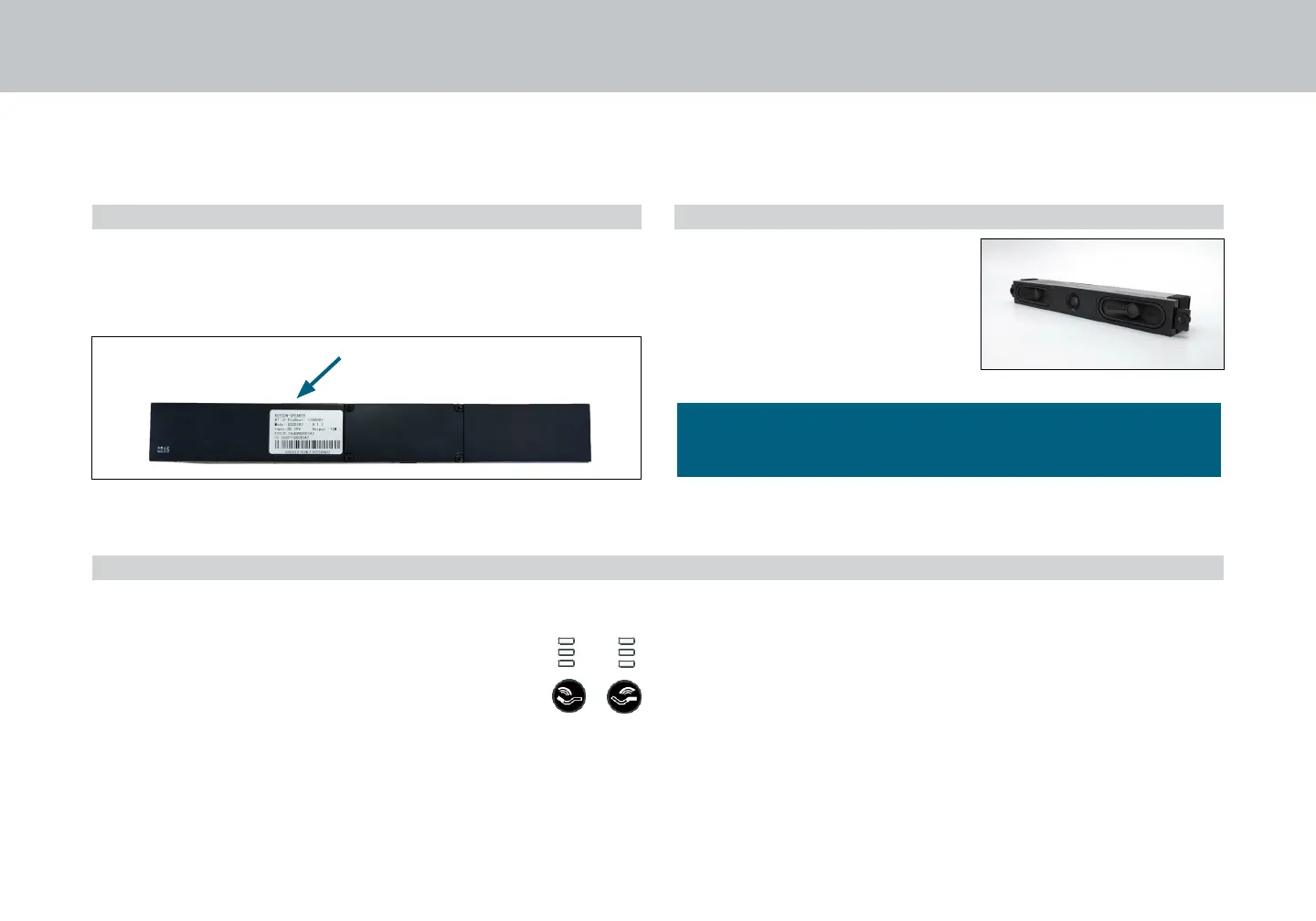
ID can be found on the tag or on the
soundbar itself located underneath the head deck.
Once connected, use any music
player on the smart device to
wirelessly stream music.
Use the smart device to control
volume level. To further customize
volume levels, see OPTIONAL
section below.
To adjust bass level output from the massage motors while
in music mode:
Press Head and Foot Zone Massage Intensity buttons
to adjust intensity of the massage transducers (amount
of sensation) while in music mode (Low > Med >
High) to control each zone separately. Press Massage
/ SoundScape
TM
Mode Control button to adjust both
head and foot zones together.
To switch devices:
Turn off Bluetooth
®
technology on active device OR select the
active device in your Bluetooth
®
settings and press “forget this
device”. You may now pair another device.
To switch between SoundScapeTM mode and Massage
mode:
Press and hold mode button on the remote control for three (3)
seconds. Audio cue from the soundbar will announce the current
mode.
To sync two audio systems (TL or CKS):
See page 17.
For assistance setting up a Bluetooth
®
connection or
operating music player, refer to your smart device's owners
manual or contact the manufacturer directly.


 To Next Page