54
O
EN
bluetooth
®
remote control setup
O
KR bluetooth
®
원격 제어 설정
O
JP bluetooth®リモコンの設定(日本でのお取扱はありません)
O
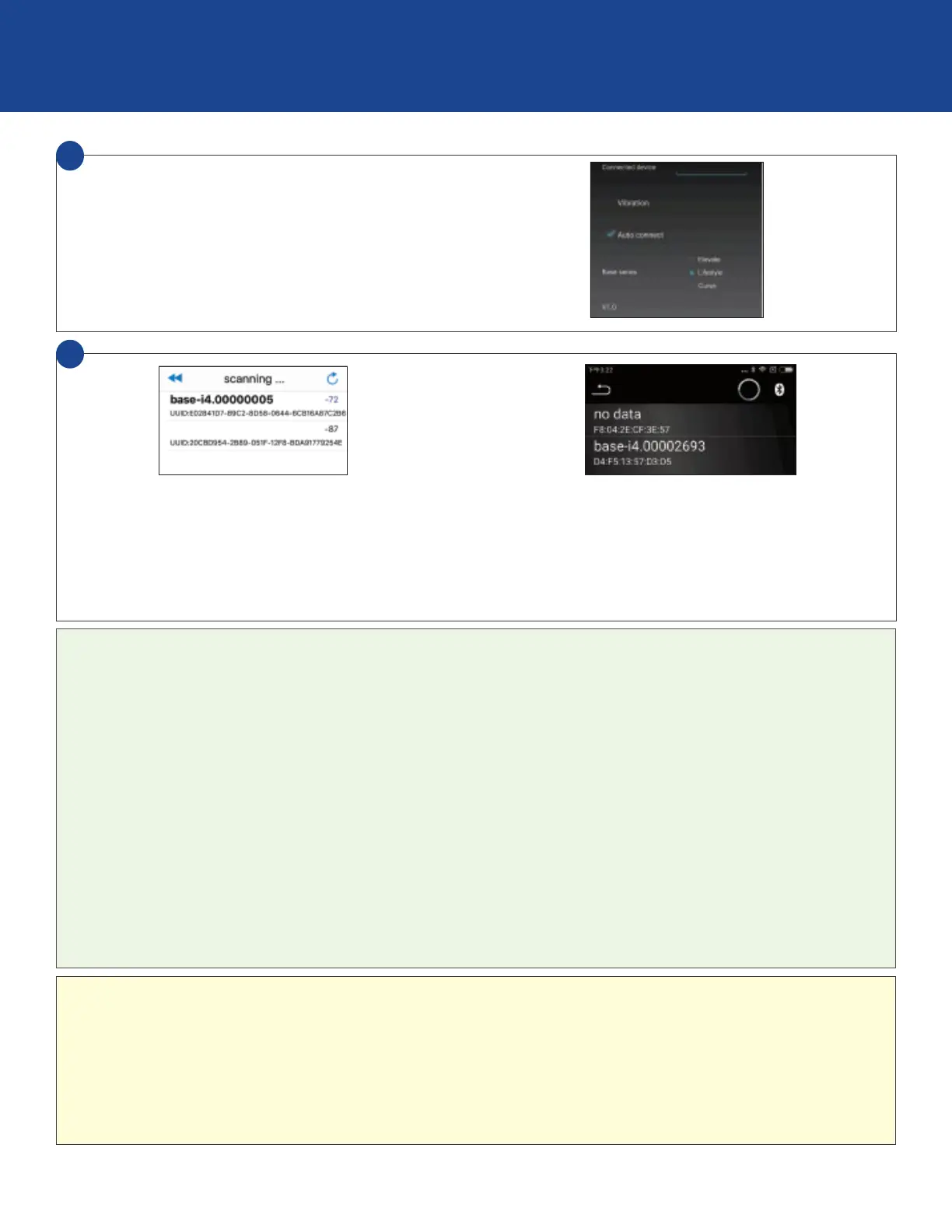
EN Select desired base, tap to connect. Tap back arrow to return
to Settings, select Remote to return to remote control view.
O
KR 원하는베이스를 선택하고 눌러서 연결하십시오.
뒤로 화살표를 눌러 설정으로 돌아가서 원격을 선택하여원격
제어보기로 돌아갑니다.
O
JP お使いのベッドを選択し、接続します。設定画面に戻り、
「リモコ ン」を選 択しリモコンを表 示させます。
O
CN 选择所需的底座,点击连接。点击返回箭头返回到设
置,选择远程返回到远程控制视图。
O
CN 選擇所需的底座,點擊連接。點擊返回箭頭返回到
設置,選擇遠程返回到遠程控制視圖。
5
O
EN For assistance setting up a Bluetooth® connection, refer
to your smart device's owners manual or contact
the manufacturer directly.
O
KR 도움이Bluetooth
®
연결을 설정하는 수동 스마트
디바이스의 소유자를 참조하거나 제조업체에 직접
문의하십시오.
O
JP bluetooth®の設定については、お使いのデバイスのオー
ナーズマニュアルを参照するか、メーカーに直接
お 問い 合 わ せください 。
O
CN 有关设置Bluetooth
®
连接的帮助,请参阅智能设备的用
户手册或直接与制造商联系。
O
CN 有關設置Bluetooth
®
連接的幫助,請參閱智能設備的用
戶手冊或直接與製造商聯繫。
O
EN If operating multiple bases: the Unique ID number will be listed on the sticker located on the adapter.
Press and hold RESET for 5 seconds to reset customized presets back to factory default settings.
For assistance establishing a Bluetooth® connection please refer to your device’s owners manual or contact the
manufacturer directly.
O
KR
®
O
JP 複数のベッドをお使いの場合:ACアダプターに貼ってあるステッカーに記載のID番号をご確認ください。リセットボタン
を5秒間押し続けると、初期設定に戻ります。
O
CN 如果操作多个基座:唯一ID号将列在适配器上的贴纸上。
按住RESET5秒钟可将自定义的预设重新设置为出厂默认设置。
有关建立Bluetooth®连接的帮助,请参阅设备的用户手册或直接与制造商联系。
O
CN 如果操作多個基座:唯一ID號將列在適配器上的貼紙上。
按住RESET5秒鐘可將自定義的預設重新設置為出廠默認設置。
有關建立Bluetooth®連接的幫助,請參閱設備的用戶手冊或直接與製造商聯繫。
O
EN Tap to select device.
O
KR 탭하여 장치를 선택하십시오.
O
JP デバイスを選 択します。
O
CN 点击选择设备。
O
CN 點擊選擇設備。
4


 To Next Page