Need help?
Do you have a question about the Temsa TS35 and is the answer not in the manual?
Rules to avoid death, injury, or property damage during service.
Explanation of symbols, warning words, and signs used in the bulletin.
Guidelines for preparing to start service work, including dress code and seat protection.
Details the front door control improvement and buzzer sound modification.
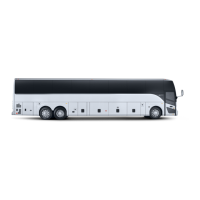
Includes bulletin number, release date, expiry date, and vehicle model.
Specifies the recipients of the service bulletin.
Safety instructions for performing work and general work environment guidelines.
Lists recommended tools, including a screwdriver, for the service.
Lists the part number, name, and quantity of the component needed for the repair.
Turn off battery and ignition, then remove the hazard switch.
Detailed steps for cutting and connecting wires to the hazard switch.
Connecting the modified harness to the door control switch and hazard switch.
Dismantling MOKI connector and manipulating specific cables (33-05).
Connecting MOKI, loading software, testing functionality, and reassembly.
Steps to initiate a work order within the CATS system.
Inputting chassis number, dates, and mileage for the work order.
Selecting the correct service bulletin from the available list.
Adding comments and submitting the work order to TEMSA.
 General
| Brand | Temsa |
|---|---|
| Model | TS35 |
| Category | Automobile |
| Language | English |


 To Next Page