4Revision 1.1 08/18/2005
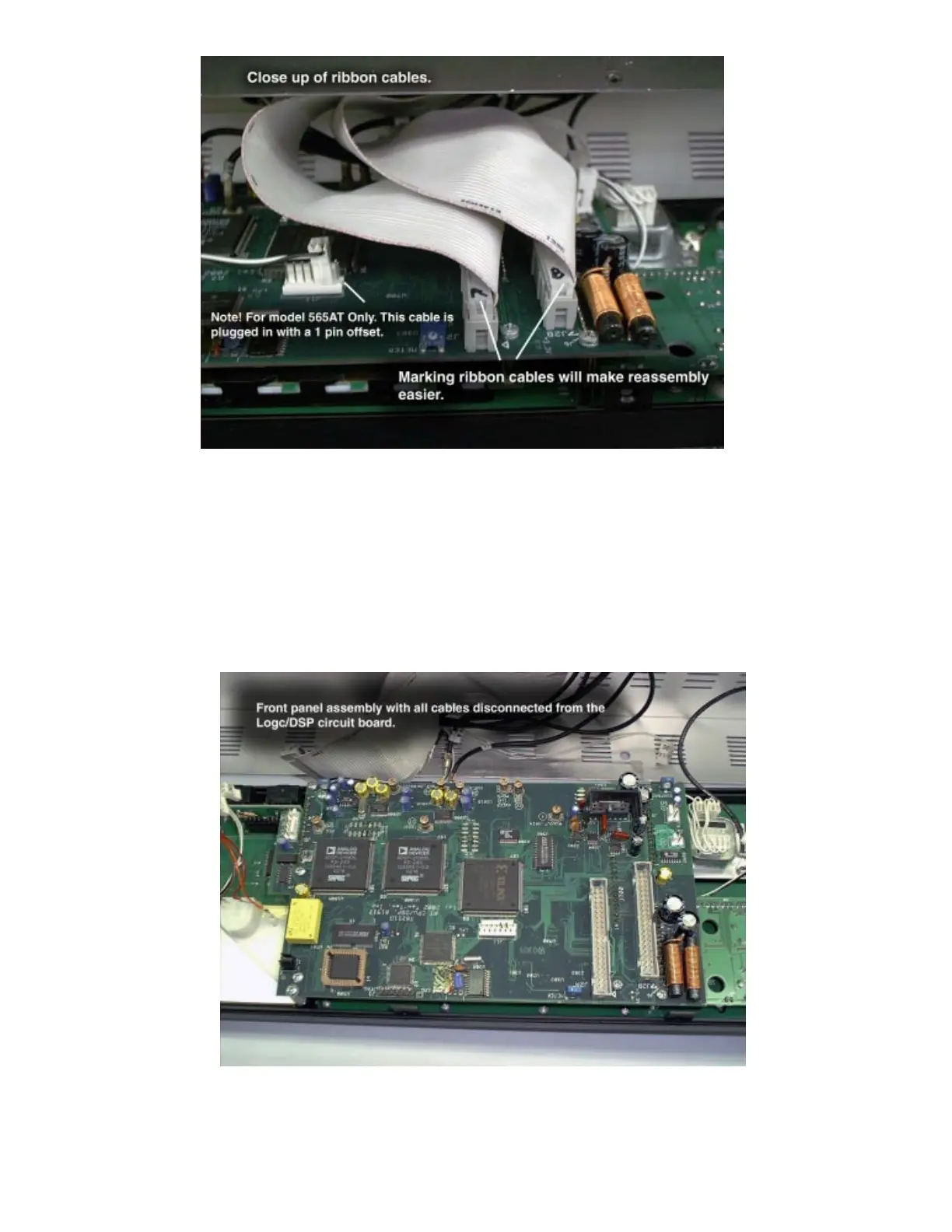
Step 5: Disconnect cables. Before removing cables, mark the ribbon
cables A and B as shown. Other cables are marked to match cable
IDs indicated on the circuit board. Coax and Mass-Term cables will
pull off easily. The ribbon cables will be tight. When removing cables
grip the connector. DO NOT PULL ON THE CABLES.
Step 6: When all cables have been detached from the Logic/DSP
board the front panel will lay flat on the table. This provides ac-
cess to the mounting screws for the Logic/DSP assembly.















 To Next Page