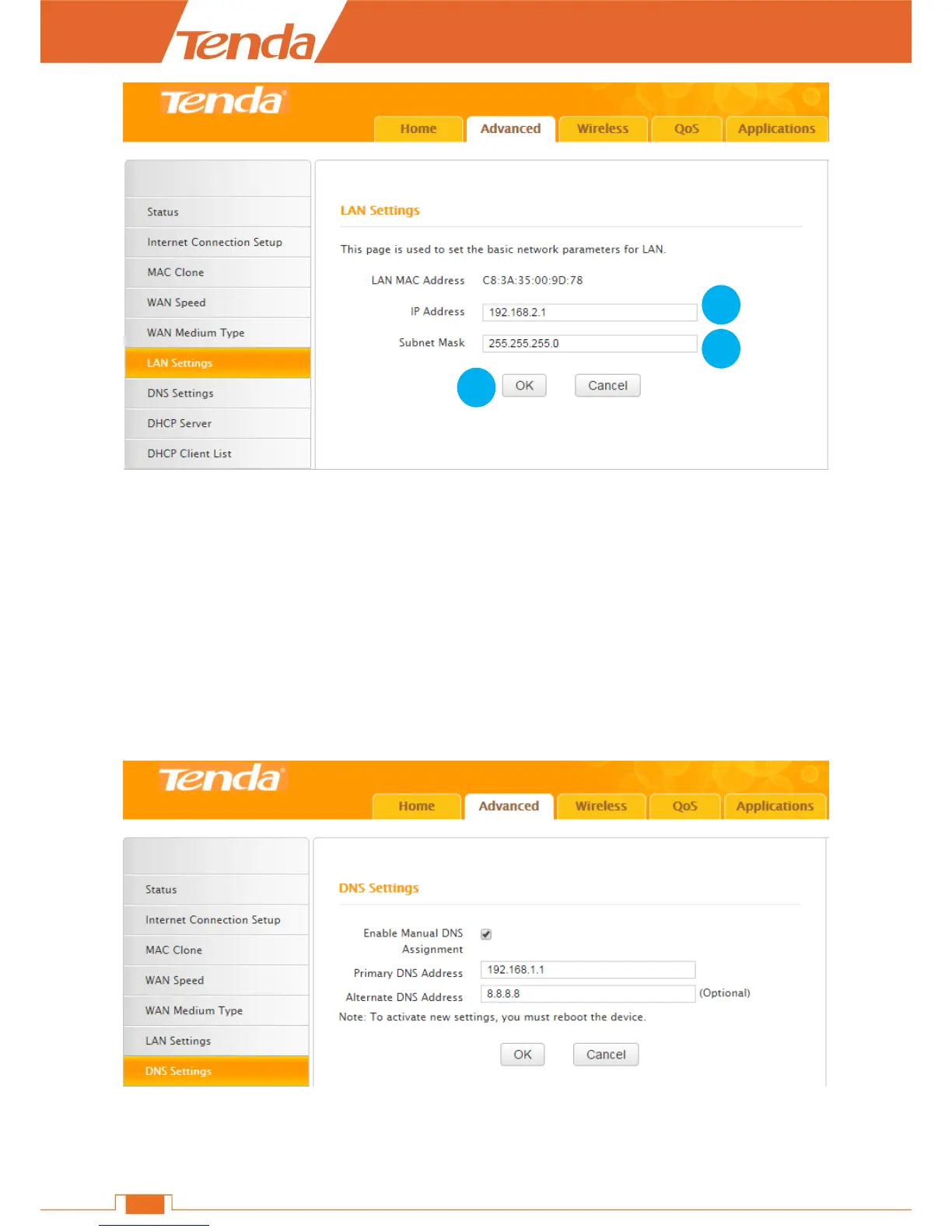
❶ IP Address: Modify the IP address, say “192.168.2.1”. (The default IP “192.168.0.1”)
❷ Subnet Mask: Enter a LAN subnet mask matching the IP address in ❶, say “255.255.255.0”
(the default value).
❸ Click OK.
DNS Settings
DNS settings page is for you to manually enable and set up the DNS settings.
Click Advanced > DNS Settings to start the DNS setup.
❶ Enable Manual DNS Assignment: Check the box to enable DNS manual setup of the Router.


 To Next Page