EasyManua.ls Logo

Tenma 72-10495 - User Manual

Tenma 72-10495
11 pages
Print Icon
To Next Page IconTo Next Page
Loading...
Important notes to avoid damage:
- Do not allow power supply to sink current. (Use diode when charging battery.)
- In series mode, the voltage at the output is the sum of the voltages on the CH1 and CH2
displays
- In parallel mode, the current at the output is the sum of the currents on the CH1 and CH2
displays
- In parallel mode, connect load to CH2 (right hand) channel. (When mains power is turned
on, the power supply defaults to independent mode, and CH1 to whatever voltage and cur-
rent settings are in CH1 memory recall M1, with the load turned off.)
- OCP and OVP do not work in serial and parallel modes.
- For sensitive circuits, disconnect load before:
- Switching load on or off with “OFF/ON” button for that channel
- Switching mains off with the load switched on
Do not leave a load connected to CH2 in SER (serial) mode. If you recall a CH2 memory in
SER mode, only CH2 is updated from that memory and only CH2 turns off. At this time, CH2
output terminals have up to -1.2 V (i.e. reverse polarity) on them, with a short circuit current
of up to -2.8 A.
Important notes to avoid frustration:
- Automatically switches between constant voltage (CV) and constant current (CC) modes
- There is a small +/- voltage and current while the load is switched off (50mV, 100 uA)
- CH2 OUT LED stays on after CH2 OCP/OVP trip disconnects the load.
- CH2 OVP/OCP buttons also control CH1 OVP/OCP
- CH1 OVP/OCP buttons only control CH1 OVP/OCP
- The OCP and OVP LEDs apply to whichever channel last updated them. Pressing either
the OVP or OCP buttons updates both the OVP and OCP LEDs with current state for that
channel.
Edits are in colour, and from an end user who has no affiliation with the supplier or manufac-
turer. No liability is accepted for any information in, or omission from, this document. Your
unit may work differently than described here if it has a different hardware or software ver-
sion.
Use at your own risk
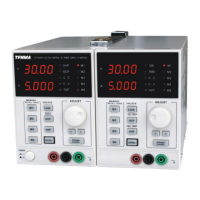
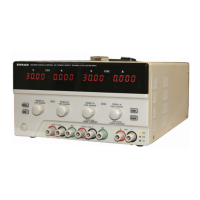
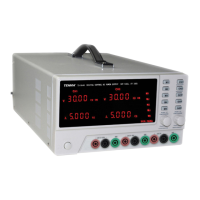
- TENMA 72-10495 (Korad KA3005D-2S): 30V-5A x 2 Channels
- TENMA 72-10500 (Korad KA3003D-2S): 30V-3A x 2 Channels
- TENMA 72-10505 (Korad KA3003D-3S): 30V-3A x 2 Channels & 5V-3A x 1
Velleman supply the single channel version with remote interface as the Velleman LABPS3005D
(which they used to call the PS3005D) The "D" in the Korad model number means no remote in-
terface.

Other manuals for Tenma 72-10495

Question and Answer IconNeed help?

Do you have a question about the Tenma 72-10495 and is the answer not in the manual?

Summary

Power Supply Damage Prevention

Critical Safety Measures for Damage Avoidance

Key precautions to prevent damage to the power supply unit during operation, like avoiding current sinking.

Operational Notes for User Experience

Tips for Smooth Operation and Indicator Behavior

Guidance on common operational modes, indicator functions, and LED behavior to prevent user frustration.

Safety Symbols and Warnings

Understanding Safety Icons

Detailed explanation of safety symbols like WARNING, DANGER High Voltage, and Earth Terminal.

Safety Guidelines and Environment

Operational and Storage Environment Conditions

Specifies ideal conditions for operation and storage, including humidity and temperature.

AC Input and Fuse Replacement

Details AC input voltage compatibility and fuse replacement guidelines.

Product Lineup and Main Features

Model Specifications and Resolution

Table outlining voltage, current meter, and resolution for each model.

Key Performance and Operation Features

Lists main features like low noise, CV/CC operation, and protection mechanisms.

Front Panel Overview and Controls

Front Panel Component Identification

Detailed diagram and explanation of front panel controls and indicators.

Display Indicators and Status

Voltage, Current, and Condition Displays

Explains how voltage, current, and operational status indicators are displayed.

Storage and Recall Indication

Details the meaning of storage status indicators.

Panel Operation Functions

Memory, Lock, and Beep Functions

Explains saving/recalling settings, panel lock, and beep control functionality.

Voltage;Current Adjustment and Power Control

Describes how to adjust voltage/current and the main power control.

Basic Power Supply Operations

Connecting Power and Output Control

Steps for connecting AC power and controlling the output ON/OFF state.

Beep Functionality and Behavior

How to enable or disable the unit's beep sound and its operational behavior.

Series and Parallel Operation Modes

Series Mode Operation and Limitations

How to operate the supply in series mode, including connections and limitations.

Parallel Mode Operation and Limitations

How to operate the supply in parallel mode, including connections and limitations.

Output Set and Configuration

Setting Output Voltage and Current

Steps for setting desired output voltage and current levels.

Setup Saving and Recalling

Saving Panel Configurations

Explains how to save panel settings into internal memories.

Recalling Saved Panel Settings

Details how to retrieve stored panel settings from internal memory.

Front Panel Lock and Recall

Locking and Unlocking Panel Controls

How to activate and deactivate the front panel lock function.

Recalling Stored Settings

Procedure for retrieving stored panel settings from internal memory.

Frequently Asked Questions (FAQ)

Troubleshooting Common Operational Issues

Addresses common problems like unresponsive buttons, no output, and LED behavior.

Technical Specifications

Model Performance and Electrical Specifications

Comprehensive list of electrical and performance specs for each model.

Accuracy, Ripple, and Accessories

Details accuracy, ripple, temperature coefficients, and supplied accessories.

Calibration Procedures

Zero and Full-Range Calibration Steps

Step-by-step guide for calibrating voltage and current zero and full-range settings.

Required Instruments and Conditions

Lists required instruments and pre-calibration conditions.

Summary

Power Supply Damage Prevention

Critical Safety Measures for Damage Avoidance

Key precautions to prevent damage to the power supply unit during operation, like avoiding current sinking.

Operational Notes for User Experience

Tips for Smooth Operation and Indicator Behavior

Guidance on common operational modes, indicator functions, and LED behavior to prevent user frustration.

Safety Symbols and Warnings

Understanding Safety Icons

Detailed explanation of safety symbols like WARNING, DANGER High Voltage, and Earth Terminal.

Safety Guidelines and Environment

Operational and Storage Environment Conditions

Specifies ideal conditions for operation and storage, including humidity and temperature.

AC Input and Fuse Replacement

Details AC input voltage compatibility and fuse replacement guidelines.

Product Lineup and Main Features

Model Specifications and Resolution

Table outlining voltage, current meter, and resolution for each model.

Key Performance and Operation Features

Lists main features like low noise, CV/CC operation, and protection mechanisms.

Front Panel Overview and Controls

Front Panel Component Identification

Detailed diagram and explanation of front panel controls and indicators.

Display Indicators and Status

Voltage, Current, and Condition Displays

Explains how voltage, current, and operational status indicators are displayed.

Storage and Recall Indication

Details the meaning of storage status indicators.

Panel Operation Functions

Memory, Lock, and Beep Functions

Explains saving/recalling settings, panel lock, and beep control functionality.

Voltage;Current Adjustment and Power Control

Describes how to adjust voltage/current and the main power control.

Basic Power Supply Operations

Connecting Power and Output Control

Steps for connecting AC power and controlling the output ON/OFF state.

Beep Functionality and Behavior

How to enable or disable the unit's beep sound and its operational behavior.

Series and Parallel Operation Modes

Series Mode Operation and Limitations

How to operate the supply in series mode, including connections and limitations.

Parallel Mode Operation and Limitations

How to operate the supply in parallel mode, including connections and limitations.

Output Set and Configuration

Setting Output Voltage and Current

Steps for setting desired output voltage and current levels.

Setup Saving and Recalling

Saving Panel Configurations

Explains how to save panel settings into internal memories.

Recalling Saved Panel Settings

Details how to retrieve stored panel settings from internal memory.

Front Panel Lock and Recall

Locking and Unlocking Panel Controls

How to activate and deactivate the front panel lock function.

Recalling Stored Settings

Procedure for retrieving stored panel settings from internal memory.

Frequently Asked Questions (FAQ)

Troubleshooting Common Operational Issues

Addresses common problems like unresponsive buttons, no output, and LED behavior.

Technical Specifications

Model Performance and Electrical Specifications

Comprehensive list of electrical and performance specs for each model.

Accuracy, Ripple, and Accessories

Details accuracy, ripple, temperature coefficients, and supplied accessories.

Calibration Procedures

Zero and Full-Range Calibration Steps

Step-by-step guide for calibrating voltage and current zero and full-range settings.

Required Instruments and Conditions

Lists required instruments and pre-calibration conditions.

Overview

The TENMA 72-10495, 72-10500, and 72-10505 are digital-control DC power supplies designed for various applications. The 72-10495 model offers two channels with 30V-5A output, while the 72-10500 and 72-10505 models provide two channels with 30V-3A output. The 72-10505 also includes an additional 5V-3A channel. These devices are characterized by their low noise, compact size, and light weight, making them suitable for indoor use in dust-free, non-conductive environments.

Function Description:

The power supplies operate in both constant voltage (CV) and constant current (CC) modes, automatically switching between them as needed. They feature digital panel control for setting output parameters, including voltage and current. Each channel has a 4-digit display for both voltage and current, offering a resolution of 10mV/1mA. The devices support output On/Off control and include a beep output for audible feedback.

Important Technical Specifications:

  • Models:
    • 72-10495: 30V-5A x 2 Channels
    • 72-10500: 30V-3A x 2 Channels
    • 72-10505: 30V-3A x 2 Channels & 5V-3A x 1 (for CH3)
  • Voltage Range: 0-30V (CH1, CH2), 5V (CH3 for 72-10505)
  • Current Range: 0-5A (72-10495), 0-3A (72-10500, 72-10505 CH1, CH2), 3A (CH3 for 72-10505)
  • Resolution: 10mV/1mA
  • Load Regulation (Voltage): ≤0.01%+3mV (72-10500, 72-10505), ≤0.01%+5mV (72-10495)
  • Load Regulation (Current): ≤0.1%+5mA (72-10500, 72-10505), ≤0.1%+10mA (72-10495)
  • Line Regulation (Voltage): ≤0.01%+3mV (72-10500, 72-10505), ≤0.01%+3mV (72-10495)
  • Line Regulation (Current): ≤0.1%+3mA (72-10500, 72-10505), ≤0.1%+3mA (72-10495)
  • Setup Resolution (Voltage): 10mV
  • Setup Resolution (Current): 1mA
  • Setup Accuracy (Voltage, 25°C±5°C): ≤0.5%+20mV
  • Setup Accuracy (Current, 25°C±5°C): ≤0.5%+5mA (72-10500, 72-10505), ≤0.5%+10mA (72-10495)
  • Ripple (20-20M, Voltage): ≤1mVrms (72-10500, 72-10505), ≤2mVrms (72-10495)
  • Ripple (20-20M, Current): ≤3mArms
  • Temperature Coefficient (Voltage/Current): ≤150ppm
  • Read Back Accuracy (Voltage/Current): 10mV/1mA
  • Reaction Time (Voltage Rise/Drop): ≤100ms (10% Rated load)
  • Load Regulation of Parallel (Voltage): ≤0.1%+0.5V
  • Load Regulation of Series (Voltage): ≤0.1%+0.1V
  • AC Input Voltage: 110V/120V/220V/230V, 50/60 Hz
  • Operating Temperature: 0-40°C
  • Storage Temperature: -10-70°C
  • Relative Humidity: <80% (Operation), <70% (Storage)
  • Altitude: <2000m
  • Dimensions (WHD): 220156260mm
  • Weight: 6.5kg (72-10500), 6.7kg (72-10505), 9.1kg (72-10495)

Usage Features:

  • Output Parameter Setup: Users can adjust voltage and current levels using coarse and fine controls. The device stores up to five panel setup configurations internally (M1-M5) for quick recall.
  • Output On/Off Control: Each channel has an independent On/Off button.
  • Series and Parallel Connections: The power supply supports series and parallel operation for its multiple channels. In series mode, the output voltage is the sum of the voltages on CH1 and CH2, with CH2 acting as the main control. In parallel mode, the output current is the sum of the currents on CH1 and CH2, with CH2 again being the main control.
    • Important Note for Series/Parallel: OCP and OVP functions do not work in series and parallel modes, even if their LEDs are on.
    • Series Mode Caution: Do not leave a load connected to CH2 in SER (serial) mode. Recalling a CH2 memory in SER mode only updates CH2 and turns it off, leaving CH2 output terminals with up to -1.2V (reverse polarity) and a short circuit current of up to -2.8A.
  • Safety Protections:
    • Overload Protection (OCP): Protects against overcurrent conditions.
    • Overvoltage Protection (OVP): Protects against excessive output voltage.
    • Reverse Polarity Protection: Prevents damage from incorrect polarity connections.
    • Short Circuit Protection: Safeguards the device and load from short circuits.
    • Important Note for OCP/OVP: OCP and OVP LEDs are situated on the CH1 display but indicate the state for whichever channel's OCP/OVP button was last pressed. Pressing either button for a channel toggles its state and updates both LEDs. The OCP and OVP enabled states are not saved with memory recalls and are always set to off when the power supply powers up.
  • Panel Lock: A key lock function prevents accidental changes to settings. Pressing the "LOCK" key for over 2 seconds locks/unlocks the panel.
  • Beep On/Off: The beep sound can be toggled on/off by pressing and holding the OCP/BEEP button for 2 seconds.
  • Calibration: The device supports software calibration for voltage and current. This involves a zero calibration and a full-range calibration for both voltage and current, using a benchtop multimeter and an electronic load. Calibration procedures are repeated for each channel in multi-channel models.

Maintenance Features:

  • Fuse Replacement: The device uses specific fuse types (e.g., T10A/250V for 72-10495 at 110V/120V input). To ensure fire protection, fuses must be replaced only with the specified type and rating after disconnecting the power cord and fixing the cause of the blowout.
  • Cooling System: Features a low-noise cooling fan controlled by heatsink temperature, which helps maintain optimal operating conditions. Users should ensure that cooling fan vents are not blocked.
  • General Safety Guidelines: Avoid severe impacts or rough handling. Do not discharge static electricity. Disassembly should only be performed by qualified service personnel.
  • Important Safety Precaution: Do not allow the power supply to sink current (e.g., when charging a battery, use a diode). For sensitive circuits, disconnect the load before switching the load on/off, or switching mains power off with the load switched on.

Tenma 72-10495 Specifications

General IconGeneral
BrandTenma
Model72-10495
CategoryPower Supply
LanguageEnglish

Related product manuals