18
Setting up the Display System
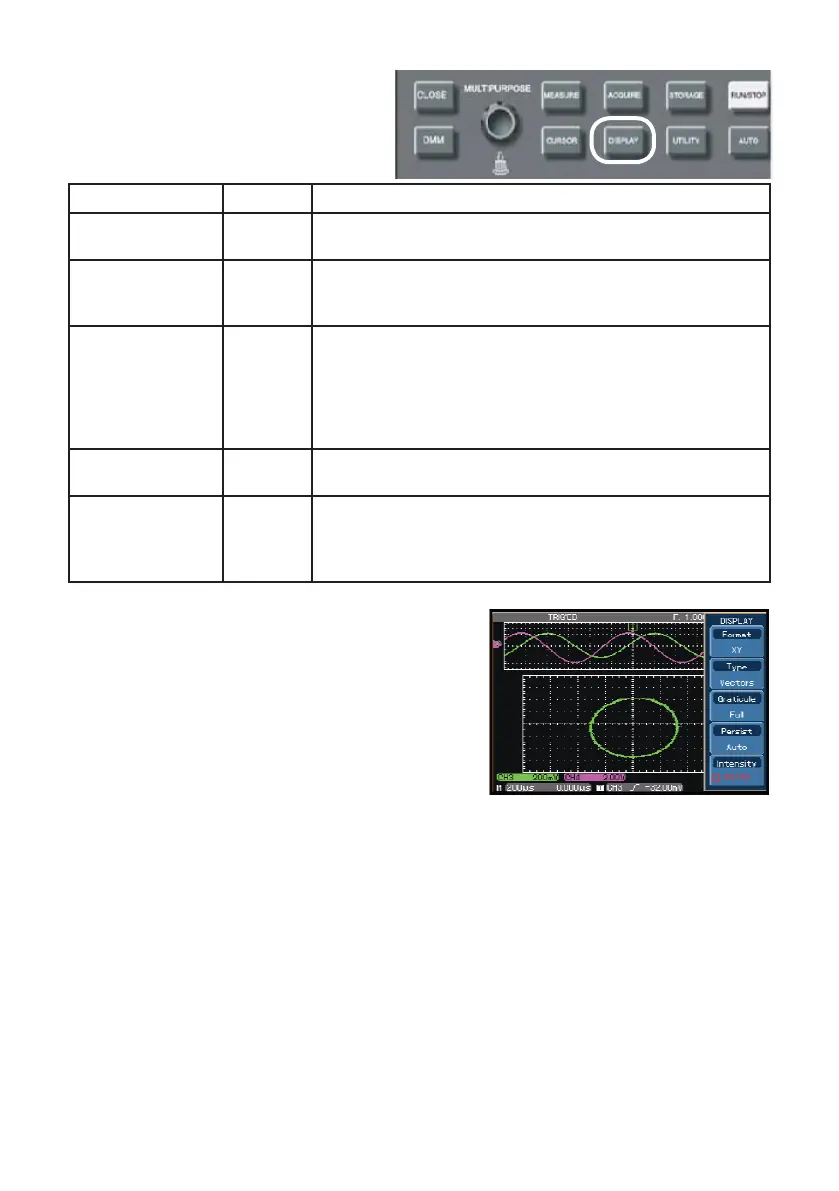
• The DISPLAY button on the control
panel is the function key for the
display system.
X-Y Mode
• This mode offers two separate displays. The
rst group is CH1 and CH2, i.e. CH1 signal
input on the horizontal axis (X axis) and CH2
signal input on the vertical axis (Y axis).
• The other group is CH3 and CH4, i.e. CH3
signal input on the horizontal axis (X axis) and
CH4 signal input on the vertical axis (Y axis).
Functions Menu Setup Notes
Display type
Vector
Dots
Sampling points are linked for display
Sampling points are directly displayed
Format
YT
XY
(2 groups)
Operating mode of the oscilloscope X-Y is the display mode
CH1 is X input CH2 is Y input
CH3 is X input CH4 is Y input
Persist
Auto
1s
2s
5s
Innite
Waveform on screen is refreshed at normal rate
Waveform on screen is maintained for 1 sec then refreshed
Waveform on screen is maintained for 2 secs then refreshed
Waveform on screen is maintained for 5 secs then refreshed
Waveform on screen remains on display. New data will be
added continuously until this function is disabled
Intensity 1-32
In Fast ACQ mode intensity of the waveform can
be adjusted with the multifpurpose control.
Gratitude
Full
Grid
Crosshair
Frame
Set the grid display mode of the waveform zone to full, grid,
Cross Hair or frame
• In the normal X-Y mode, you can move XY gures horizontally with the CH1 or
CH3 position control and move XY gures vertically with the CH2 or CH4 position
control. Adjust the dimension and shape of XY gures with VOLTS/DIV of the
four channels and turn the SEC/DIV control to improve the display quality of the
Lissajous gure.
• Thanks to the unique X-Y display feature, your oscilloscope can display channel
waveform and Lissajous gure concurrently.
• The oscilloscope also offers the following functions :
• Automatic measurement mode
• Cursor measurement mode
• Reference or math waveform
Note: The following functions are disabled under X-Y mode:
• Dual time base
• Horizontal position control



 To Next Page