Maintenance(4)
Warning
To avoid false readings, which could lead to possible electric shock or personal
injury, replace the battery as soon as the battery indicator appears.
To replace battery:
1. Disconnect the connection between the leads and the circuit under test.
2. Turn the Meter OFF
3. Remove the screw from the case bottom; separate the case bottom from the case
top.
4. Remove the battery and replace with a new 3V Button Battery (CR2032).
5. Rejoin the case bottom and the case top, and install the screw
** END **
This operating manual is subject to change without notice.
37
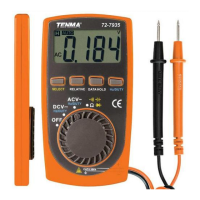
Model 72-7935: OPERATING MANUAL


 To Next Page