•
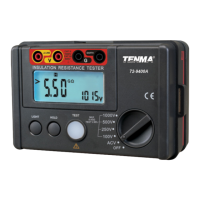
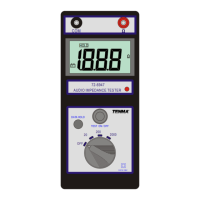
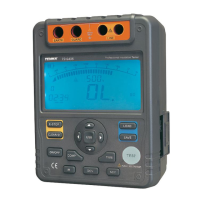
Press COMP button to select compare feature. COMP displays on the
LCD.
•
•
buttons to set the compare value.
You can choose the compare value from 10MΩ, 20MΩ, 30MΩ, 40MΩ,
50MΩ, 60MΩ, 70MΩ, 80MΩ, 90MΩ, 100MΩ, 200MΩ, 300MΩ, 400MΩ,
500MΩ, 600MΩ, 700MΩ, 800MΩ, 900MΩ, 1GΩ, 2GΩ, 3GΩ, 4GΩ, 5GΩ,
6GΩ, 7GΩ, 8GΩ, 9GΩ, 10GΩ, 20GΩ, 330GΩ, 40GΩ, 50GΩ, 60GΩ, 70GΩ,
80GΩ, 90GΩ, 100GΩ.
Press and hold TEST button for 2 secs to carry out the measurement.
NG will display if the insulation resistance value is smaller than the
compare value. Otherwise, GOOD will display.
•
•


 To Previous Page