TeNMARS
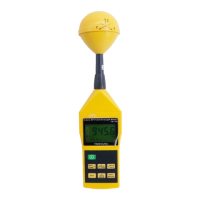
TM-196
Axis
RF
Meter Quick Start Guide
This meter has many capabilities,
includi
ng
memo
ry,
alarm, date/time,
average etc. which will require so me study
of the manual to use properly. However,
you can quickly and easily begin making
measurements right out
of
the box. Just
follow these simple steps:
1. Insert 9V battery.
2.
Tu
rn
meter
on
with GREEN button.
3.
P
re
ss XYXlMEM button until a
ll
three
(XYZ) letters are displayed on the
screen (to the left
of
the ma
in
number.
4.
Press UNIT/
EN
TER button until the
desired units are displayed below the
main number (we recommend using
mV/m ... and we recommend a
maximum level
of
614 mV/m for
prolonged exposure).
You are now ready to ma
ke
your first
measurements!
EN-1
TeNMARS
TM-196
1 Introduction
Th
is
meter is designed for measuri
ng
and
monitoring Radio-Frequency
electromagnetic field strength . The meter
is
calibrated prec
is
ely over the frequency
range
of
10Mz-8GHZ.
2 Simple a method of operation
Press "power"
bu
tton on.To change
measuring unit (mV/m), push
UN
IT"button to
c
ha
nge the u
ni
t.Electric field strength
(V/m).Computed magnetic field strength
(mA/m).Computed power density
(m
w/m
2
}COmputed power density
(l.J
W/
cm
).
Press "xy
z"
this key to change sensor axis
selector
"A
ll
axis "
--
"X axis"
--
"Y axis"
--
"Z
axis".
EN-2


 To Next Page