TM-6002
EN-13
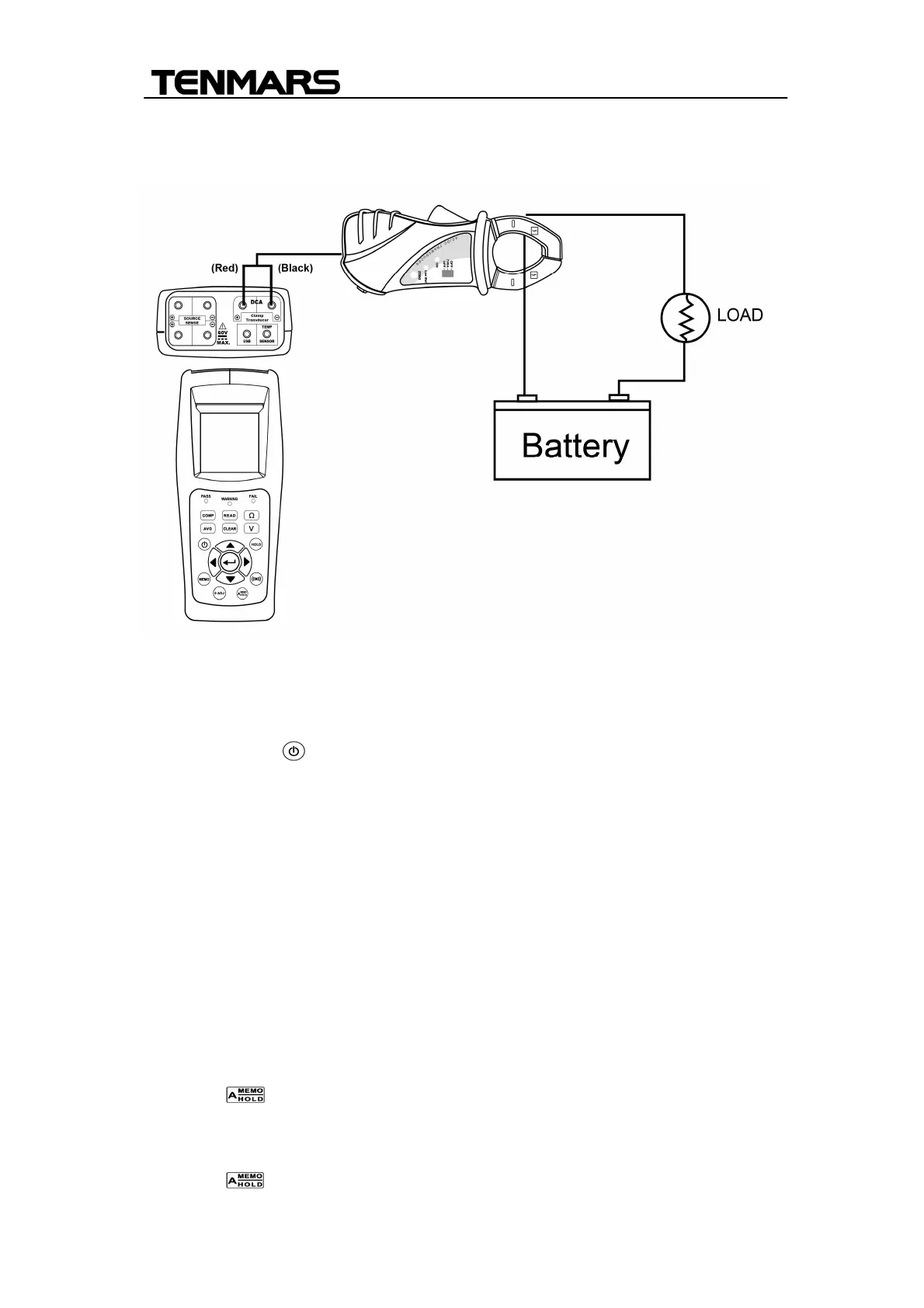
DC Current (DCA) measurement(TM-6002)
1. Connect the current probe to meter:
+ red signal output to DCA+ JACK, and - black to signal output to DCA-
JACK
2. Press power: key turn on the meter.
3. Open the clamp and put the tested conductor in the center or clamp jaws.
4. The current value. Will be indicated on the LCD.
. DATA HOLD and Back light function
1. Press HOLD key to enable data hold function.
2. Press HOLD key again to disable data hold function.
3. Please press HOLD key for more than 2 seconds to turn on the backlight
display
Auto Hold and Auto Recording function
1. Press " " key to start the auto-hold function, the symbol of “A.HOLD”
and “HOLD” appear on the screen.
2. Press “HOLD” key to disable the hold function.
3. Press “ “ key for three times, the symbol of ”A.HOLD “ and


 To Next Page