TM-720
6
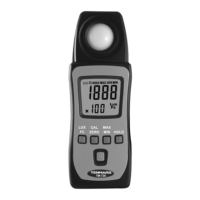
6.3. MAX/MIN/AVG Button:
Press “MAX/MIN” button simultaneously
Lockup data maximum and average and
minimum value of measure data. Press the
“MAX/MIN” button for more than 1 second to
disable this feature.
6.4. Data Hold Button:
Freezes the reading present on the LCD
screen at the moment the button is pressed.
6.5. Power Button:
Press the ” ” button more than 2 second
to power on the meter.
6.6. Auto Power:
To save battery life, the meter powers down
automatically after approximately 12
minutes of inactivity.
6.7. Enable/Disable Auto Power Off
Power Off by pressing the ” ” button more
than 2 second the LCD “ ” symbol will
disappear or enable.


 To Next Page