EasyManua.ls Logo

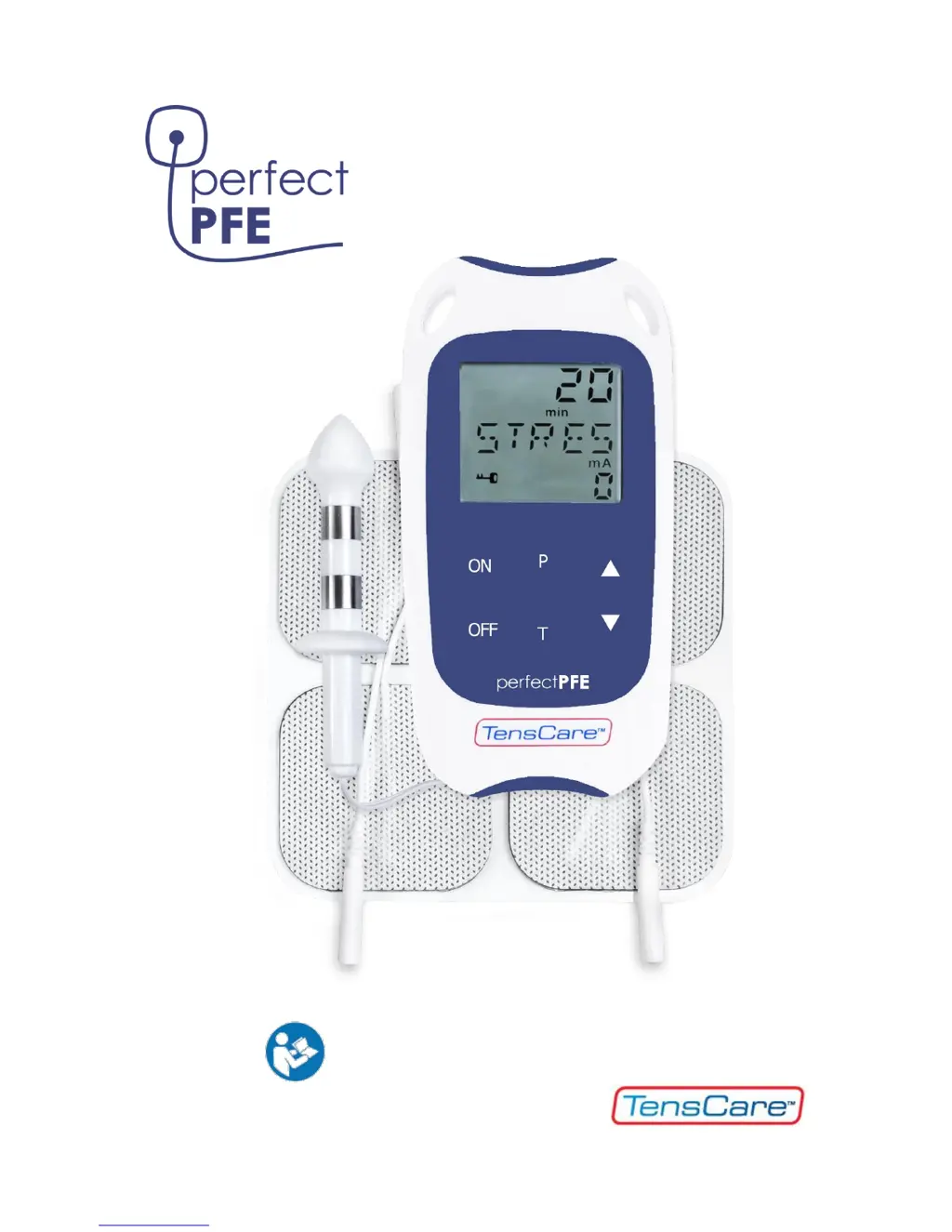
TensCare Perfect PFE - User Manual

TensCare Perfect PFE
36 pages
Print Icon
To Next Page IconTo Next Page
Loading...
0
INSTRUCTIONS FOR USE
READ CAREFULLY BEFORE USE

Questions and Answers

  • E
    Elizabeth HayesAug 18, 2025
    What to do if there is no sensation and LEADS alarm showing on TensCare Perfect PFE Fitness Equipment?
    • K
      Kenneth JohnstonAug 18, 2025
      If you experience no sensation and the LEADS alarm is showing on your TensCare Fitness Equipment, it could be due to a break in one of the lead wires. To test the unit, dampen your hand with water and a little table salt, squeeze the probe firmly ensuring your skin covers the metal parts, and carefully increase the strength until you feel something. If the LEADS alarm persists and the unit doesn't allow you to pass 20 mA, the lead wires likely need replacement. Alternatively, dry skin can cause poor conductivity. Try using a water-based lubricant like TensCare Go Gel to improve conduction or cross your legs and squeeze to increase pressure on the probe, enhancing the connection.
  • D
    Daniel JenkinsAug 20, 2025
    Why won’t the controls work on my TensCare Perfect PFE?
    • W
      Wesley SantiagoAug 20, 2025
      If the controls on your TensCare Fitness Equipment aren’t working, the keypad might be locked. Check the display for a 'LOCK' indicator. If present, press and hold the button. If 'LOCK' isn't displayed, try removing and replacing the batteries.
  • K
    Kimberly PorterAug 23, 2025
    What to do if there is no sensation and no LEADS alarm showing on TensCare Perfect PFE?
    • J
      James LaneAug 23, 2025
      If you're experiencing no sensation and there's no LEADS alarm showing on your TensCare Fitness Equipment, ensure the intensity level is high enough, as reduced sensitivity in the treated area could be a factor. Increase the intensity gradually. Most people start feeling the stimulation in their hand around 25 mA, and with the probe inserted, you might need to increase it to around 40-60 mA. The maximum power is 99 mA. If you have reduced sensitivity due to previously damaged or desensitized pudendal nerves, consult your healthcare professional.
  • U
    ucrawfordAug 26, 2025
    How to fix no display on TensCare Perfect PFE?
    • E
      Eric WilliamsAug 26, 2025
      If there is no display on your TensCare Fitness Equipment, it could be due to several reasons: * Flat batteries: Replace the batteries. * Incorrectly inserted batteries: Remove the plastic wrap and check the + / - orientation when inserting them. * Damaged springs in the battery compartment: Contact your supplier for assistance.
  • E
    Eric GonzalesAug 28, 2025
    Why does my TensCare Perfect PFE have a low battery display?
    • J
      Jessica McguireAug 28, 2025
      If your TensCare Fitness Equipment shows a low battery display, the batteries are likely low. Replace them with new ones.
  • L
    lwilliamsAug 30, 2025
    What to do if there is no sensation on one side of the probe (or electrode) with TensCare Perfect PFE?
    • G
      Glenn CollinsAug 30, 2025
      If you experience no sensation on one side of the probe (or electrode) of your TensCare Fitness Equipment, it's likely a positioning issue. The current flows from one side of the probe to the other. Adjust the probe's position slightly or try exchanging the wire connections in the probe to optimize the current flow relative to the nerve.
  • L
    laura76Sep 2, 2025
    How to fix TensCare Personal Care Products when there is no display?
    • S
      Shawn ReedSep 2, 2025
      If your TensCare Personal Care Product's display is blank, the issue might be due to flat batteries, batteries inserted incorrectly, or damaged springs in the battery compartment. First, try replacing the batteries. If that doesn't work, check if the batteries are inserted correctly, ensuring you align the + and - terminals properly after removing any plastic wrap. If the problem persists, the springs in the battery compartment might be damaged, and you should contact your supplier.
  • A
    Anthony KingSep 4, 2025
    What to do if TensCare Personal Care Products shows a low battery display?
    • K
      Kimberly NolanSep 4, 2025
      If your TensCare Personal Care Product is showing a low battery display, the most likely cause is low batteries. The solution is to replace the batteries with new ones.
  • K
    Kristen GrahamSep 6, 2025
    Why won't the controls work on my TensCare Personal Care Products?
    • M
      Michelle MilesSep 7, 2025
      If the controls on your TensCare Personal Care Product aren’t working, it could be that the keypad is locked. Look for a 'LOCK' indicator on the display. If you see it, press and hold the button until the lock disengages. If there is no 'LOCK' indicator showing, try removing and then replacing the batteries.
  • D
    Deborah GreenSep 9, 2025
    What to do if TensCare Personal Care Products has no sensation and LEADS alarm showing?
    • S
      Scott GrahamSep 9, 2025
      If you're experiencing no sensation and the LEADS alarm is showing on your TensCare Personal Care Product, it could be due to a break in one of the lead wires or dry skin causing poor conductivity. You can test the unit by holding the probe in your hand: dampen your hand with water and a little table salt, squeeze the probe firmly ensuring your skin covers the metal parts, and carefully increase the strength until you feel something. If the LEADS alarm continues and the unit doesn't allow you to pass 20 mA, the lead wires need replacement. If the skin is dry, use a water-based lubricant like TensCare Go Gel to improve conduction, or try crossing your legs and squeezing to increase pressure on the probe.

Summary

Intended Use of the Perfect PFE

Medical Device for Home Healthcare

Designed for home use to treat incontinence and erectile dysfunction.

Performing Pelvic Floor Exercises

Kegel Exercise Identification Method

Explains how to identify and perform Kegel exercises by stopping urine flow.

How EMS Works: Muscle Stimulation

How TENS Works: Pain Relief

TENS Pain Relief Mechanisms

Covers endorphin release and the 'Pain Gate' theory for natural pain relief.

Contraindications and Warnings

General Warnings and Precautions

Covers warnings about electronic devices, neck stimulation, post-surgery use, and cancer.

Specific Cautions and Hazards

Addresses cautions for epilepsy, electromagnetic fields, cognitive impairment, and child safety.

Important Safety Cautions

Probe Safety and Handling

Emphasizes probe cleaning, single use, safe insertion/removal, and avoiding silicone lubricants.

Device Care, Safety and Warnings

Understanding Programme Settings

Frequency and Pulse Width Explained

Explains frequency (Hz) for relaxation/circulation and pulse width (µs) for muscle contraction intensity.

Perfect PFE Programme Details

Preset Programme Descriptions

Outlines the five preset programmes: STRES, URGE, MIXED, TONE, and PAIN.

Perfect PFE Programme Details (Cont.)

PAIN Programme for Chronic Pelvic Pain

Alleviates chronic pelvic pain with soothing tingling, requires regular use without treating the underlying cause.

Unit Controls and Display Overview

Operating the Perfect PFE Unit

Unit Operation and Controls

Covers powering on/off, adjusting intensity with buttons, programme selection, and safety features.

Perfect PFE Operating Instructions

Setting Up Your Perfect PFE

Installing the Batteries

Steps to remove cover, insert batteries correctly, and replace cover/clip.

Connecting the Lead Wire to Probe

Instructions for inserting the lead wire plug into the unit and connecting to the probe.

Preparing for a Training Session

Probe Insertion Safety Warning

Ensure the PFE is switched OFF before inserting the probe to prevent injury.

Correct Probe Insertion Technique

Insert probe bearing down to a comfortable limit until the flange touches the anus.

Conducting a Training Session

Starting and Adjusting Intensity

Turn on unit, select programme, and adjust intensity to a comfortable level.

Conducting a Training Session (Cont.)

Post-Session Care and Cleaning

Product Warranty and Service

Warranty Coverage and Exclusions

Covers manufacturing defects for 2 years; void if modified, misused, or damaged.

Returning Unit for Repair

Instructions for returning the unit for repair, including proof of purchase and problem description.

Troubleshooting Common Problems

No Display or Low Battery Issues

Solutions for flat batteries, incorrect insertion, or low battery indications.

Controls Locked or No Sensation

Troubleshooting keypad lock, connection errors (LEADS alarm), and lack of sensation.

Improving Probe-Skin Conductivity

Tips for dry skin, using lubricant, and adjusting probe position for better conductivity.

Troubleshooting Sensation and Contact

TensCare Perfect PFE Specifications

General IconGeneral
TimerYes
Form factorSticker plate
Pulse width300 µs
Product colorBlue, White
Intensity range0 - 99 mA
Pulse rate range4 - 50 Hz
Number of programs5
Number of electrodes2
Display typeLCD
Weight and Dimensions IconWeight and Dimensions
Depth20 mm
Width60 mm
Height120 mm
Weight115 g

Related product manuals