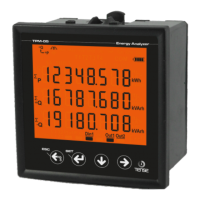
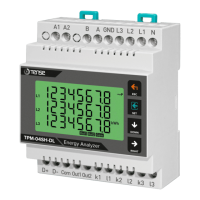
Figure-3: Shows phase-neutral voltage. When you press right button, the figure-4 appears on the
screen.
Figure-4: Shows minimum(Min) voltage values of phase-neutral voltage. When you press right button,
the figure-5 appears on the screen.
Figure-5: Shows maximum(Max) voltage values of phase-neutral voltage. When you press right button,
the figure-6 appears on the screen.
Figure-6: Shows average(Ave) voltage values of phase-neutral voltage. When you press right button,
the figure-7 appears on the screen
Figure-7: Shows the phase-phase voltage values. When you press right button, the figure-8 appears
on the screen.
Figure-8: Shows the minimum(Min) values of the phase-phase voltage. When you press right button,
the figure-9 appears on the screen.
Figure-9: Shows the maximum(Max) values of the phase-phase voltage. When you press right button,
the figure-10 appears on the screen.
Figure-10: Shows the average(Ave) values of the phase-phase voltage. When you press right button,
the figure-11 appears on the screen.
9 - Progress On Screen Information:
Figure-3 Figure-4 Figure-5 Figure-6
L1
L2
L3
V
V
V
V
Out1
Din1
Out2
L1
L2
L3
V
V
V
V
Out1
Din1
Out2
L1
L2
L3
V
V
V
V
Out1
Din1
Out2
L1
L2
L3
V
V
V
V
Out1
Din1
Out2
Figure-7 Figure-8 Figure-9 Figure-10
L12
L23
L31
V
V
V
V
Out1
Din1
Out2
L12
L23
L31
V
V
V
V
Out1
Din1
Out2
L12
L23
L31
V
V
V
V
Out1
Din1
Out2
L12
L23
L31
V
V
V
V
Out1
Din1
Out2
-5-
Figure-11: Shows the current values of each phase. When you press the right button, figure-12 appears
on the screen.
Figure-12: Shows the current demand(Dmd) values for each phase. When you press the right button,
figure-13 appears on the screen.
Figure-13: Shows the active power(P) values for each phase. When you press the right button, figure-14
appears on the screen.
Figure-14: Shows the active power(P) demand(Dmd) values for each phase. When you press the right
button, figure-15 appears on the screen.
Figure-11
L1
L2
L3
I
A
A
A
Out1
Din1
Out2
Figure-12
L1
L2
L3
I
A
A
A
Out1
Din1
Out2
Figure-13
L1
L2
L3
P
kW
kW
kW
Out1
Din1
Out2
Figure-14
P
L1
L2
L3
kW
kW
kW
Out1
Din1
Out2
P
-6-
Figure-15: Shows the reactive power value(Q) values for each phase. When you press the right button,
figure-16 appears on the screen.
Figure-16: Shows the active power(Q) demand(Dmd) values for each phase. When you press the right
button, figure-17 appears on the screen.
Figure-17: Shows the apparent power(S) values for each phase. When you press the right
button, figure-18 appears on the screen.
Figure-18: Shows the apparent power(S) demand(Dmd) values for each phase. When you press the right
button, figure-19 appears on the screen.
Figure-19: Shows the power factor(PF) values for each phase. When you press the right button,
figure-20 appears on the screen.
Figure-20: Shows the cosine phi(FI) values for each phase. When you press the right button, figure-21
appears on the screen.
Figure-21: Shows the frequency(F) values for each phase. When you press the right button, figure-22
appears on the screen.
Figure-22: Shows the total voltage harmonic distortion value (THD-V) values for each phase. When you
press the right button, figure-23 appears on the screen.
Figure-23: Voltage harmonics values of up to 31st harmonics are displayed on each screen,
with 3 values per screen. When you press the right button, the values of the L2 and L3 phases are
displayed on the screen respectively. When you press the right button, figure-24 appears on the screen.
Figure-15 Figure-16
Q
L1
L2
L3
kVAr
kVAr
kVAr
Out1
Din1
Out2
Q
L1
L2
L3
Q
kVAr
kVAr
kVAr
Out1
Din1
Out2
Figure-17
L1
L2
L3
S
Var
Var
Var
Out1
Din1
Out2
Figure-18
S
L1
L2
L3
Var
Var
Var
Out1
Din1
Out2
S
Figure-19
Figure-20 Figure-21 Figure-22
L1
L2
L3
PF
Out1
Din1
Out2
L1
L2
L3
F
Out1
Din1
Out2
Hz
Hz
Hz
F
Out1
Din1
Out2
I
L1
L2
L3
Figure-23
L1
Out1
Din1
Out2
%
%
%
THD-V
L1
L2
L3
Out1
Din1
Out2
%
%
%
THD-V


 To Next Page
 Loading...