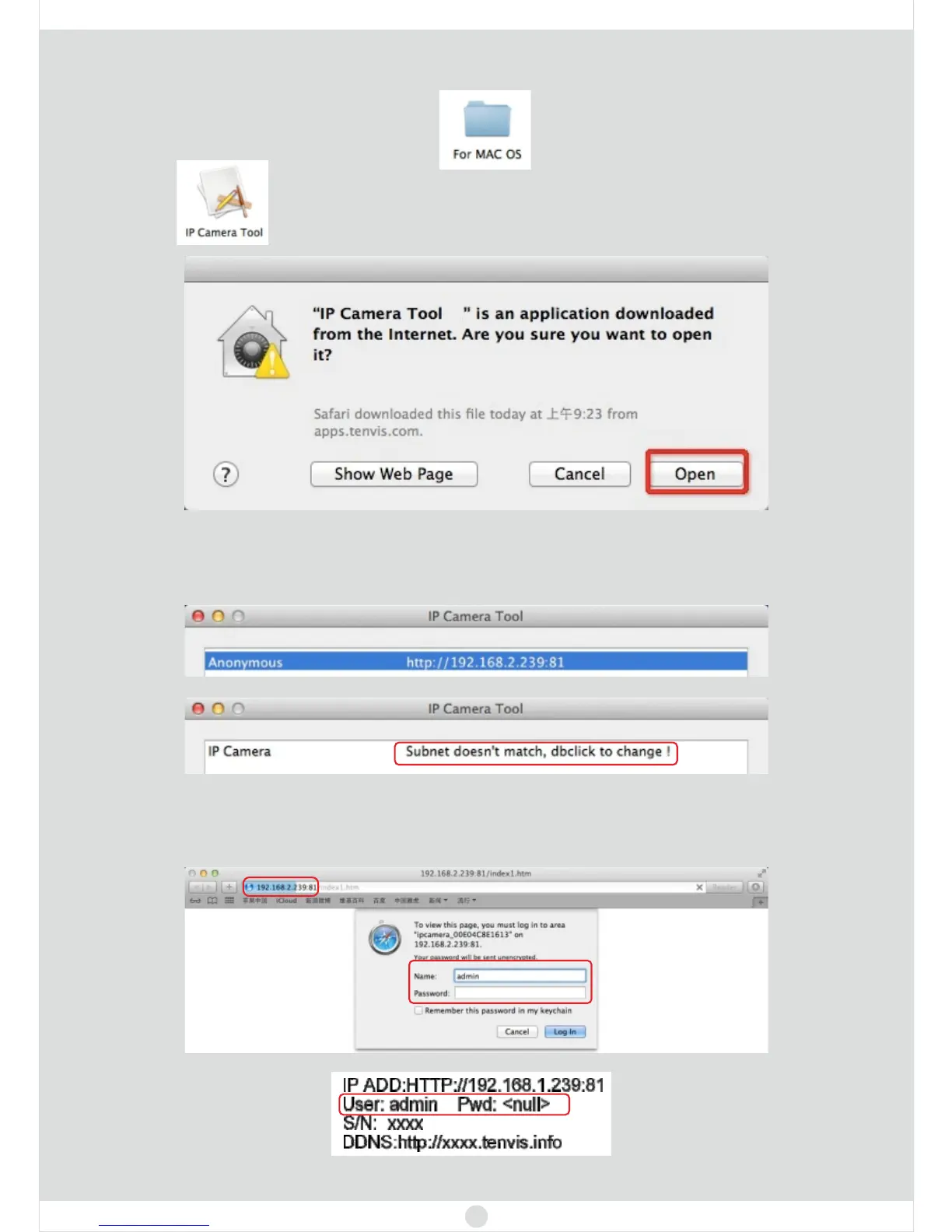
2. Click .
For Mac
1. Insert the CD or
.
download the software from
www.tenvis.com/download
4. Double click the IP address listed in the search result window. Default browser
will be opened automatically to display the camera login page.
scene 1
scene 2
3. If you see the scene 1, please continue. If you see the scene 2, first skip to
page 10 and modify the camera’s IP address, and refresh to scene 1 to
continue.
You can find the label on the cameras
8



 To Next Page