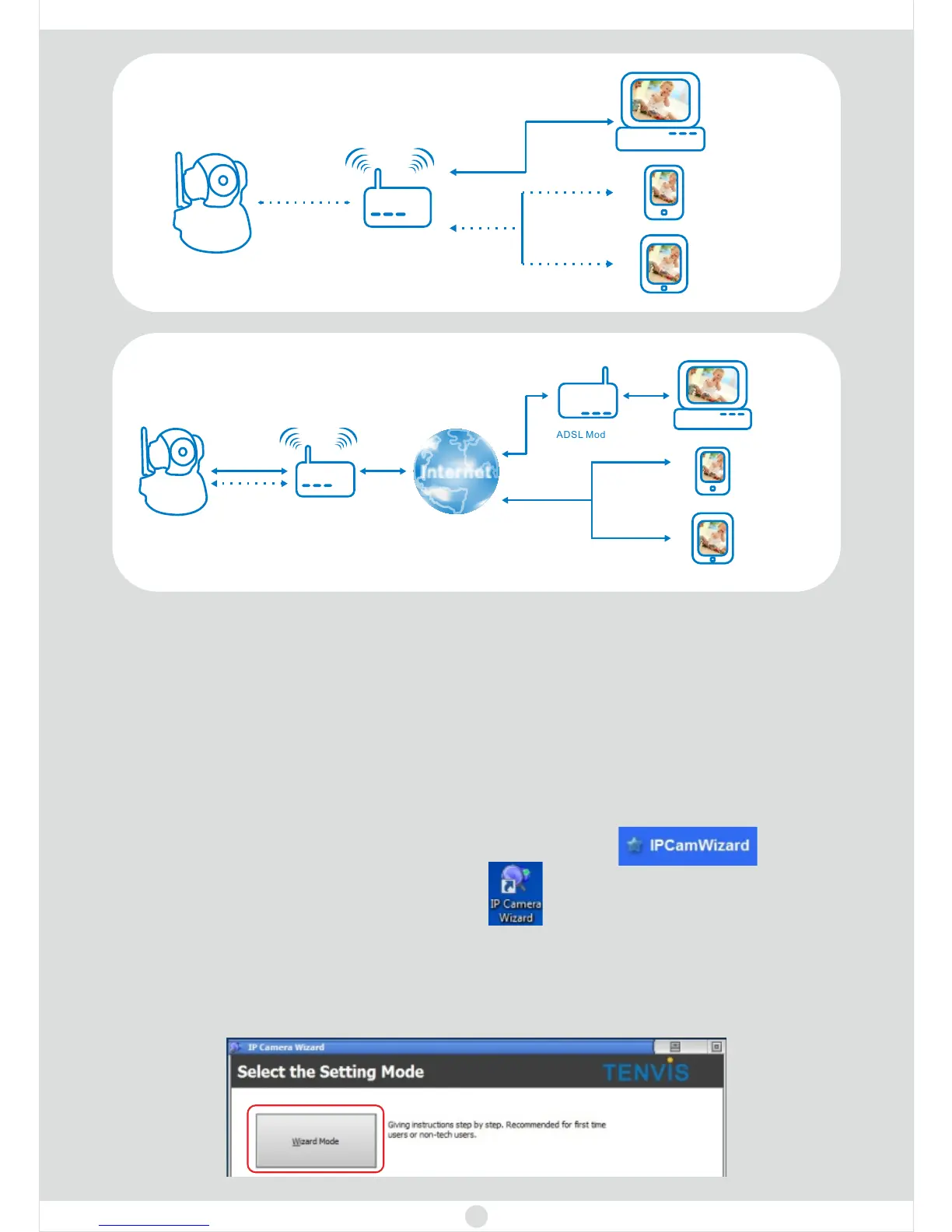
Wired LAN View
1. Insert the CD or download the software from .www.tenvis.com/download
2. Open the CD and use autorun to install. Then click .
Chapter 2: Let’s get PC view
For Windows
3. After installation, please double click .
4. Open the wizard and select the installation mode. Wizard Mode
www.tenvis.com/download
is
recommended for first time users or non-tech users. If you select the
Advanced Mode, please visit to find the
Advanced User Guide.
2
LAN means Local Area Network
IP Camera
PC/MAC
Wireless
Wirelesss Router
Mobile Phone
PAD
Wired
LAN WIFI
Wireess LAN View
IP Camera
Wirelesss Router
ADSL Modem
PC/MAC
Mobile Phone
PAD
Internet
3G/4G or WIFI
Wireless
Wired
or
Internet View



 To Next Page