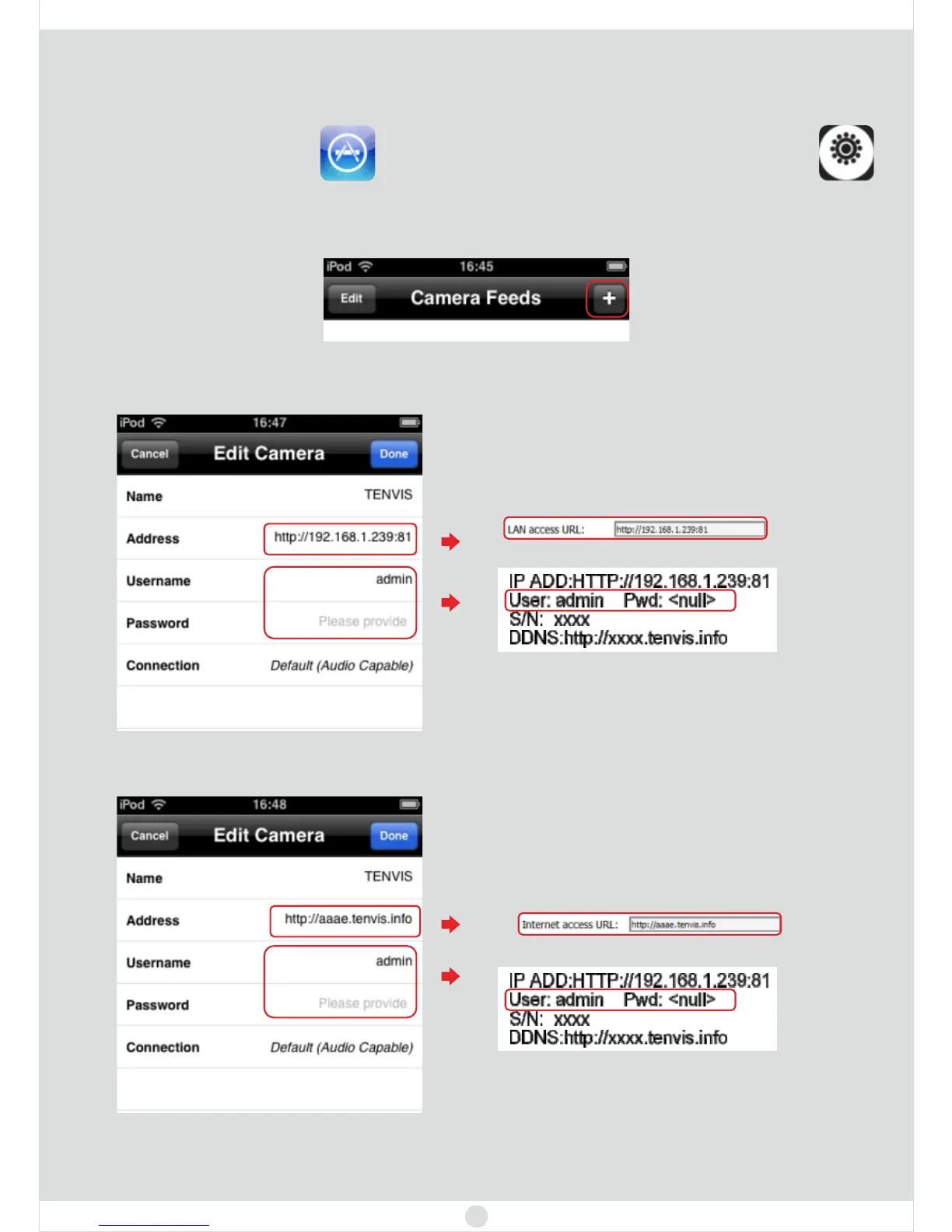
1. Open the , and search tenvis, then install
. Or visit to know more.
app store CamViewer
for Webcams www.tenvis.com/download
For iPhone
Chapter 3: Let’s get mobile view
2. Run . Then click .CamViewer for Webcams +
11
Tips: The IP address and hostname in the snapshot is just for your reference.
For the MAC user, please visit for more info. www.tenvis.com/support
3. For LAN view, please fulfill them below.
For Internet view, please fulfill them below.
For windows, this address is LAN access URL
which you can find on page 7
You can find the label on the cameras
For windows, this address is Internet access URL
which you can find on page 7
You can find the label on the cameras



 To Next Page