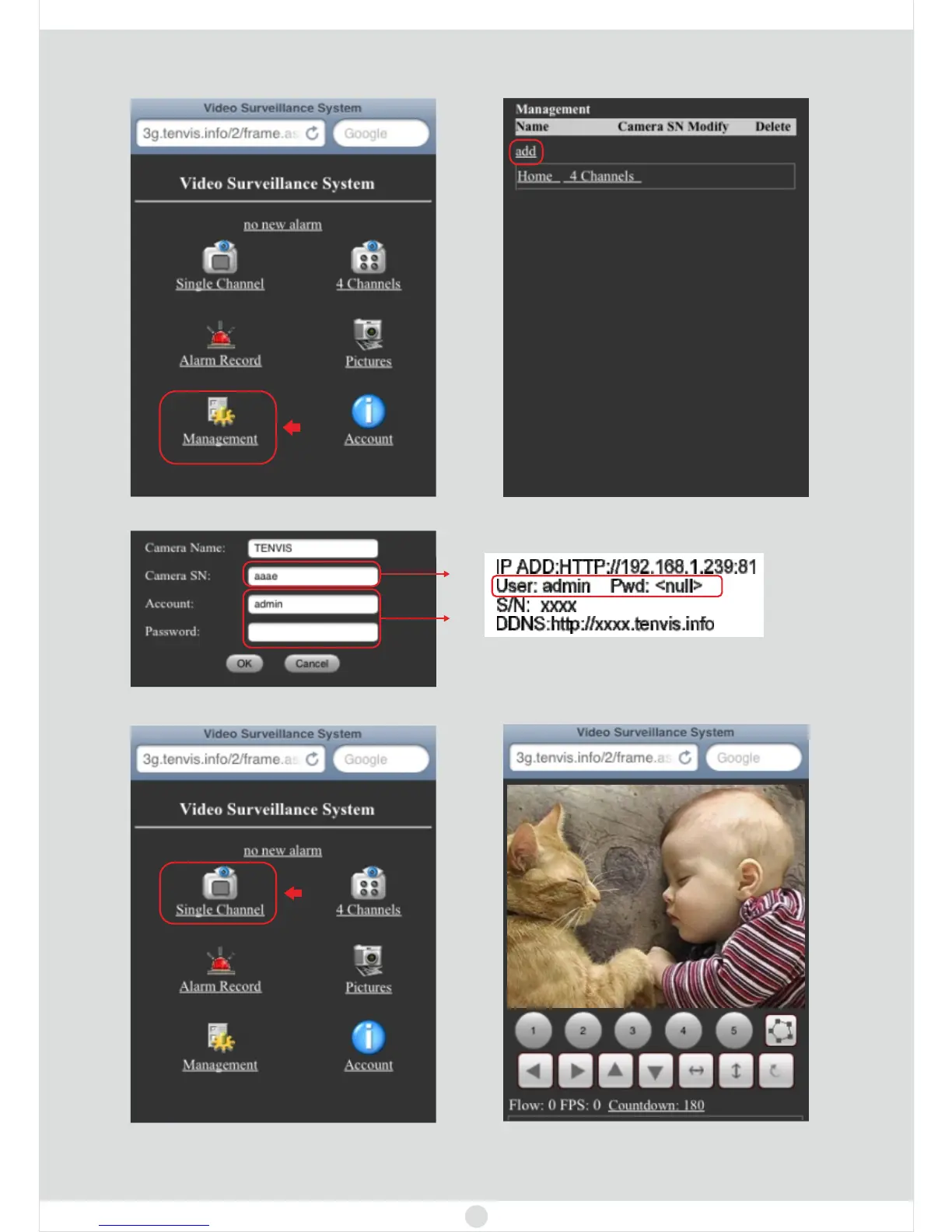
4. Please select for the
. Then s
Management first time of logining the video surveillance
system elect to continue.add
5. Input camera S/N and camera’s username and password.
6. Select to view camera from Internet.Single Channel
15
Congratulations! You have finished internet view successfully, now
you can view the live video from your phone.
You can find the label on the cameras



 To Next Page