EN
Turning the device on and seng heang
temperature
The following sengs are acvated by press-
ing of the on/off button in the following
order:
1. The device is turned on and automa-
cally set to 45° C;
2. The heater switches to 60° C;
3. The heater is turned o. Current seng
is indicated by a LED diode:
— Heater is o — diode is not on.
— Heater is on seng 1 (45° C) — yel-
low light.
— Heater is on seng 2 (60° C) — red
light.
Device sengs are also remembered aer
power outage.
Automac switch-o (mer)
Pressing and holding of the on/o buon
acvates the TIMER funcon — the heater
works for 2 hours on seng 60° C, aer which
it switches o. Acve TIMER is indicated by
pulsang diode. Regardless of whether the
heater is currently on or o the TIMER can
be acvated by pressing and holding the but-
ton. A quick press of the buon then turns
the device o.
power supply
cable
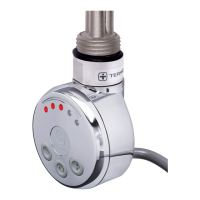
on/o buon
IR receiver
LED diode
11


 To Next Page